Extend the Knox Gateway classpath
Learn how to extend the Knox Gateway classpath by prepending or appending custom paths to include additional JAR files or dependencies outside the Knox Gateway home directory.
-
To append new path(s) to the classpath, click the +
icon and add the following property:
- Name: gateway.server.append.classpath
- Value: The path to your custom libraries, for example /new/append/path/*.jar
The
gateway.server.append.classpathproperty adds the specified paths to the end of the Knox Gateway classpath, allowing Knox to load additional libraries after the default ones.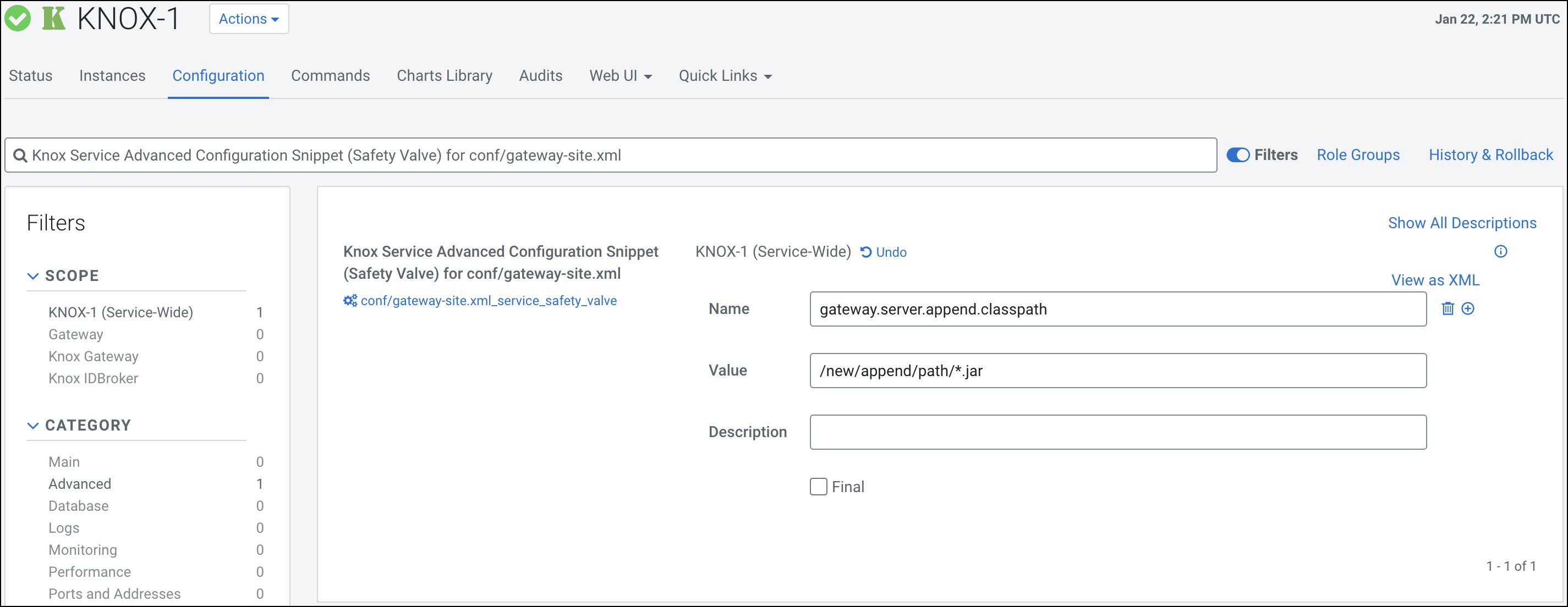
-
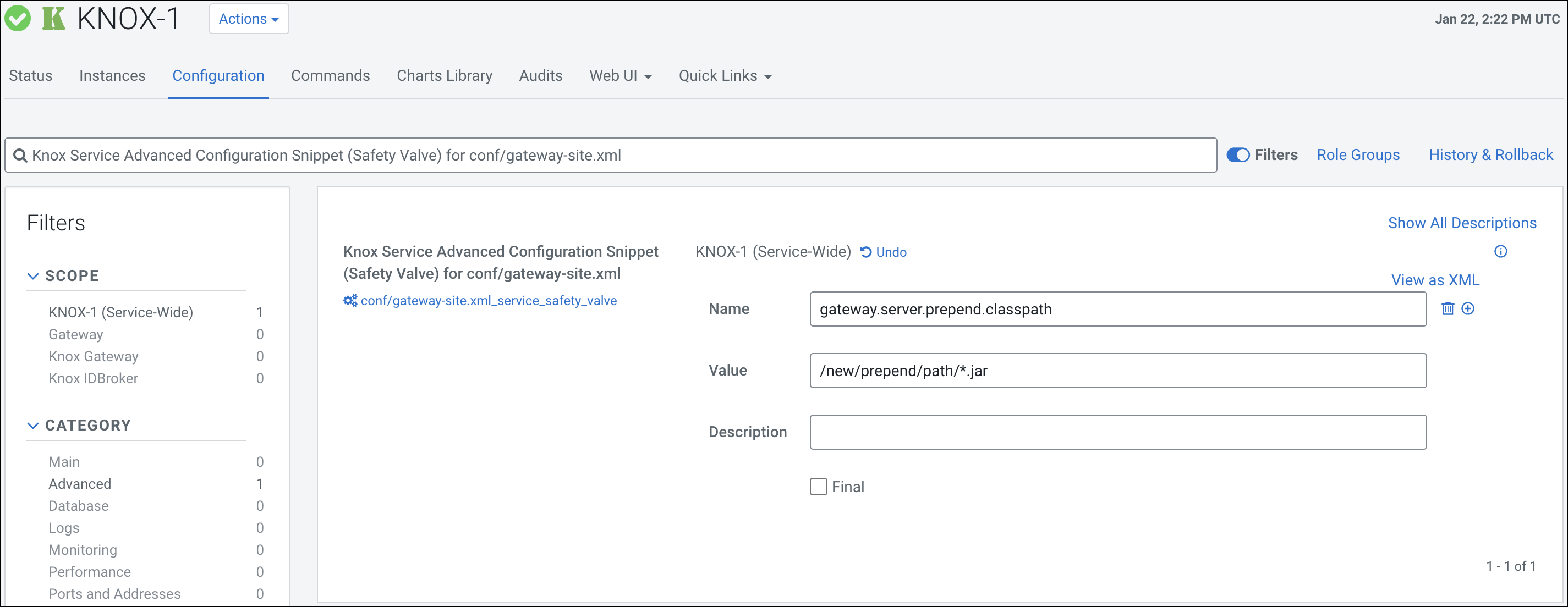
To prepend new path(s) to the classpath, click the +
icon and add the following property:
- Name: gateway.server.prepend.classpath
- Value: The path to your custom libraries, for example /new/prepend/path/*.jar
The
gateway.server.prepend.classpathproperty adds the specified paths to the beginning of the Knox Gateway classpath, allowing your custom libraries to take precedence over the default Knox libraries.