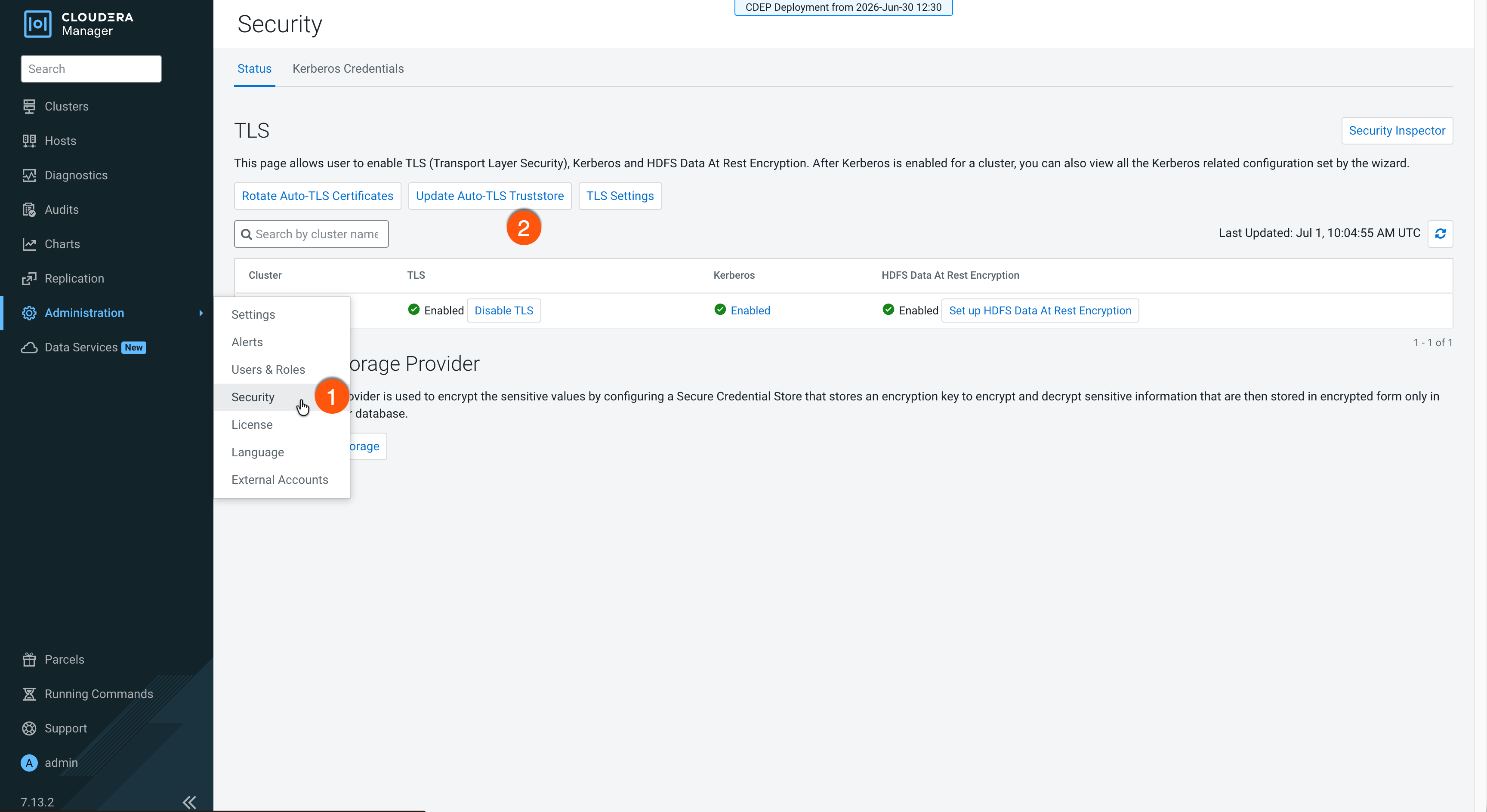
Update the Cloudera Manager Auto-TLS global truststore to add,
remove, or replace certificates. This is required when components need to communicate with
external services, such as public cloud providers on FIPS-enabled clusters.
Once Auto-TLS is enabled, Cloudera Manager manages the truststore.
You can use the Cloudera Manager Admin Console or the API to
update the certificates (CAs). For example, on FIPS-140-3 clusters, the default JDK
truststore is not used, so you must add public cloud provider root CAs (such as AWS,
Azure, or GCP) to the global truststore for services like Knox IDBroker to function
correctly.
By default, updating the truststore replaces all existing certificates. However, you can append new certificates to the existing global truststore without exporting and recombining the current contents.
You can download the root CAs from the cloud providers' official repositories:
If you plan to replace the existing truststore and want to
retain existing truststore certificates, export them before proceeding:
Go to Cloudera Manager > Support > API Explorer.
Expand the /certs/truststore API endpoint and click
Try it out.
Select PEM as the output format and click Execute.
In the response section, click Download file and save
the certificate.
Prepare a PEM certificate file for upload.
The file contents depend on the update mode you plan to use:
To append certificates, include only the new PEM certificates you want
to add.
To replace the truststore, combine all required certificates into a
single PEM file. If you have multiple certificates to upload, start the
file with the leaf certificate, followed by the intermediate
certificates, and end with the root certificate.
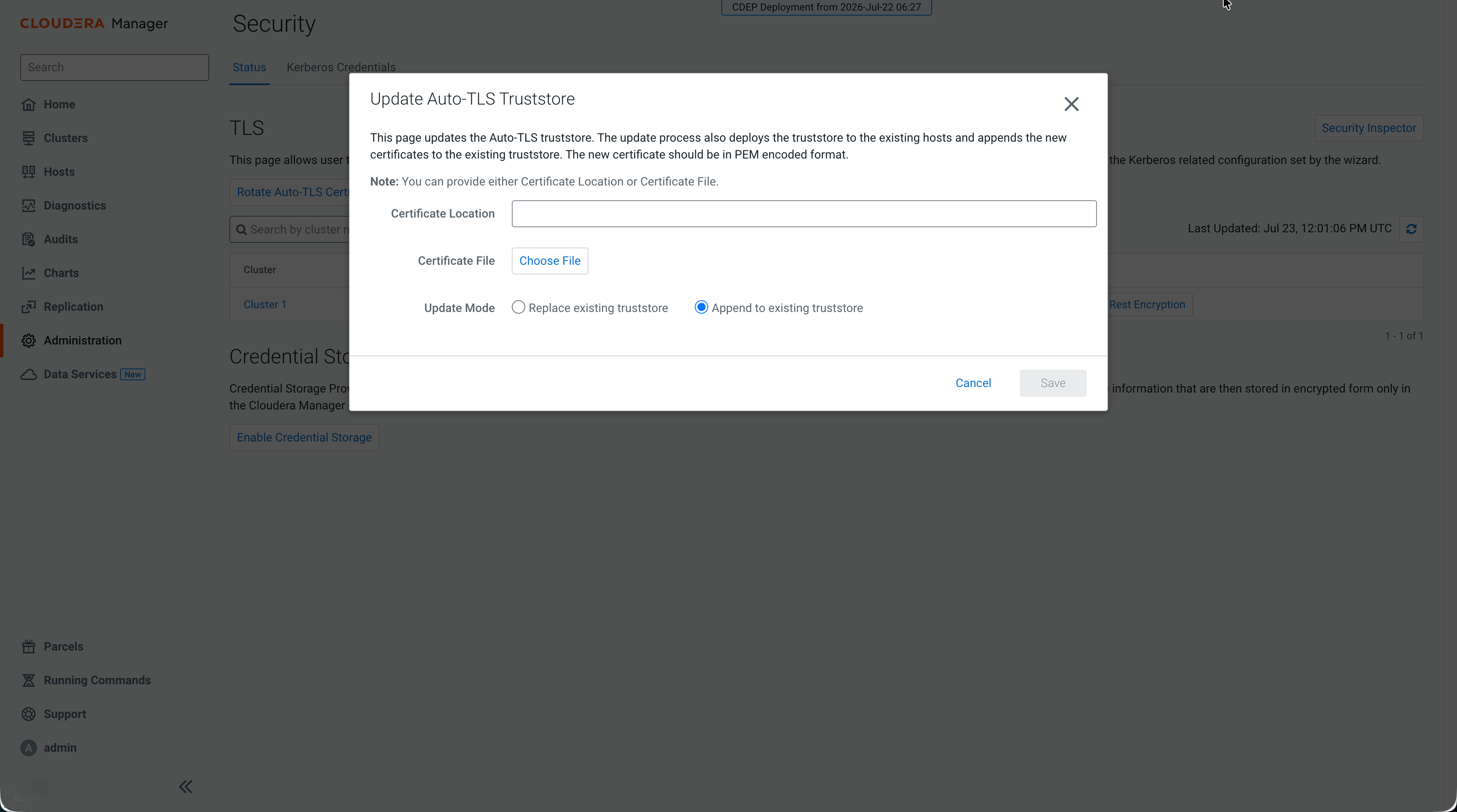
Select Replace existing truststore to overwrite
the global truststore with the uploaded certificates. This is the default
behavior.
Select Append to existing truststore to add the
uploaded certificates to the existing global truststore after the current
CustomCert aliases without removing existing certificates.
Provide the PEM certificate file by entering a certificate location or
uploading a certificate file, and click Save.
Cloudera Manager starts the Update The Global
Truststore command on all managed hosts. This command updates
the cm-auto-global_truststore.jks and
cm-auto-global_cacerts.pem files containing the
required certificates.