Apache Atlas Statistics reference
Atlas collects statistics on the metadata it processes. Use this information to help troubleshoot problems and to gauge performance.
To view statistics, click the graph button in the top right corner:


The statistics available are categorized into Entities and Server Statistics:
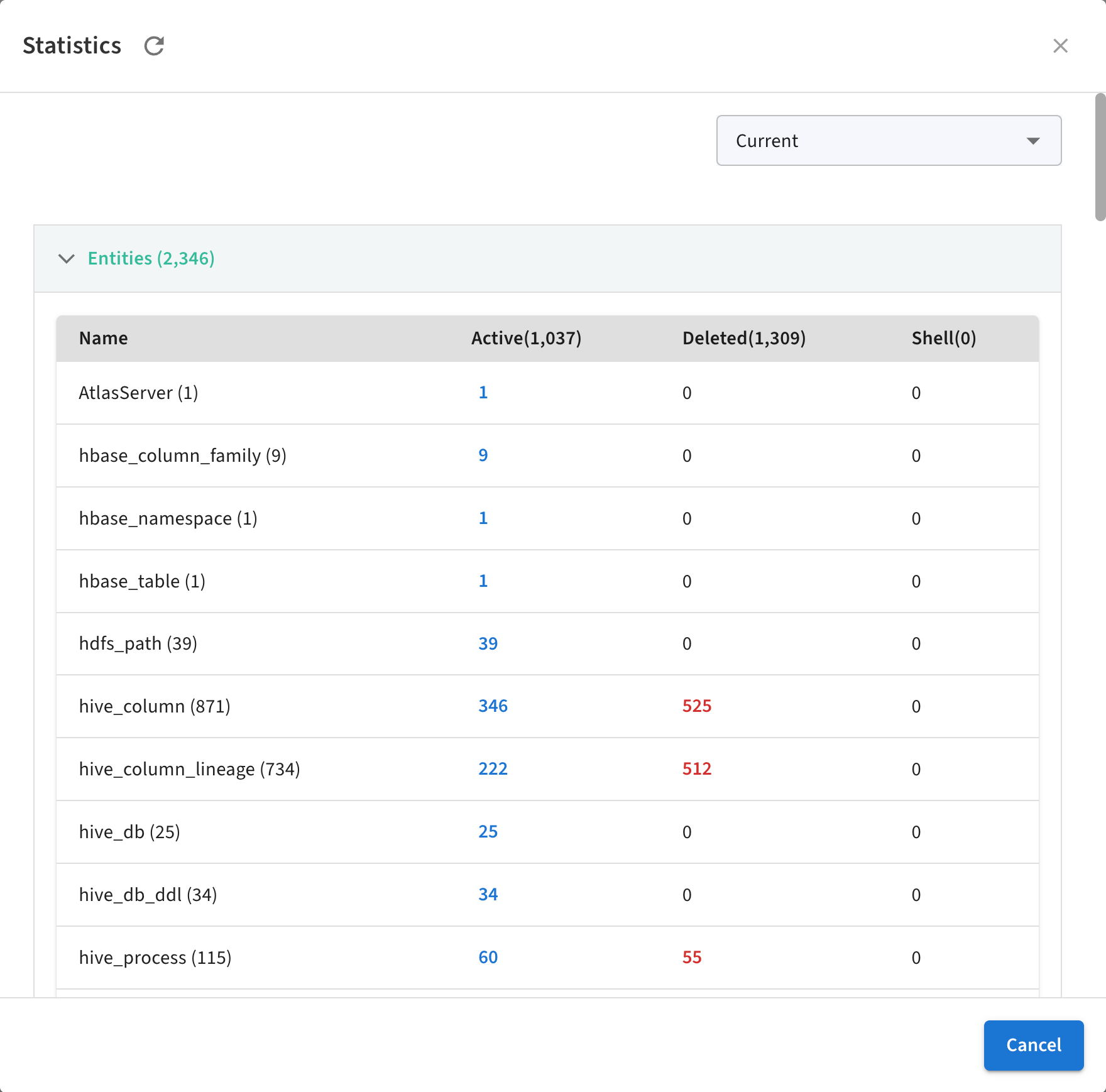
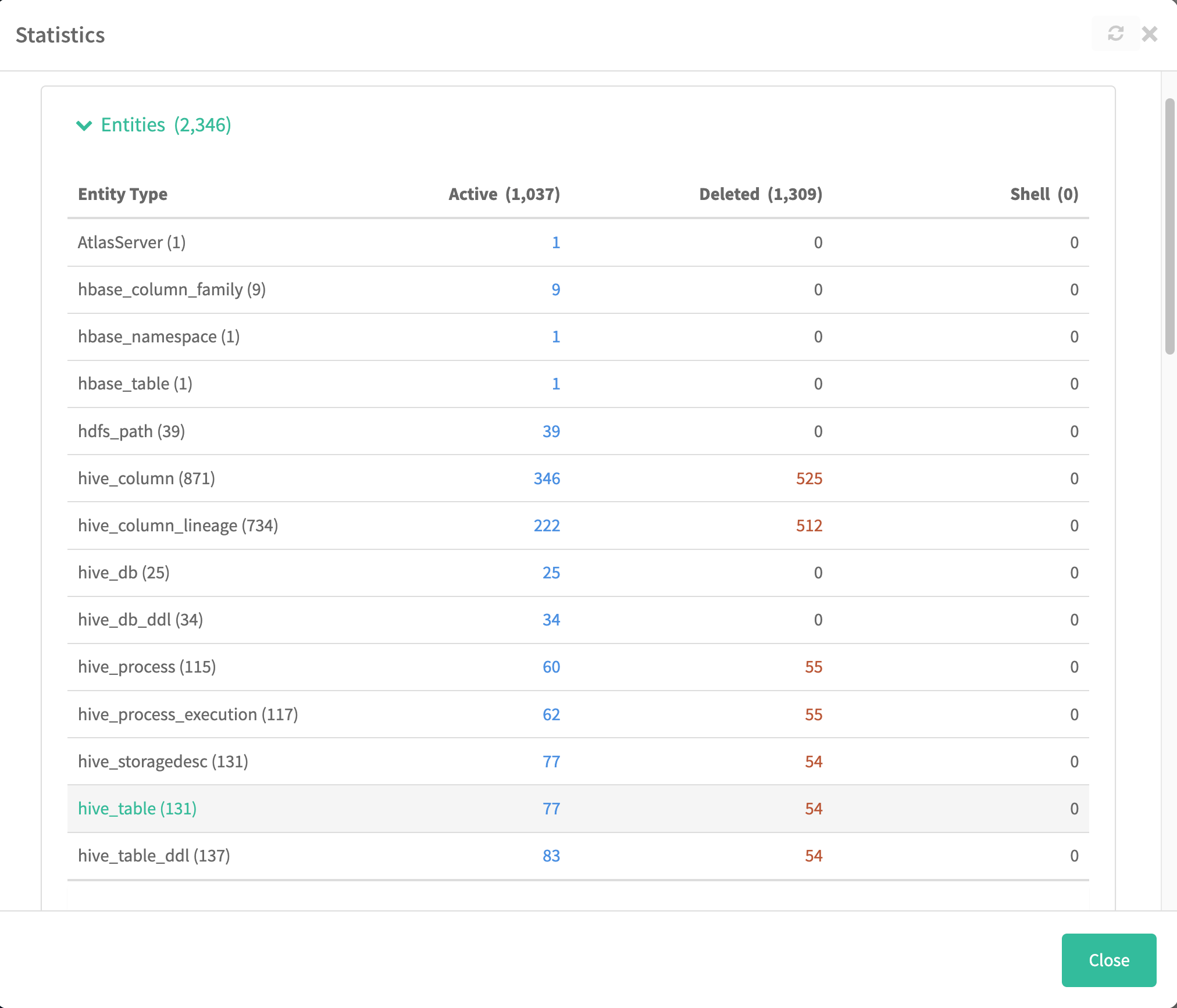
Entity Statistics
This shows the distribution of entity across their types. A second column gives the number of these entities that have been marked as deleted.
Classification Statistics
A list of classifications assigned to entities and the count of entities marked with that classification. The count for each classification is a hyperlink that runs a search for entities marked with the classification.
Server Statistics
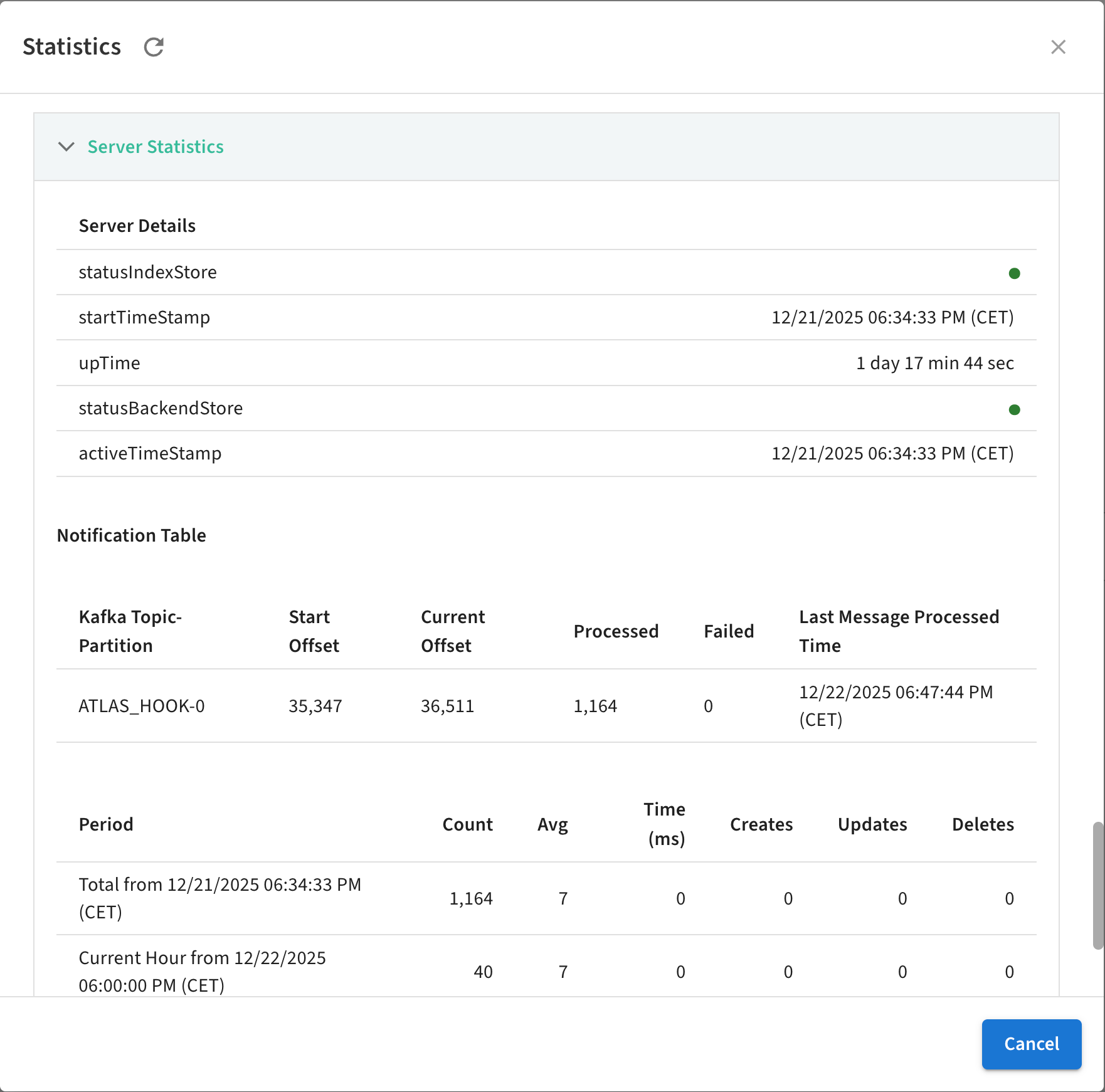
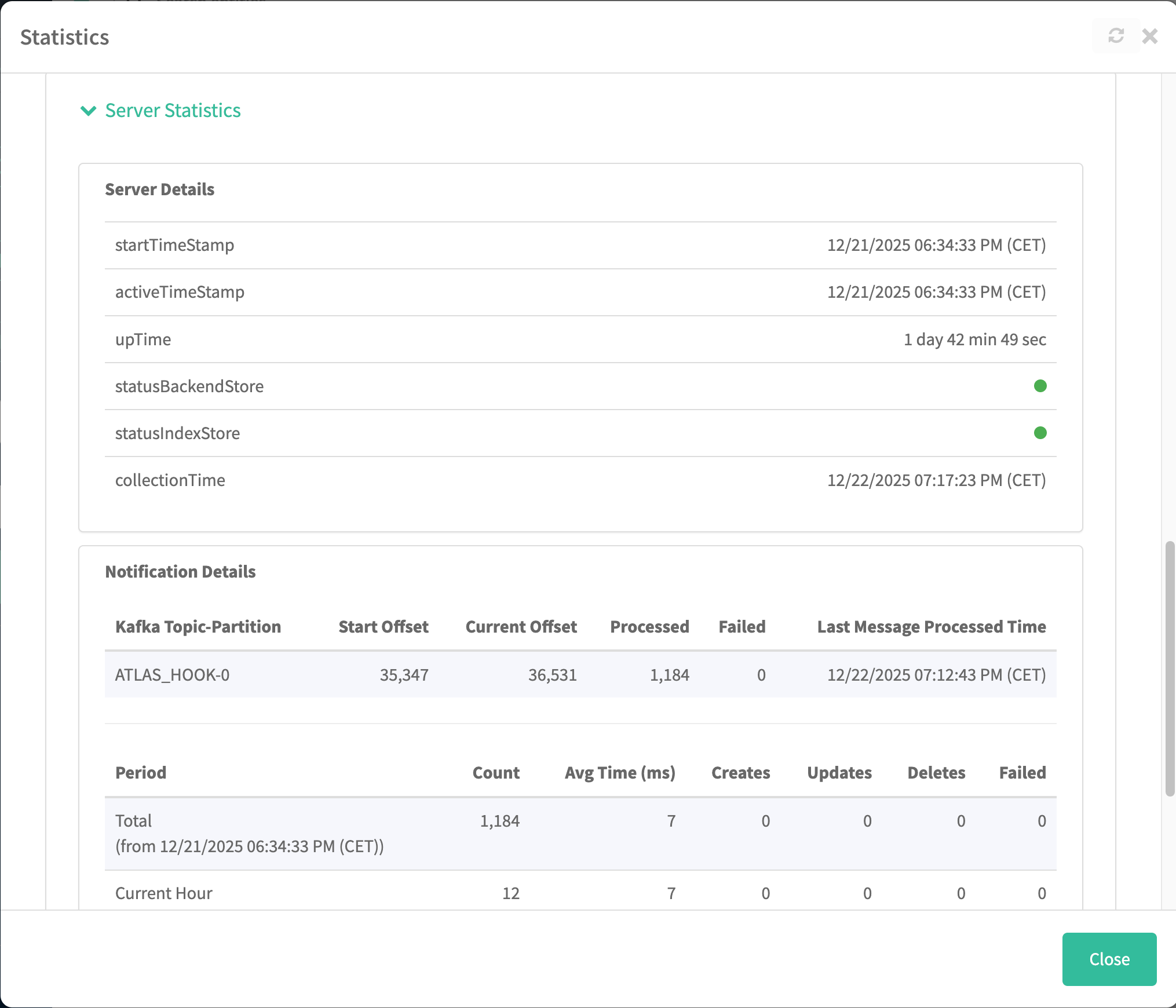
Server statistics reflect the current server session and the metadata collection messages
that Atlas reads from a dedicated Kafka topic.
- Server Details
- startTimeStampThe
- The timestamp of the most recent start of the Atlas server.
- activeTimeStamp
- Same as the startTimeStamp unless Atlas was disabled.
- upTime
- The amount of time between startTimeStamp and the current time when the server was running.
- statusBackendStore
- The status of the Atlas server connection to the HBase namespace where entity metadata is stored.
- statusIndexStore
- The status of the Atlas server connection to the Solr collection where entity metadata is indexed.
- collectionTime
- The last time metrics were calculated.
- lastMessageProcessedTime
- The timestamp of the last message Atlas recorded from the Kafka topic where services publish metadata.
- offsetCurrent
- The index in the Kafka partition that was most recently read.
- offsetStart
- The index in the Kafka partition that was first read.
- Notification Details: Kafka Topic-Partition
- Atlas Hook
- The primary topic through which services send metadata to Atlas and Atlas sends metadata to Ranger.
- Spark-Atlas Hook Topic
- A supplementary topic provided for Spark communication to Atlas.
- Notification Details: Message Statistics
- Period
- The interval that the statistic applies to, including the total lifetime of Atlas. Each period indicated includes a timestamp for when the period started.
- Count
- The number of messages processed by Atlas during the period.
- Avg Time (ms)
- The average duration between the time that a hook published a message to the Kafka topic to the time entities where successfully created or updated.
- Creates
- The number of entities produced from the messages processed during the period.
- Updates
- The number of entities updated based on the messages processed during the period.
- Deletes
- The number of entities updated based on the messages processed during the period.
- Failed
- The number of messages that were received but not processed. For more information on what might have prevented these messages from being processed.
