Running a MapReduce job using the UI
Run the MapReduce Pi test in the Cloudera Manager UI to verify that the YARN service processes workloads without requiring a command-line access.
The Run Pi Test action provides a diagnostic tool in Cloudera Manager under the YARN service. It launches the standard Hadoop MapReduce Pi job using fixed parameters (10 maps and 100,000 samples) to conduct a lightweight functional validation of a YARN job.
Depending on your cluster environment, authentication behaves as follows:
- Cloudera Data Explorer (Hue) user available: Cloudera Manager automatically uses the Cloudera Data Explorer (Hue) user credentials to run the job.
- No Cloudera Data Explorer (Hue) user available: The UI prompts you to enter a username and password.
- Kerberos-enabled cluster: The provided credentials are used for Kerberos authentication, automatically generating a keytab from the password.
- Non-Kerberos cluster: The provided credentials are run within a local Unix user context.
Ensure that the YARN service is running and healthy in Cloudera Manager. If your cluster does not have an active Cloudera Data Explorer (Hue) user, ensure you have valid user credentials available before proceeding.
-
Select Run MapReduce Pi Test Job.
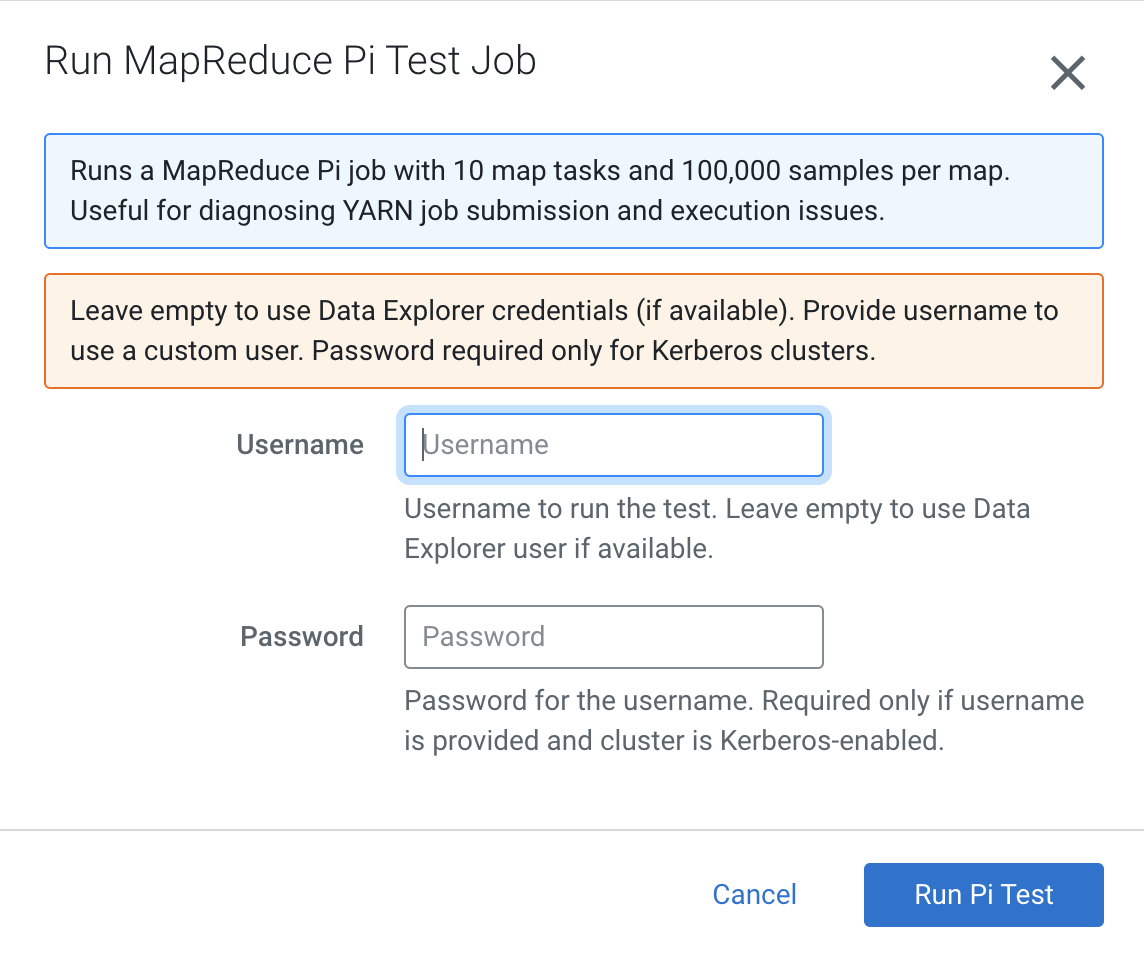
The Run MapReduce Pi Test Job dialog box is displayed.
Figure 1. Run Mapreduce Pi Test Job dialog box