Configure load balancing for Apache Hive through Knox
Learn how to configure load balancing for Apache Hive when accessing it through Knox Gateway using the Cloudera ODBC driver for Hive to prevent connectivity errors and distribute workload across Hive instances.
Load balancing is disabled by default when accessing Apache Hive using the Cloudera ODBC driver for Hive. To enable load
balancing, you must configure the
disableLoadBalancingForUserAgents
parameter in Cloudera Manager.-
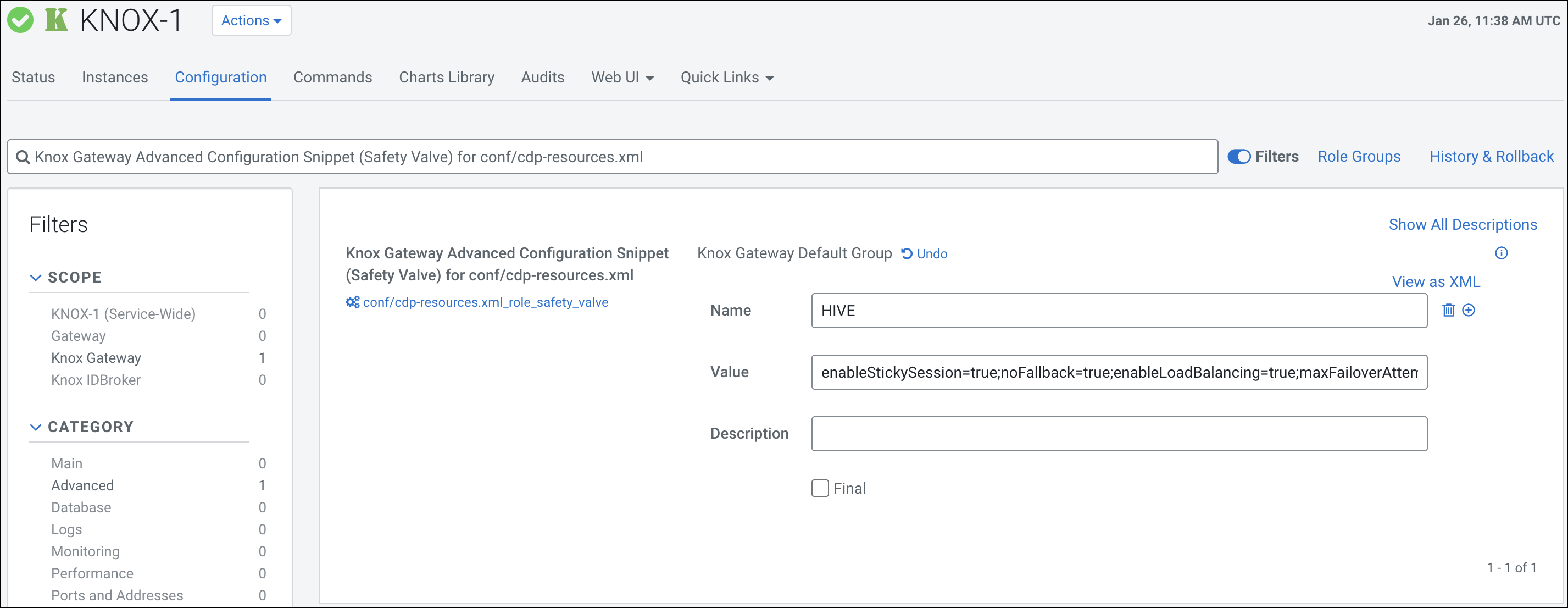
Click the + icon and add the following parameter:
- Name:
HIVE - Value:
enableStickySession=true;noFallback=true;enableLoadBalancing=true;maxFailoverAttempts=0;disableLoadBalancingForUserAgents=NONE
- Name:
This configuration enables load balancing for Hive, ensuring proper workload distribution across Hive instances, and preventing connectivity errors when using the Cloudera ODBC driver for Hive.
