Distributing certificates to access S3 endpoint
Distribute Amazon certificates to the required truststores to enable secure communication with Amazon S3 endpoints. This process requires importing necessary certificates into the Cloudera Manager global truststore and in Java cacerts files to ensure TLS handshake success across the environment.
Perform the following steps to add Amazon certificates to the required truststores, including the Java cacerts file:
-
Add Amazon certificates into the truststore.
-
If you are using a Cloudera Manager managed
truststore, you need to update the
cm-auto-global_truststore.jks and
cm-auto-global_cacerts.pem files.
- Create a combined certificate file of
AmazonRootCA1.pem,AmazonRootCA2.pem,AmazonRootCA3.pem,AmazonRootCA4.pem, and SFSRootCAG2.pem files:cat AmazonRootCA1.pem AmazonRootCA2.pem AmazonRootCA3.pem AmazonRootCA4.pem SFSRootCAG2.pem >> AmazonCombineCacerts.pem - Go to .
- Click Update Auto-TLS Truststore.
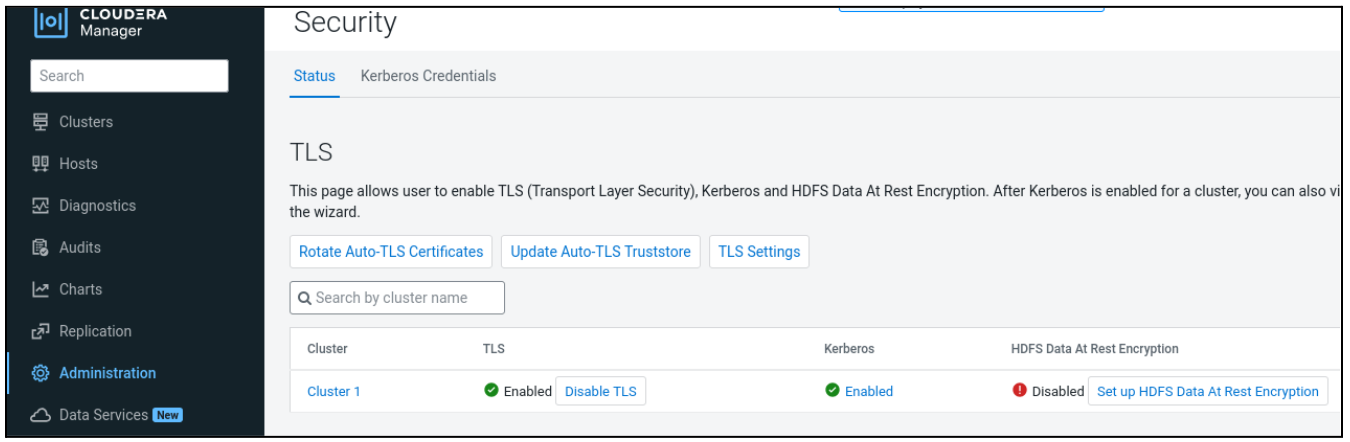
- Upload the combined
AmazonCombineCacerts.pemcertificate file, and click Save.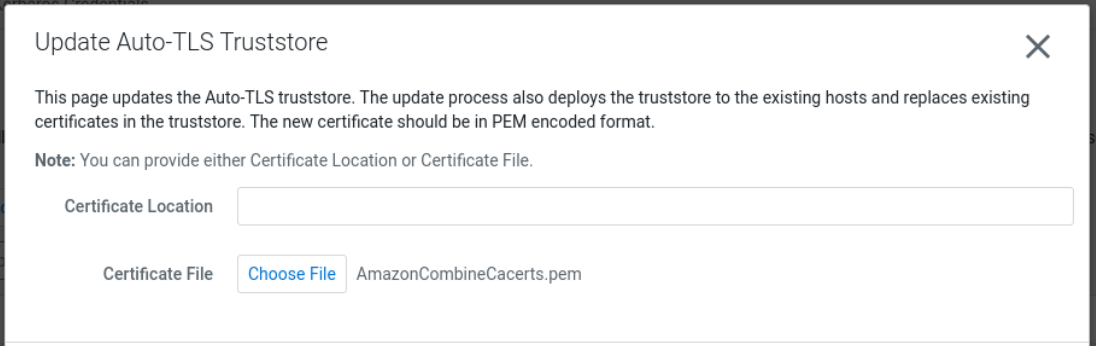
Cloudera Manager will start the Update The Global Truststore commands on all the managed hosts. These commands update thecm-auto-global_truststore.jksandcm-auto-global_cacerts.pemfiles containing the required Amazon Trust Services certificates.
- Create a combined certificate file of
-
If you are using a Cloudera Manager managed
truststore, you need to update the
cm-auto-global_truststore.jks and
cm-auto-global_cacerts.pem files.
