After you restart all services, you must perform post-installation tasks, including
updating the cm_s3 policies, creating policies for Hive and Impala, verifying authorization
for RAZ, and updating a Spark property.
Log in to Ranger Admin UI using admin user credentials.
After a successful login, go to the cm_s3 policy listing page.
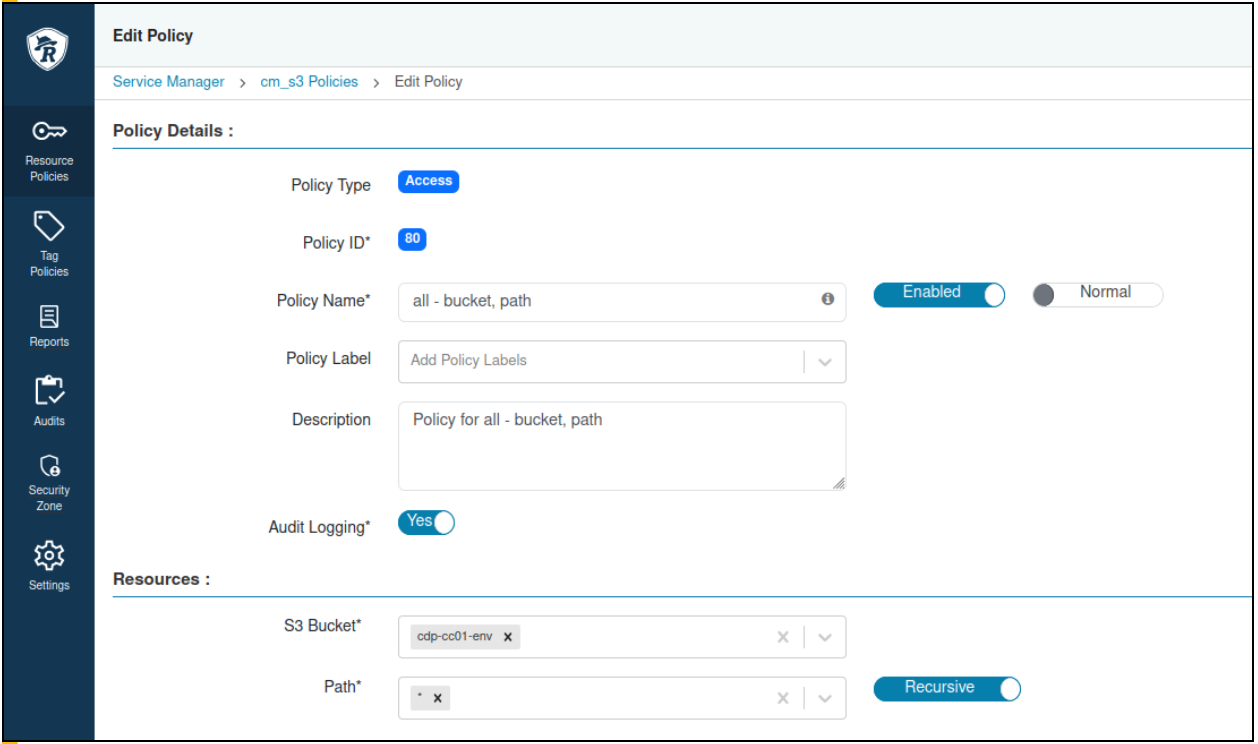
Update the all - bucket, path default policy with the
bucket being used.
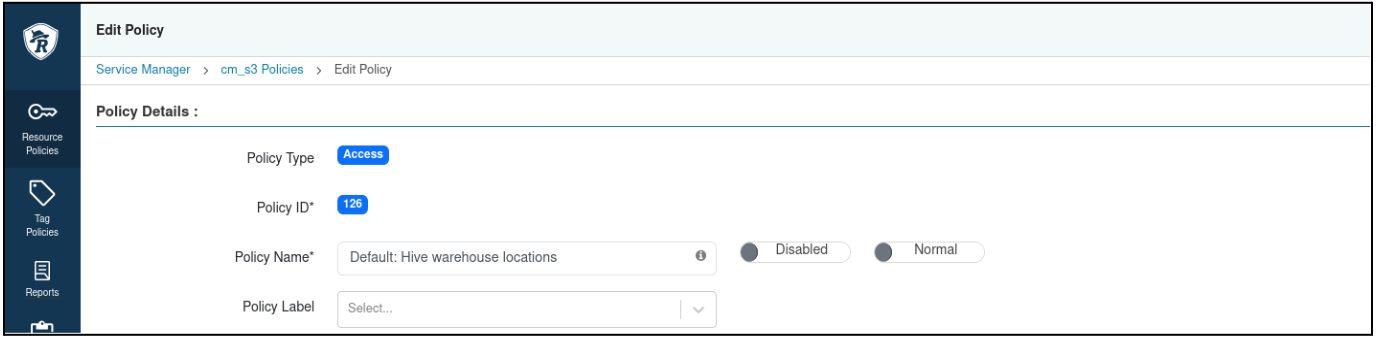
Disable all the other policies in cm_s3 except for all - bucket,
path.
To disable the policies, edit the individual policy and click the
Enabled toggle next to the policy name.
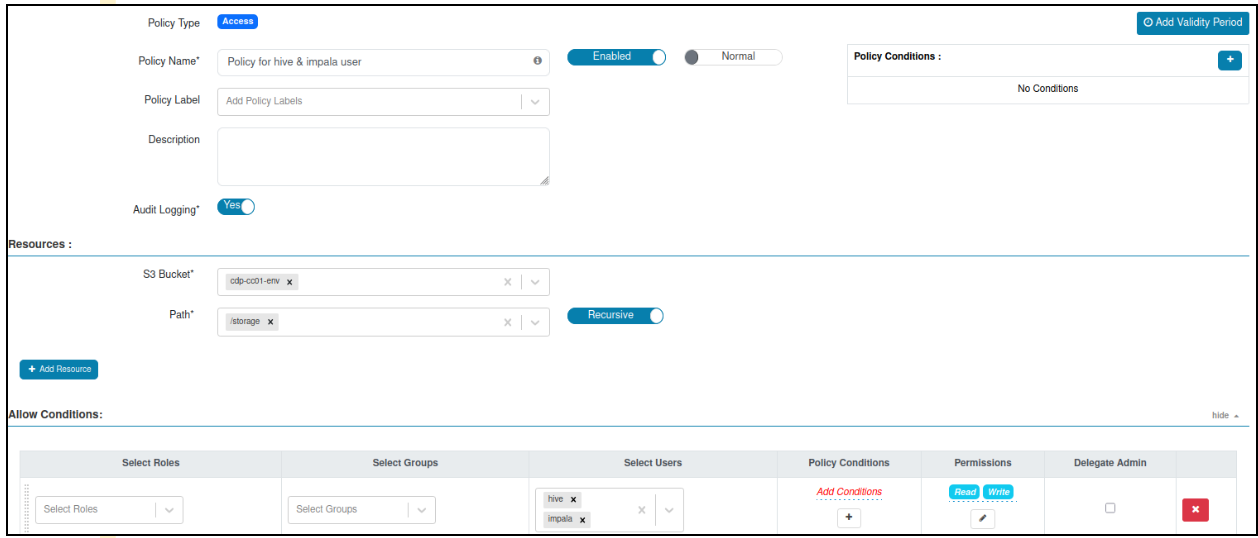
Create a policy for Hive and Impala users to have read and write access on the
S3 bucket and path or storage.
Verify that RAZ authorization is working by executing the following
command:
SSH to the node where Ranger RAZ Server is
installed from Cloudera Manager and run the following commands:
ps -ef | grep rangerraz | awk '{split($0, array,"classpath"); print array[2]}' | cut -d: -f1 #Note down RAZ_CONF_DIR directory

klist -kt <RAZ_CONF_DIR>/../ranger_raz.keytab #Note down RAZ_PRINCIPAL, it must starts with rangerraz

kinit -kt <RAZ_CONF_DIR>/../ranger_raz.keytab <RAZ_PRINCIPAL>
List all items available under the S3 storage path by running the
following HDFS command:
hdfs dfs -ls s3a://<BUCKET-NAME>/storage/
Log in to the Ranger Admin UI > Audits > Plugins tab.
Use the Service Name filter to get the result
for cm_s3.
A successful 200 response record for the cm_s3 service appears.
Update the Spark service property.
Property Name
Value
Spark 3 Client Advanced Configuration Snippet
(Safety Valve) for
spark3-conf/spark-defaults.conf