Clearing NodeManager local directories using Cloudera Manager
You can use the Clean NodeManager Local Directories action in Cloudera Manager to clear old cache files from the YARN NodeManager local directories on all NodeManager hosts without logging in to each host manually.
YARN NodeManagers store localized resources, such as user cache and file cache, in
the directories set by the NodeManager Local Directories
(yarn.nodemanager.local-dirs) property. Over time, these cached
files can build up, use significant disk space, or go out of date. This can cause
issues such as:
- Slow data processing caused by old cache in the local directories.
- Shuffle fetch failures or other job failures caused by out-of-date or corrupted localized files.
- Permission errors on cached files, for example after enabling Kerberos.
The Clean NodeManager Local Directories action removes the contents of the cache subdirectories such as, filecache, usercache, nmPrivate, and spark_shuffle in the configured NodeManager local directories on every NodeManager host. The local directories themselves are preserved; only their contents are removed.
- Ensure you have the Cluster Administrator or Full Administrator role in Cloudera Manager.
- Verify that your Cloudera Manager version supports this action (7.12.0 or later for Cloudera on cloud, or 7.3.1 or later for Cloudera Base on premises).
- Schedule a maintenance window and notify that the YARN service will be unavailable.
-
Click , and confirm.
Wait until the YARN service stops completely.
Figure 1. Actions menu 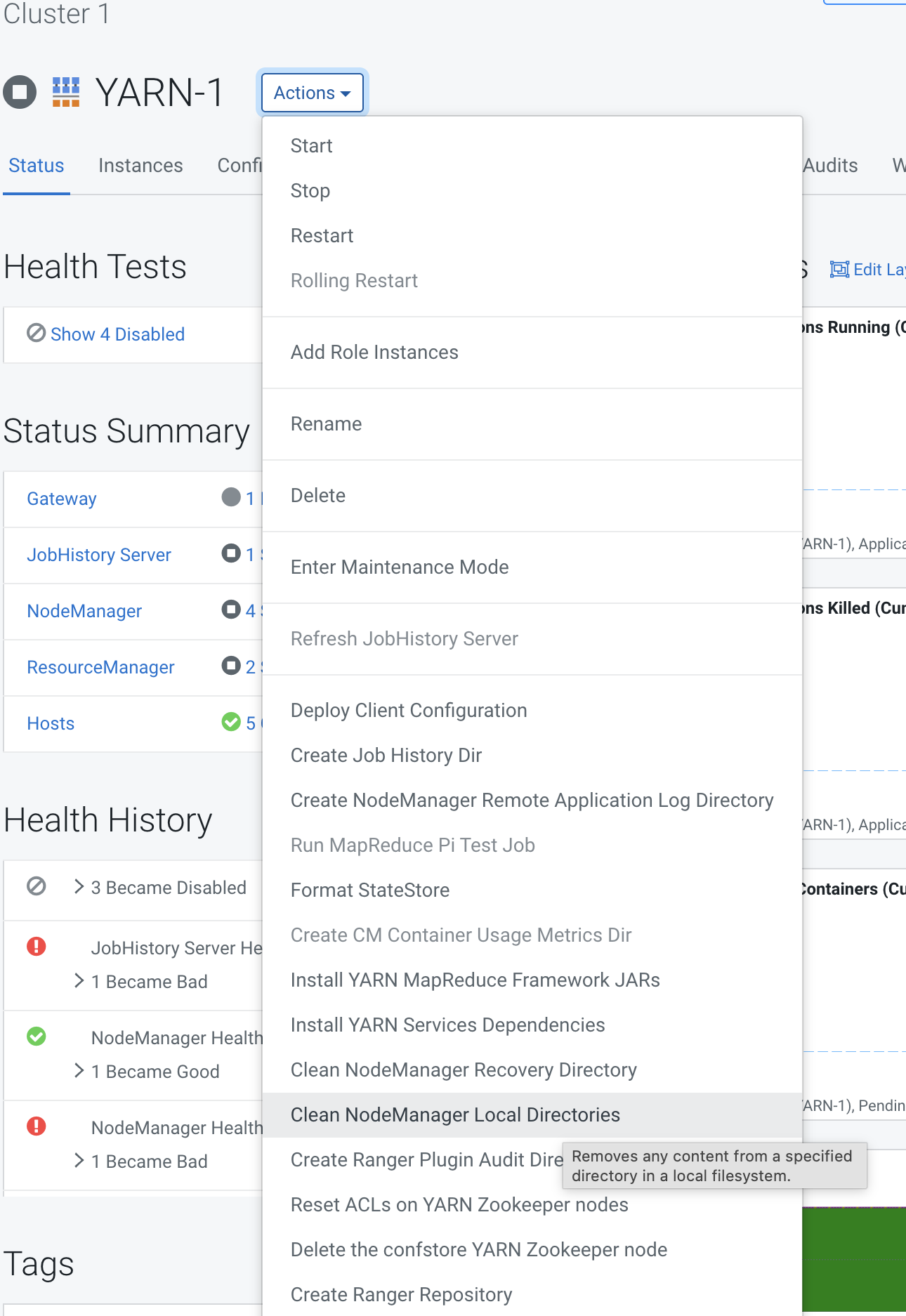
The cache files are removed from the NodeManager local directories on all NodeManager hosts. When applications run again, YARN localizes fresh copies of the resources they need.
Run a test job, such as a MapReduce word count, to confirm that YARN applications run correctly.
