Data Explorer is a web-based interactive query editor that enables you to interact with data
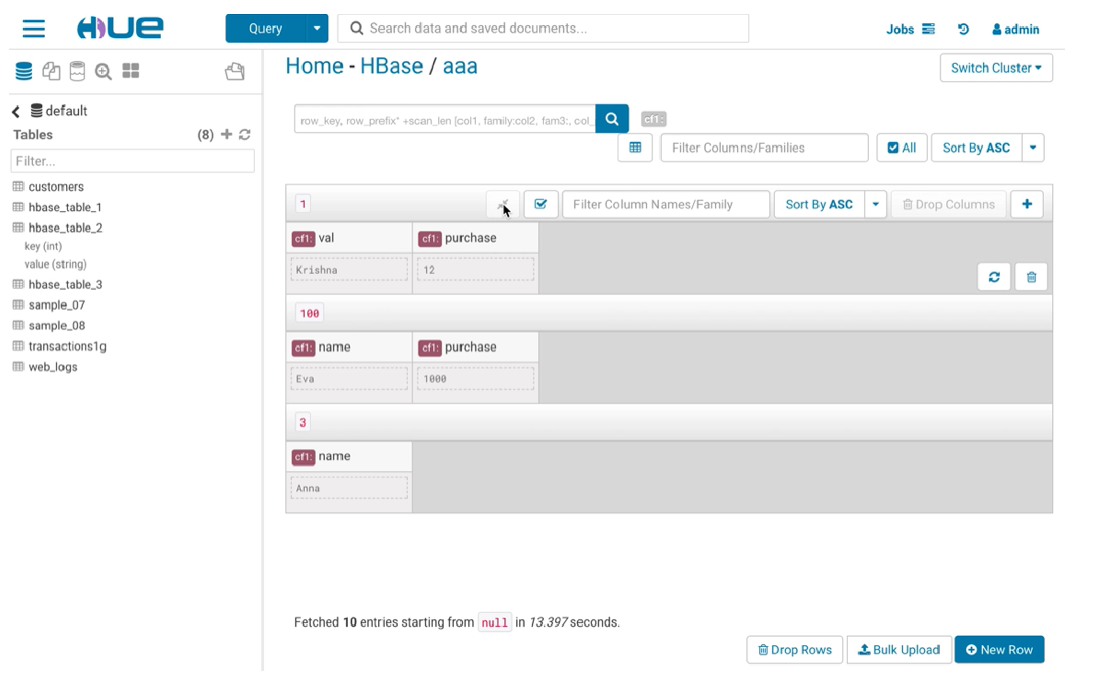
warehouses. You can use the HBase Browser application in Data Explorer to create and browse HBase tables.
The HBase Data Explorer app enables you to insert a new row or bulk upload CSV files, TSV files, and type
data into your table. You can also insert columns into your row. If you need more control or data
about your cell, you can use the full editor to edit a cell.
If you are using the HBase Thrift interface, Data Explorer fits in between the Thrift Server and the
HBase client, and the Thrift Server assumes that all HBase operations come from the Data Explorer user and
not the client. To ensure that users in Data Explorer are only allowed to perform HBase operations assigned
to their own credentials, and not those of the Data Explorer user, you must enable doAs Impersonation for
the HBase Browser Application.