Adding a DataNode
Learn how to add a new HDFS DataNode.
- Sign in to Cloudera Manager.
- In the left navigation menu, go to Clusters and select the HDFS cluster.
-
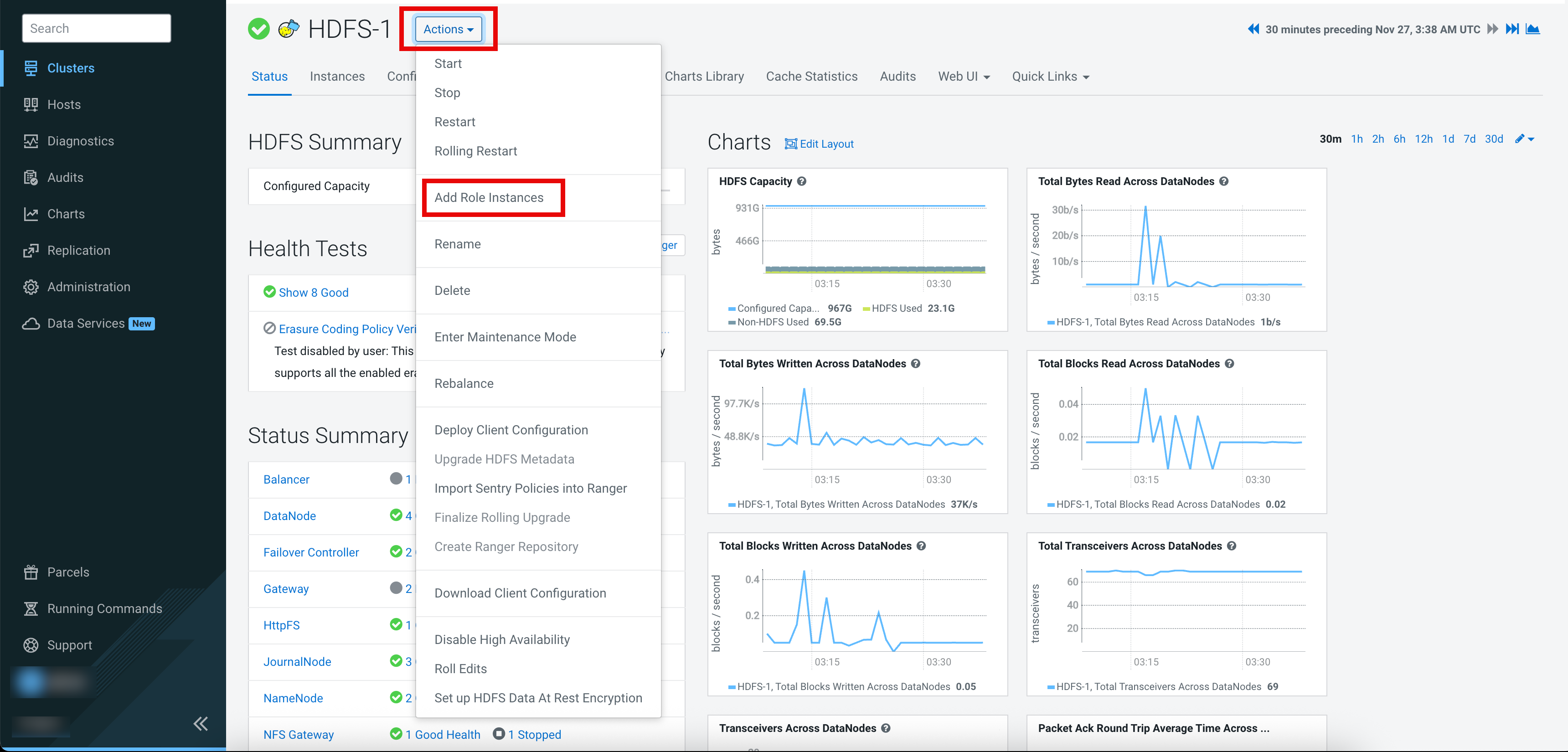
Select the Actions > Add Role Instances option.
-
In the Assign Roles tab, select one of the following
options from the DataNode drop-down list:
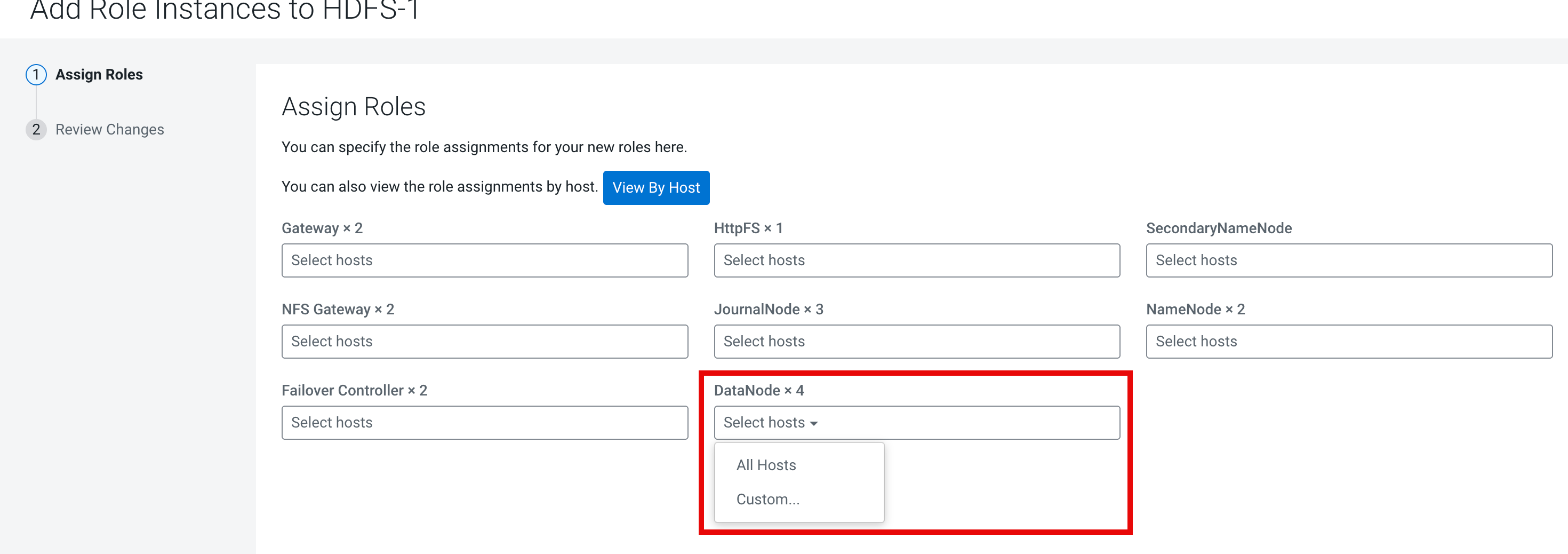
- All Hosts – Selects all the hosts automatically.
- Custom – A popup screen displays with all the available hosts. Select the relevant hosts for which you want add the role instance and click OK.

- Click Continue.
-
In the Review Changes tab, update the following
configurations:
- DataNode Data Directory – A comma-separated list of directories where the DataNode stores the HDFS block data. Review and adjust the values as necessary.
- DataNode Failed Volumes Tolerated – The number of volumes that are allowed to fail before a DataNode stops offering service. By default, any volume failure will cause a DataNode to shutdown. The default value is 0.
-
Click Finish.
A new DataNode is added to the HDFS cluster.