Datanode insights
The Datanodes widget shifts focus to individual node performance. This is crucial for identifying storage imbalances, failing disks, or nodes that are filling up faster than their peers.
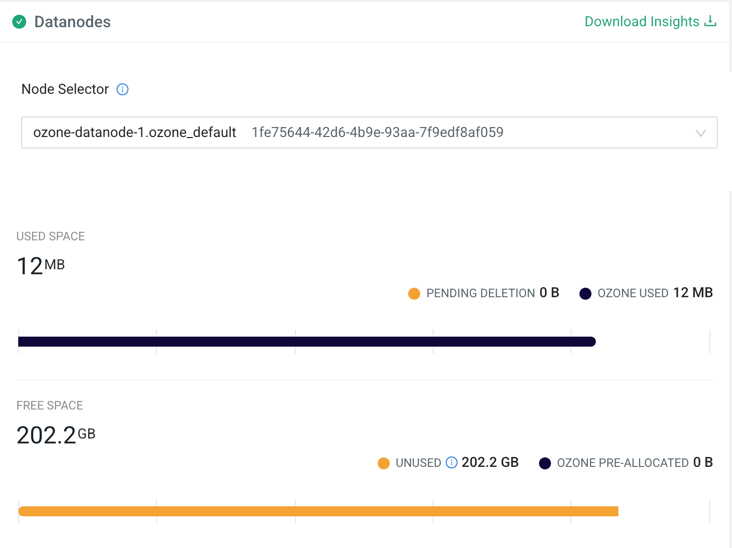
Using the Datanode Inspector:
- Node Selector: Pick a specific Datanode using the searchable dropdown, which displays both the hostname and the unique UUID (example, ozone-datanode-1.ozone_defa).
- Download Insights: Export a snapshot report of all DataNode storage distributions in CSV format.
Once a Datanode is selected, you can view its specific storage distribution:
- Used space (Datanode level): Total storage distribution on the selected node.
- Pending deletion: Space occupied by blocks queued for immediate physical deletion on this node.
- Ozone used: Physical space used by active, replicated Ozone blocks on this specific node.
- Ozone pre-allocated: Space reserved specifically for open Ozone containers on this node.
- Free or unused space: Remaining unused physical capacity available on this node.
