Decommissioning OM Node

Add the Ozone Manager (OM) NodeId of the decommissioning node to the decommissioning property ozone.om.decommissioned.nodes.[ozone_service_id] in ozone-site.xml of all nodes.

To decommission OM, perform the following steps.

  1. Log in to Cloudera Manager.
  2. Navigate to Clusters.
  3. Select the Ozone service.
  4. Click Instances.
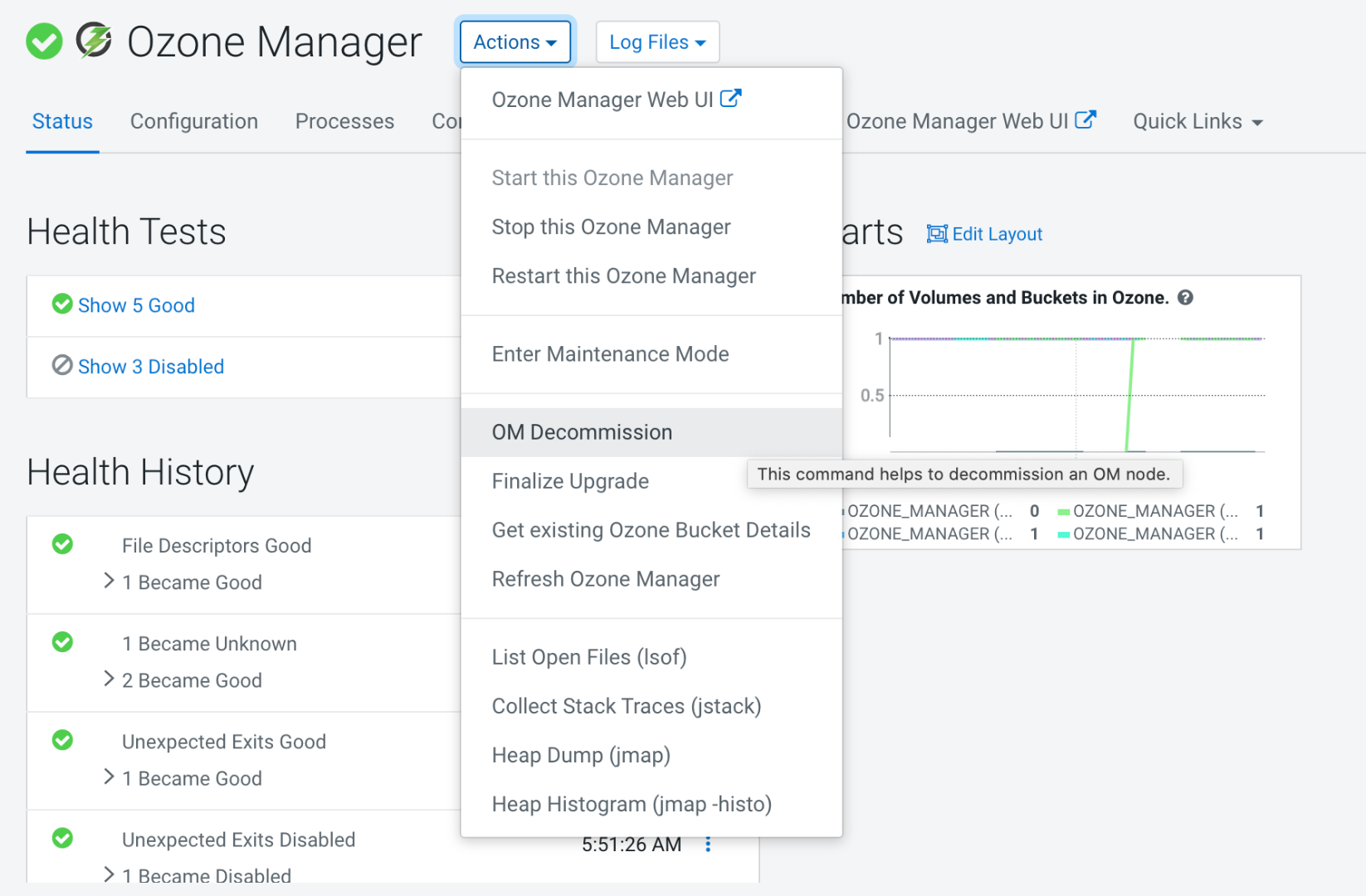
  5. Click Ozone Manager for the node that needs to be decommissioned.
  6. Click Actions.
  7. Click OM Decommission.


  8. After the OM is decommissioned, you must delete the OM.
    1. Navigate to Clusters.
    2. Select the Ozone service.
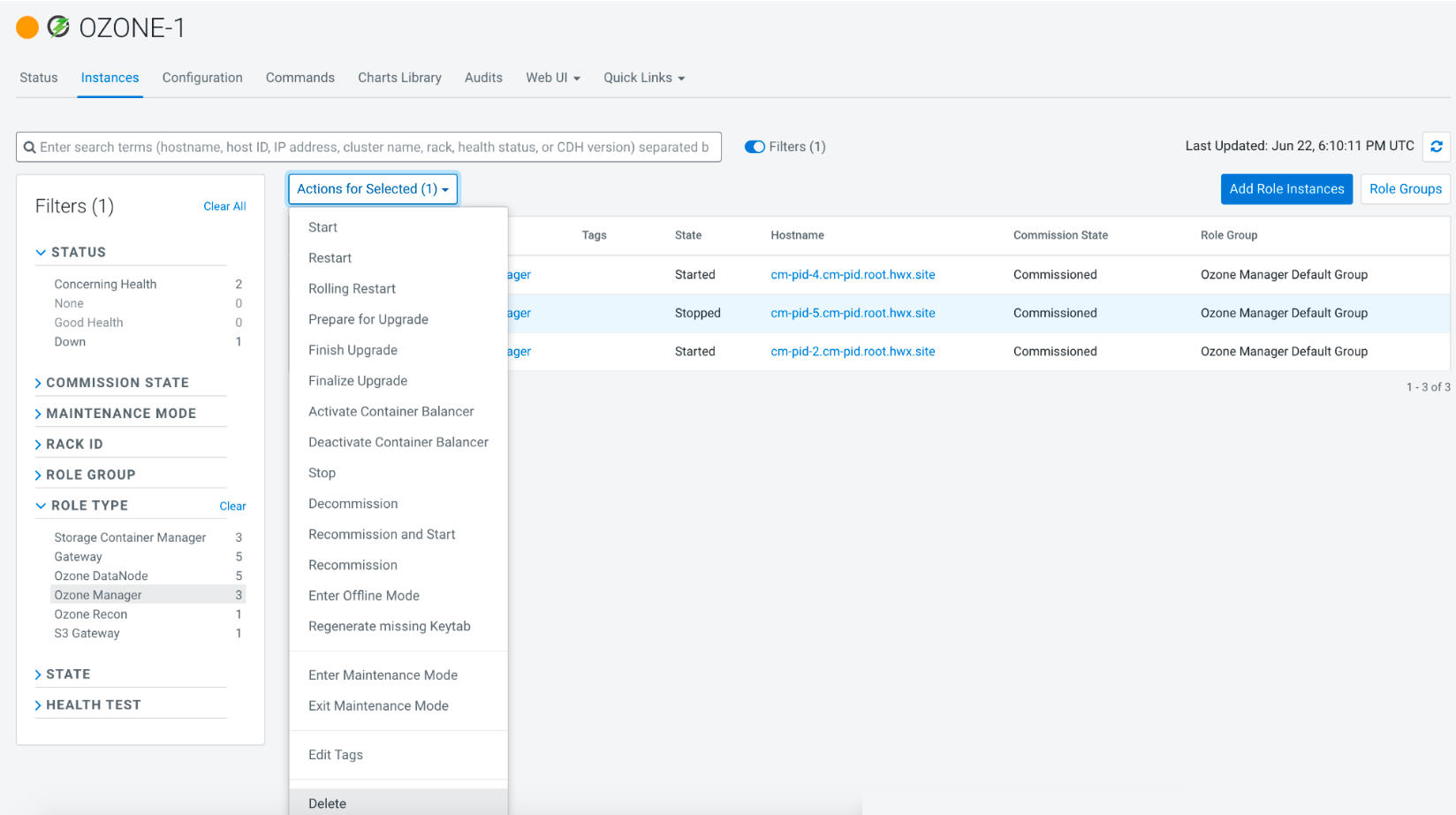
    3. Click Instances.
    4. Select the Ozone Manager that is decommissioned.
    5. Click Actions for Selected.
    6. Click Delete.