Configuring a table location outside the warehouse root directory
You need to know how to set the property that allows you to establish a common location for tables.
-
In Value, enter
true.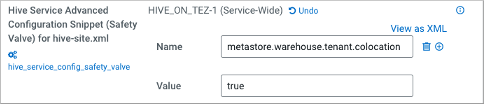
You need to know how to set the property that allows you to establish a common location for tables.
true.
