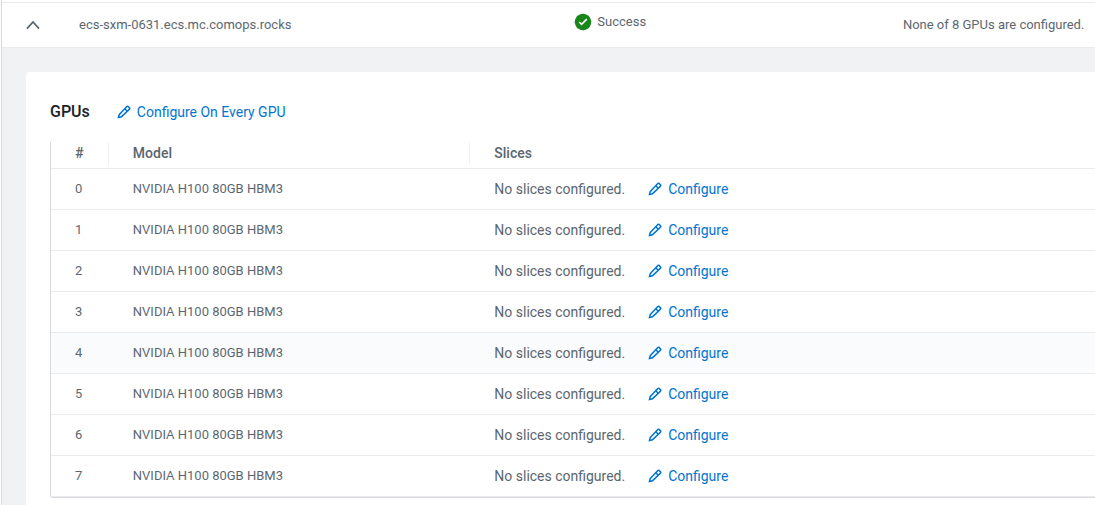
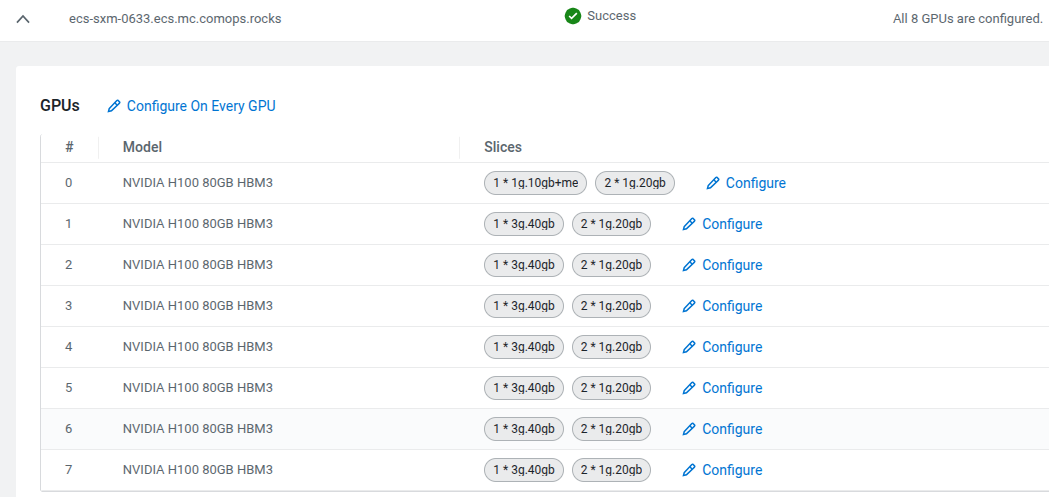
Under the Cluster Strategy option, you can locate the
Nodes panel. This panel lists all the MIG capable nodes.
Each node lists its available GPUs, and for each GPU the currently associated slices.
As an example, the following illustration contains a cluster that has two MIG capables
nodes:
ecs-sxm-0631.ecs.mc.comops.rocks
ecs-sxm-0633.ecs.mc.comops.rocks
These two nodes are identical, have the exact same GPUs: 8 x NVIDIA H100 80GB
HBM3.
Additional information about these slices and how these should be read:
NVIDIA H100 80GB HBM3 has capacity: 80gb memory
and 7 compute units.
Slices like: 1 * 3g.40gb + 2 * 1g.20gb
implies that we split that GPU to 3 slices overall:
1 * 3g.40gb: This single slice would use 40GB memory and 3 compute
units
2 * 1g.20gb: This yields 2 slices of the same size, each would have
20GB memory and 1 compute unit
This uses up the whole GPU memory: 40gb + 2 * 20gb = 80gb
However, not all the compute units are used: 3 + 2 * 1 = 5. This GPU has 7 compute
units, so 2 would be left unused.
Because these slices exhaust the GPU capacity, there is no option to add more slices
to this GPU.
There is a special slice, that is visible on the sceenshot for
ecs-sxm-0633.ecs.mc.comops.rocks GPU 0: 1g.10gb+me. This is
a special slice and only 1 could be used on a GPU, you cannot have 2 slices of the same. The
+me means to include media engines such as: NVDEC, JPEG,
OFA.