Viewing agent class details in Cloudera Edge Management
Learn how to check individual agent class details, monitor alerts, view configurations, check status, and track the history of triggered commands.
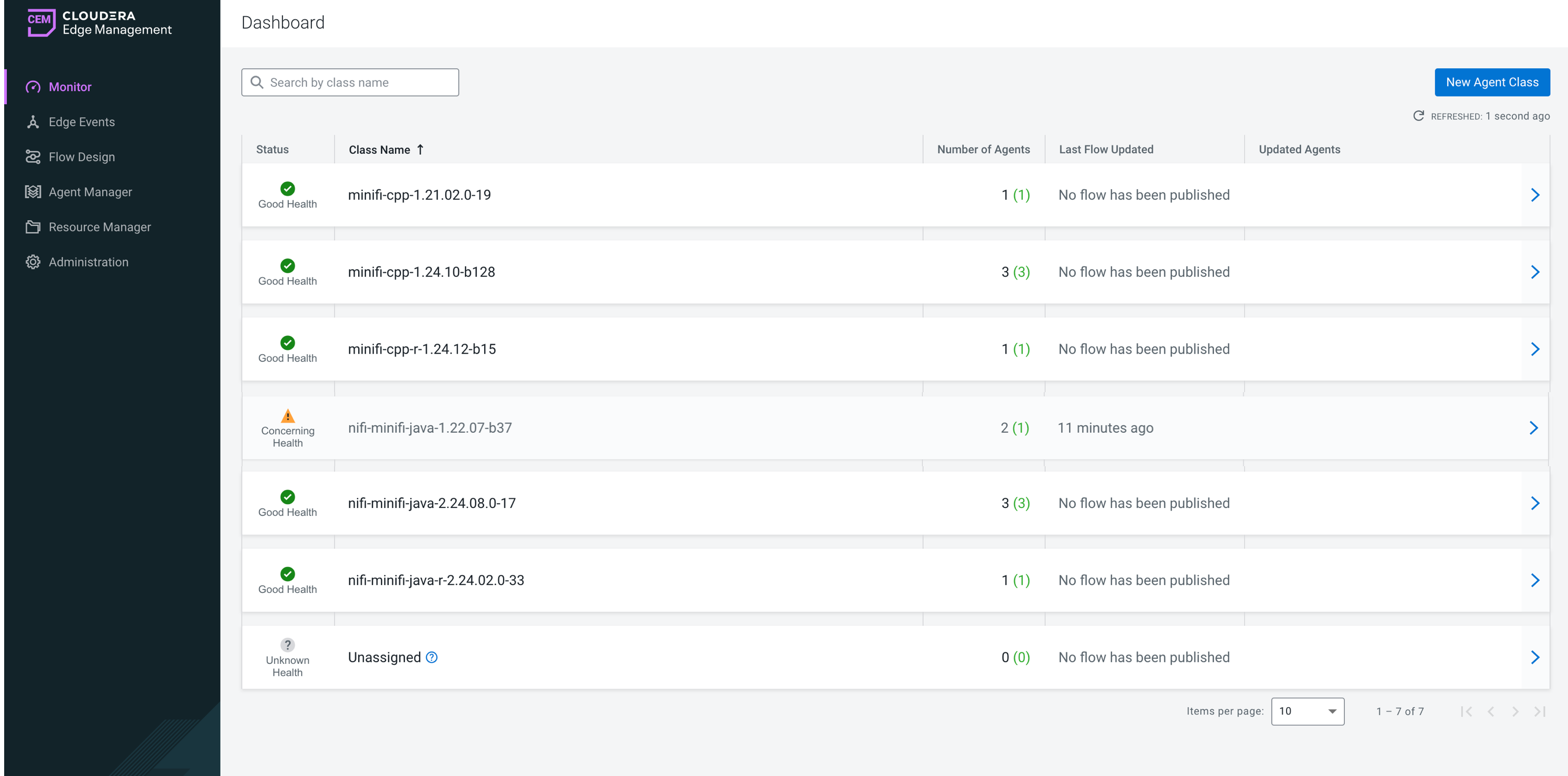
Metrics tab
- Flow Definition
-
Displays details about the class including flow ID and published flow version.
- Dashboard
-
Provides a link to the Grafana dashboard, if enabled. For more information, see Monitoring Metrics with Grafana.
- Repositories (Class Average)
-
Shows the average usage details of the repositories across all agents in the agent class.
- Connection Queues (Class Average)
-
Shows an aggregate view of all connections across agents in the class.
Alerts tab
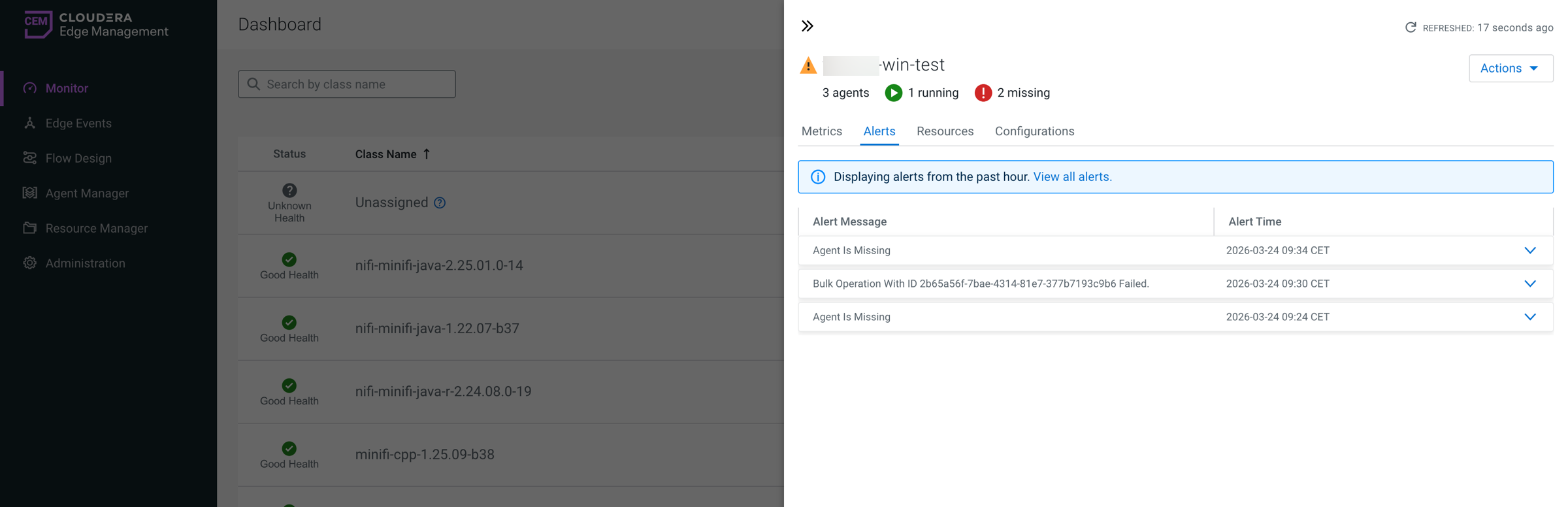
It displays information on alerts and their timestamps.
-
From the Dashboard, click the arrow icon at the end of an agent class row to open the agent class details pane.
-
Switch to the Alerts tab to view alerts and their timestamps.
-
Click
 at the end of the alert row to display more information about
the alert.
at the end of the alert row to display more information about
the alert. -
Click View all alerts to navigate to the Edge Events page, which is filtered by alert event type.
Resources tab
The table lists all resources assigned to the agent class, including details such as file name, type, size, and relative path on the agent. If no resources are assigned, the table displays No resource assigned.
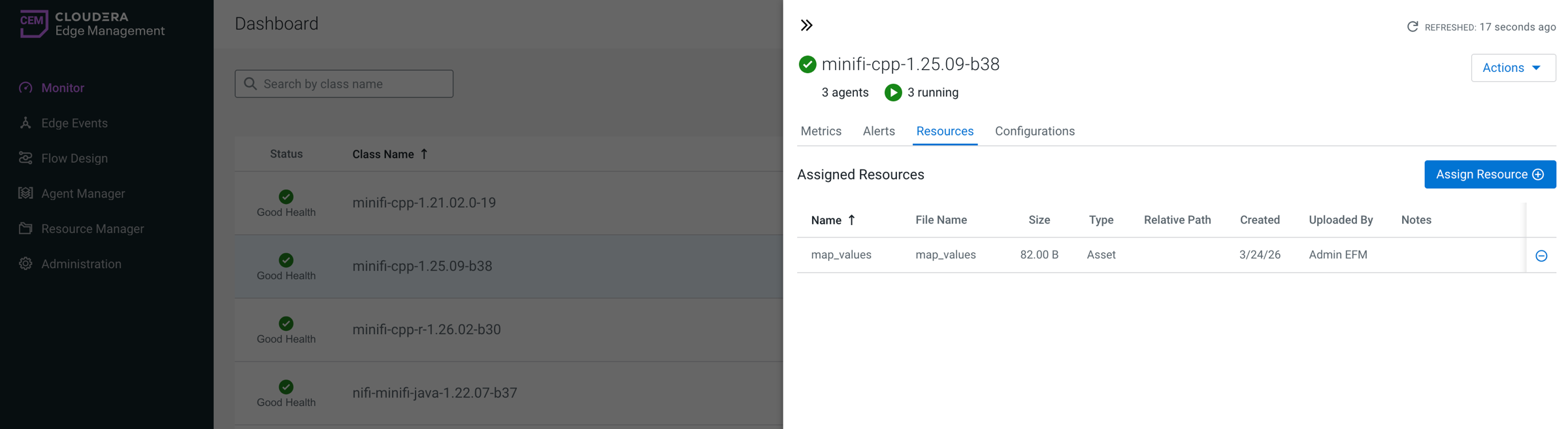
You can also use this tab to assign new resources to the agent class.
-
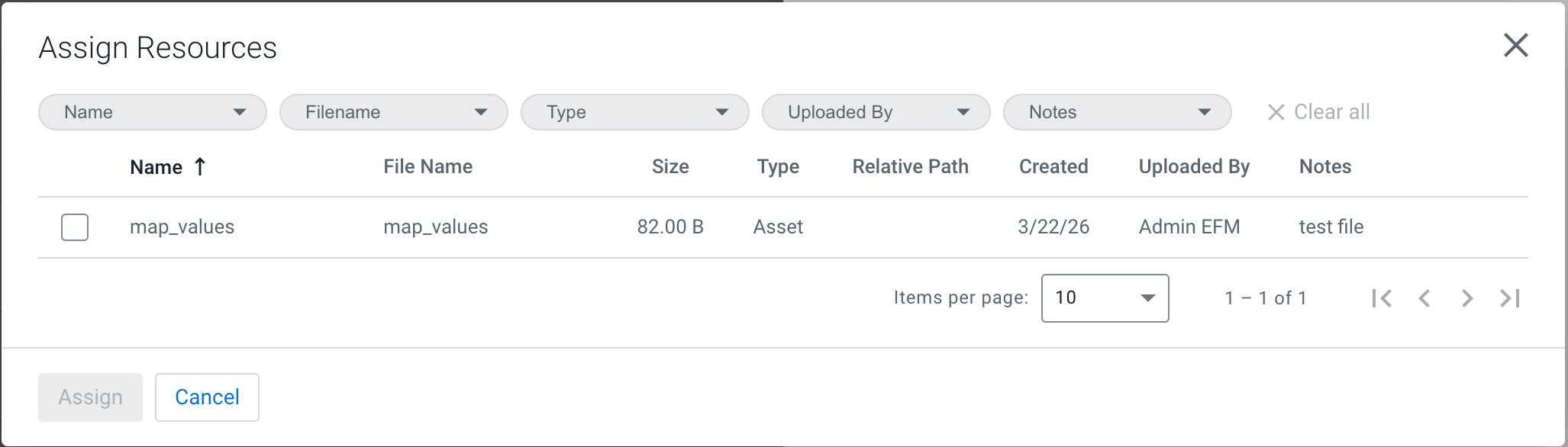
Click Assign Resource.
-
Select a resource from the list.
-
Confirm the assignment by clicking Assign.
-
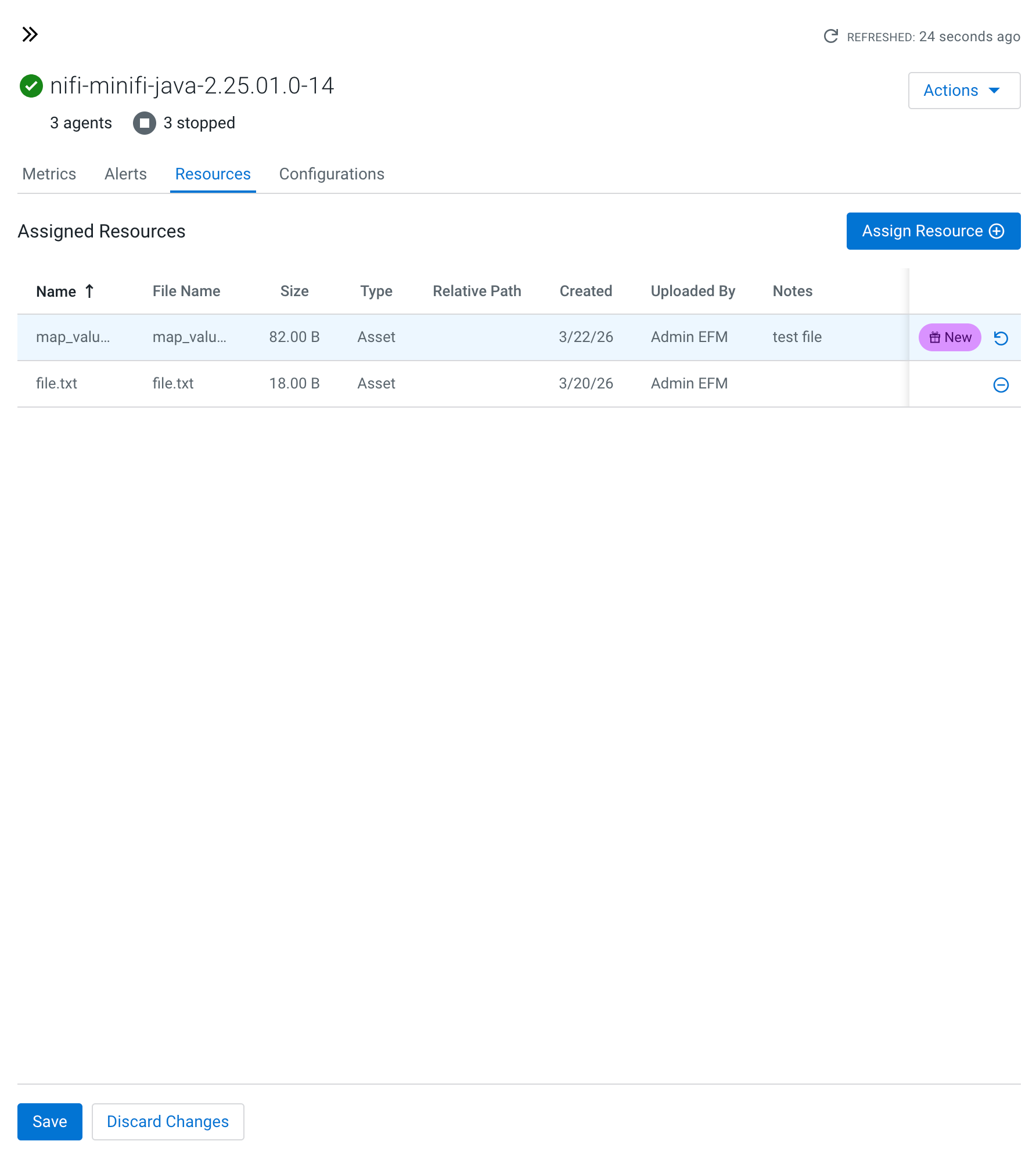
-
Save the new assignment(s) on the agent class details page.
You can review and modify the new assignment before saving.
Assigned resources are synchronized to all agents in the class and become available for use in flows and processor configurations.
Configurations tab
It allows you to modify properties through the Edge Flow Manager for all agents within an agent class.
To update a property:
-
Find the property in the list you want to update.
-
Click the Edit icon in the property row.
-
Enter a new value.
-
Click Apply to save the changes.
Click Cancel to discard unsaved modifications.
Any configuration changes made here are applied to all agents in the class.
