Starting/Stopping a flow
After deploying a flow, you can start or stop it without shutting down the MiNiFi agent process. This way you have greater control over when your flows are actively processing data.
Stopping a flow does not stop the MiNiFi agent process. The agent remains connected to Edge Flow Manager and continues sending heartbeats, but it does not process data. When you start the flow again, data processing resumes.
You can use this functionality to:
- Temporarily pause data collection for maintenance or troubleshooting.
- Deploy flows and start them later as part of a staged rollout.
- Quickly stop data processing in response to operational issues.
-
Temporarily pause data collection for maintenance or troubleshooting.
-
Quickly stop flows in response to operational issues.
When a dataflow is started, the menu item changes to Stop Flow, allowing you to stop the running flow.
Starting or stopping a flow on an individual agent
-
From the Agent Manager at the end of an agent row to open the agent details pane.
-
Click .
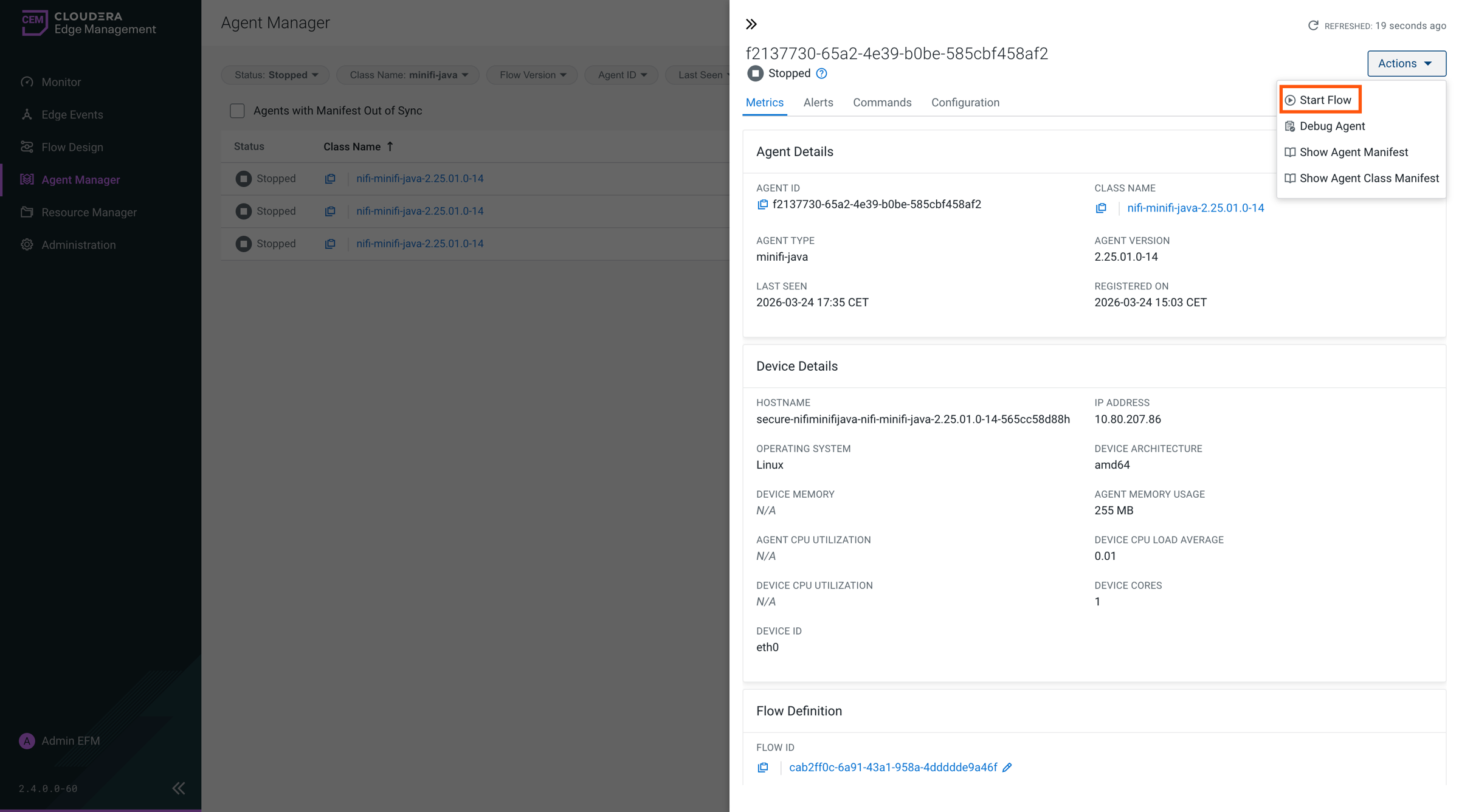
The available action depends on the current flow state. Start Flow is displayed for a stopped flow, and Stop Flow is displayed for a running flow.
Starting or stopping flows for an agent class
- From the Dashboard, click the arrow at the end of the agent class row to open the agent class details pane.
- Click Actions, and then select Start Flow or Stop Flow.
The action applies to the agents in the selected agent class. When all flows are running, the menu displays Stop Flow, allowing you to stop them together.
Agent status
For agents that report their run status, Edge Flow Manager displays one of the following states:
| Status | Description |
|---|---|
| Running | The agent is online and its flow is processing data. |
| Stopped | The agent is online and sending heartbeats, but its flow is not processing data. |
| Online | The agent is online but does not report its run status. This status applies to earlier agent versions. |
| Missing | The agent is not sending heartbeats. |
