Managing agent binaries in Cloudera Edge Management
The Agent Binaries page provides centralized binary management. Instead of manually placing binaries on the file system, you can use the UI to upload, import, and manage binaries across all Edge Flow Manager nodes.
Agent binaries represent the installable packages (Java or C++) used when deploying agents to edge devices.
- Upload custom agent binaries
- Import official binaries from Cloudera
- View available binaries and their metadata
- Download binaries
- Delete unused binaries
All binaries are stored in a shared repository and are automatically synchronized across Edge Flow Manager nodes, and deletions are also propagated. This ensures all nodes have a consistent set of binaries.
Agent binaries are stored in the directory defined by
efm.agent-deployer.binariesRootPath.
By default: ${EFM_HOME_DIRECTORY}/agent-deployer/binaries
- All binaries available on this page are selectable when generating a deploy command
- Newly uploaded or imported binaries automatically become available for deployment
- No manual file system copying is required
Directory structure
New binaries follow this structure:
{agentType}/{agentVersion}/<binary-file>
java/1.23.02/minifi.tar.gz
cpp/1.24.05/nifi-minifi-cpp.tar.gzAccessing the Agent Binaries page
- File name
- Size
- Type (Java or C++)
- OS compatibility
- Release date
- Date added
You can filter the list using the available filters (Source, Type, OS).
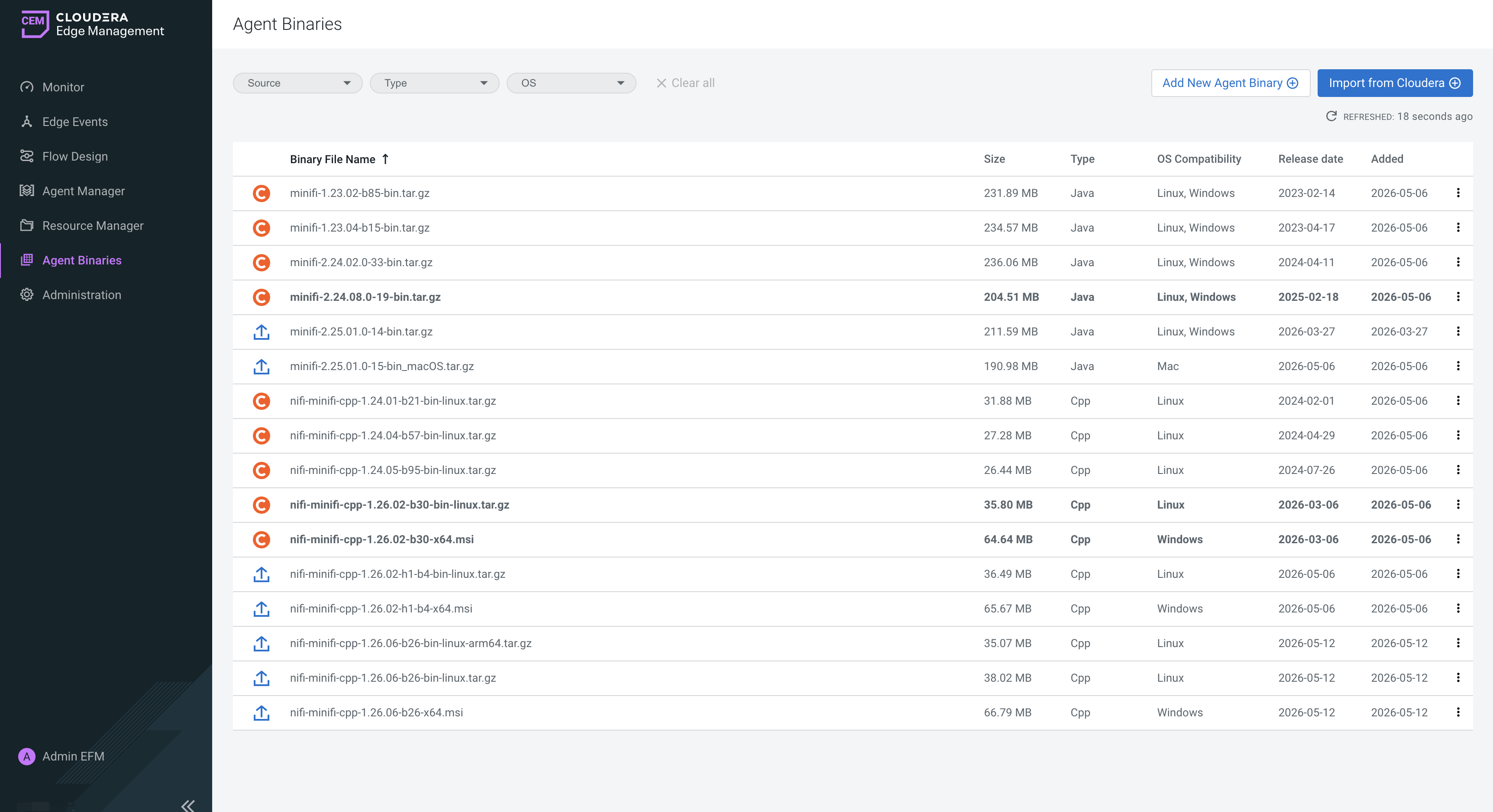
Uploading a custom agent binary
You can upload your own agent binaries, for example if you use custom builds.
-
Click Add New Agent Binary.
-
Select the binary file.
-
Specify:
- Agent Type (Java or C++)
- Operating System
-
Click Add.
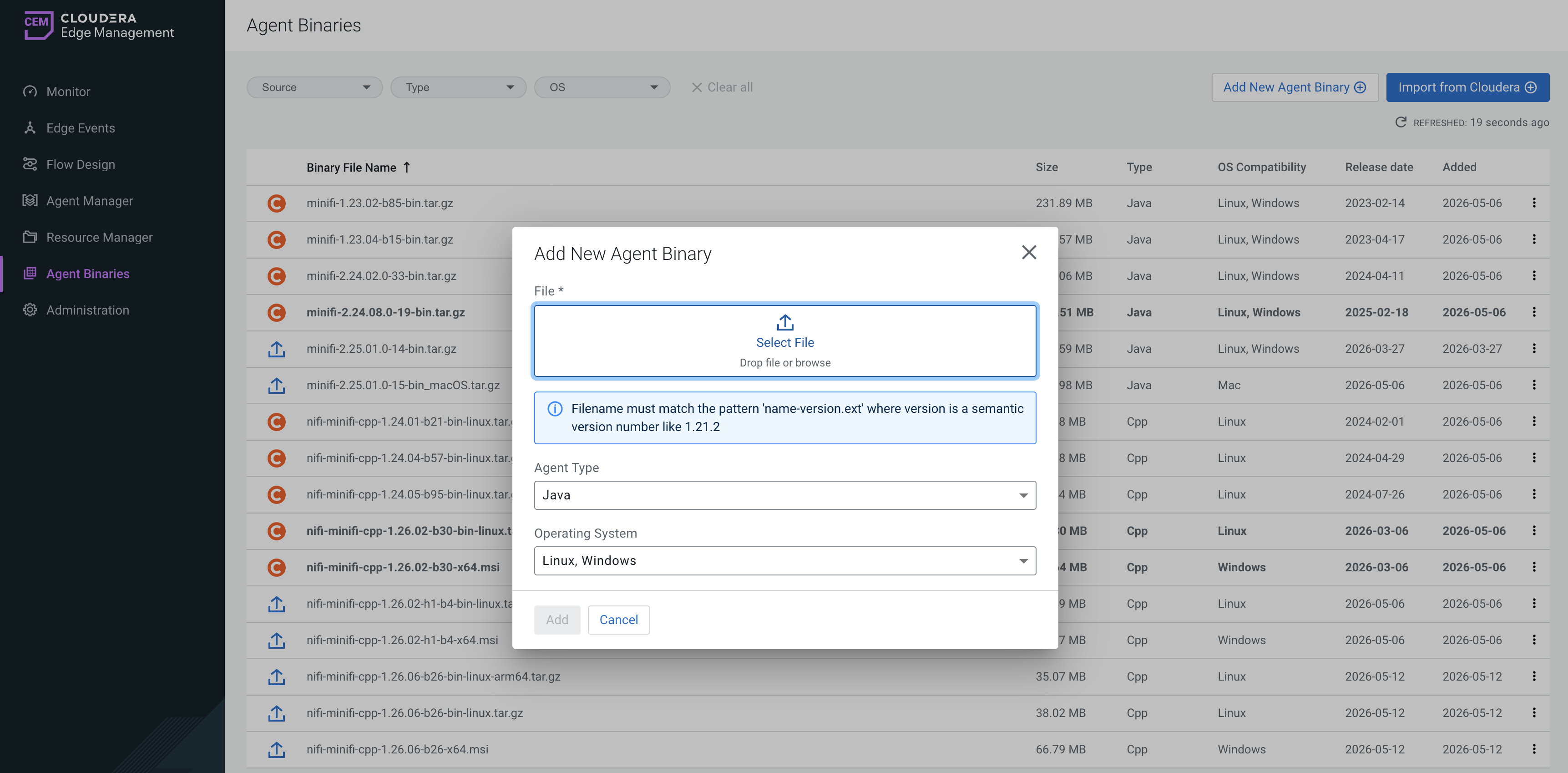
The binary is uploaded and appears in the list.
Importing agent binaries from Cloudera Archive
You can import officially supported agent binaries directly from Cloudera Archive.
- efm.paywall.username
- efm.paywall.password
If these properties are not set, the Import from Cloudera option is disabled and only manual upload is available.
To import binaries from the Cloudera Archive:
-
Click Import from Cloudera.
-
Select one or more binaries from the list.
- Edge Flow Manager periodically queries the Cloudera archive for available versions
- The list is dynamically updated
- Latest versions are highlighted in the UI
-
Click Add New.
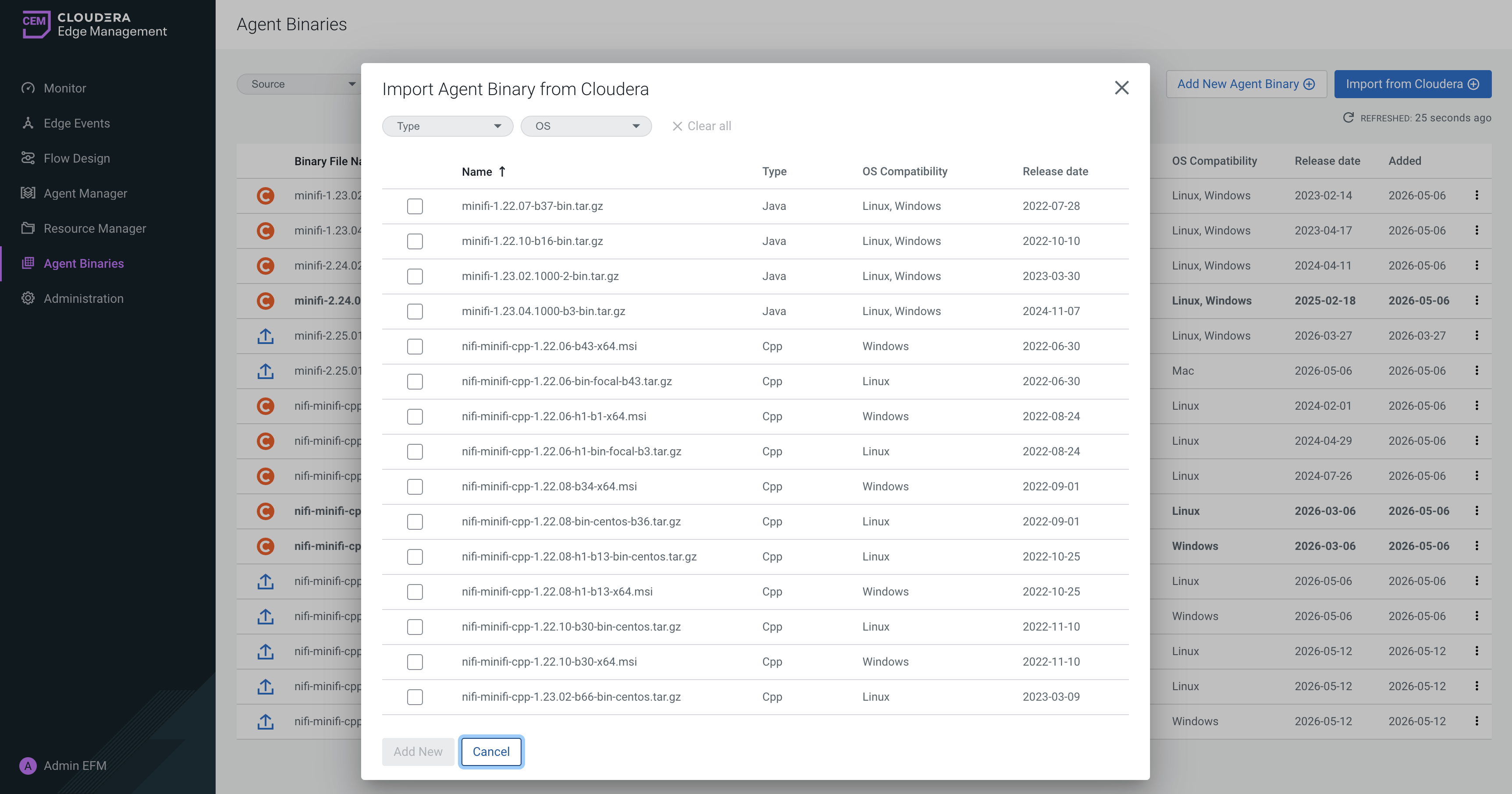
The selected binaries are downloaded and added to the repository.
Viewing and managing binaries
Viewing binaries
- Custom uploaded binaries
- Cloudera-imported binaries
Downloading a binary
To download a binary, click the Download icon next to the binary.
Deleting a binary
- Open the actions menu next to the binary.
- Select Delete.
Configuring agent binary management
The Agent Binaries feature can be configured using properties in the efm.properties file.
These properties control:
- Access to Cloudera-hosted binaries
- Storage location of binaries
- Synchronization behavior across Edge Flow Manager nodes
- Refresh and polling intervals
Cloudera paywall integration
These properties enable importing agent binaries from the Cloudera Archive.
- efm.paywall.username / efm.paywall.password
-
They specify the credentials used to access Cloudera-hosted agent binaries.
If these properties are not set, the Import from Cloudera action is disabled on the UI.
- efm.paywall.java.baseUrl / efm.paywall.cpp.baseUrl
-
They define the base URLs used to retrieve Java and C++ agent binaries from Cloudera.
- efm.agent-deployer.binariesRootPath
-
It defines the root directory where agent binaries are stored.
This directory is shared with the Agent Deployer and is used as the central repository for all uploaded and imported binaries.
Synchronization and cache behavior
These properties control how binaries are synchronized and tracked across Edge Flow Manager nodes.
- efm.binarymanager.nodeAliveTtl
-
It defines how long a node is considered active in the cluster cache. After this time, the node is treated as unavailable.
- efm.binarymanager.deletedBinaryTtl
-
It specifies how long metadata for deleted binaries is retained before expiring.
- efm.binarymanager.resourceSynchronizationTriggerInterval
-
It controls how frequently the system synchronizes binaries across nodes.
- efm.binarymanager.nodeResourceCacheUpdateTriggerInterval
-
It determines how often the local node refreshes its binary cache state.
Refresh and polling intervals
These properties control how often Edge Flow Manager checks for updates from the local file system and from Cloudera archive.
- efm.binary-manager.agent-binary-sync.fixedDelay
-
It defines how frequently the system scans for new binaries in the local storage and new binary versions available from Cloudera.
- efm.binary-manager.agent-binary-sync.initialDelay
-
It specifies the delay after startup before the first synchronization is triggered.
