Clusters
Kafka cluster health, offline broker counts, under-replicated partitions, and out-of-sync replicas are monitored from the Clusters page in Cloudera Surveyor.
Clusters page
The Clusters page provides a comprehensive overview of all Kafka clusters monitored by Cloudera Surveyor. View cluster health status, active alerts, and key metrics at a glance. Filter and sort clusters by status, name, or alert severity to quickly identify clusters requiring attention.
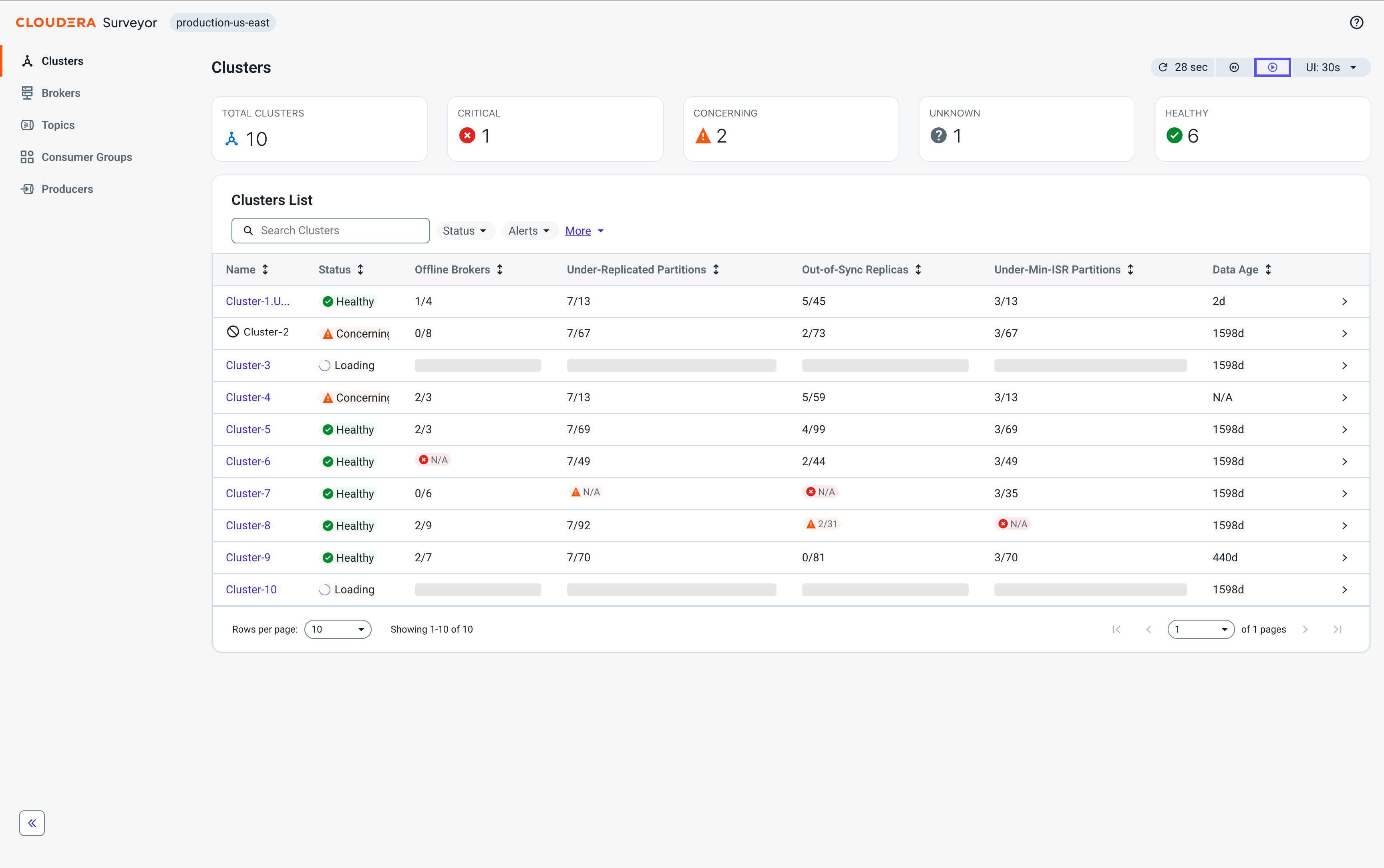
At the top of the page, health summary tiles display the total number of clusters categorized by status, providing an at-a-glance view of the overall health distribution across all clusters.
Beneath the tiles, a table displays the following essential cluster metrics for quick health assessment:
-
Name – A unique identifier for the cluster. Click to open the Cluster Details page.
-
Status – The overall health status of the cluster.
-
Offline Brokers – The count of brokers that are offline.
-
Under-Replicated Partitions – The count of partitions with fewer replicas than configured.
-
Out-of-Sync Replicas – The count of replicas not in sync with their leaders.
-
Under-Min-ISR Partitions – The count of partitions with in-sync replicas below minimum.
-
Data Age – The time elapsed since cluster data was last collected.
Click any cluster row to open the Entity Details drawer for quick access to all cluster attributes. Click the cluster name to go to the Cluster Details page.
Cluster Details page
The Cluster Details page provides comprehensive information about an individual cluster. At the top of the page, health summary tiles display the cluster's overall status and key metrics for child entities including brokers, topics, consumer groups, partitions, and replicas.
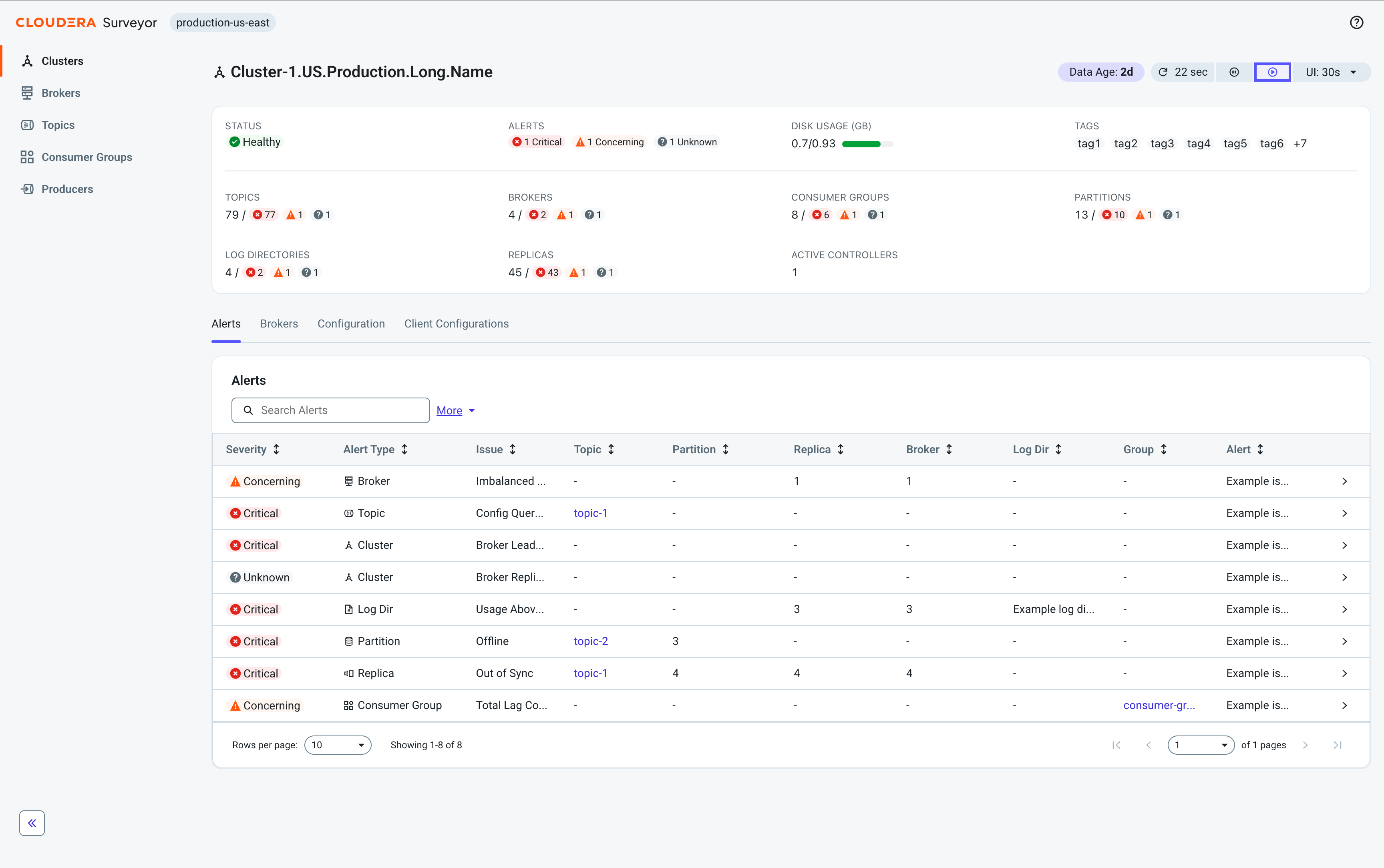
The page organizes cluster information through the following tabs:
-
Alerts – View and monitor all alerts affecting the cluster.
-
Brokers – View all brokers in the cluster and their status.
-
Configuration – View aggregated configuration across all brokers in the cluster.
-
Client Configurations – Preview, copy, and download client configuration files for the cluster, such as connection properties and CA certificates.
Downloading client configurations
Download client configuration files for a monitored Kafka cluster from Cloudera Surveyor to connect external clients to that cluster.
The Client Configurations tab contains a bundle of client configuration files for a Kafka cluster monitored by Cloudera Surveyor. When the tab is populated, it displays a bundle title, a file count, and a list of files with optional descriptions. You can preview, copy, or download individual files. Use Download All to download the complete bundle as a zip archive.
The files available on this tab depend on how Cloudera Surveyor is configured. Typical bundles include a client configuration properties file, one or more CA certificates, and optionally a README or other instructional document. Your Cloudera Surveyor administrator configures what is available on this tab. For information about configuring the bundle contents, see Exposing client configurations for download.
If the Client Configurations tab is empty, no files or download actions are available. This typically indicates that your Cloudera Surveyor administrator has not configured a client configuration bundle for this cluster. Contact your Cloudera Surveyor administrator.
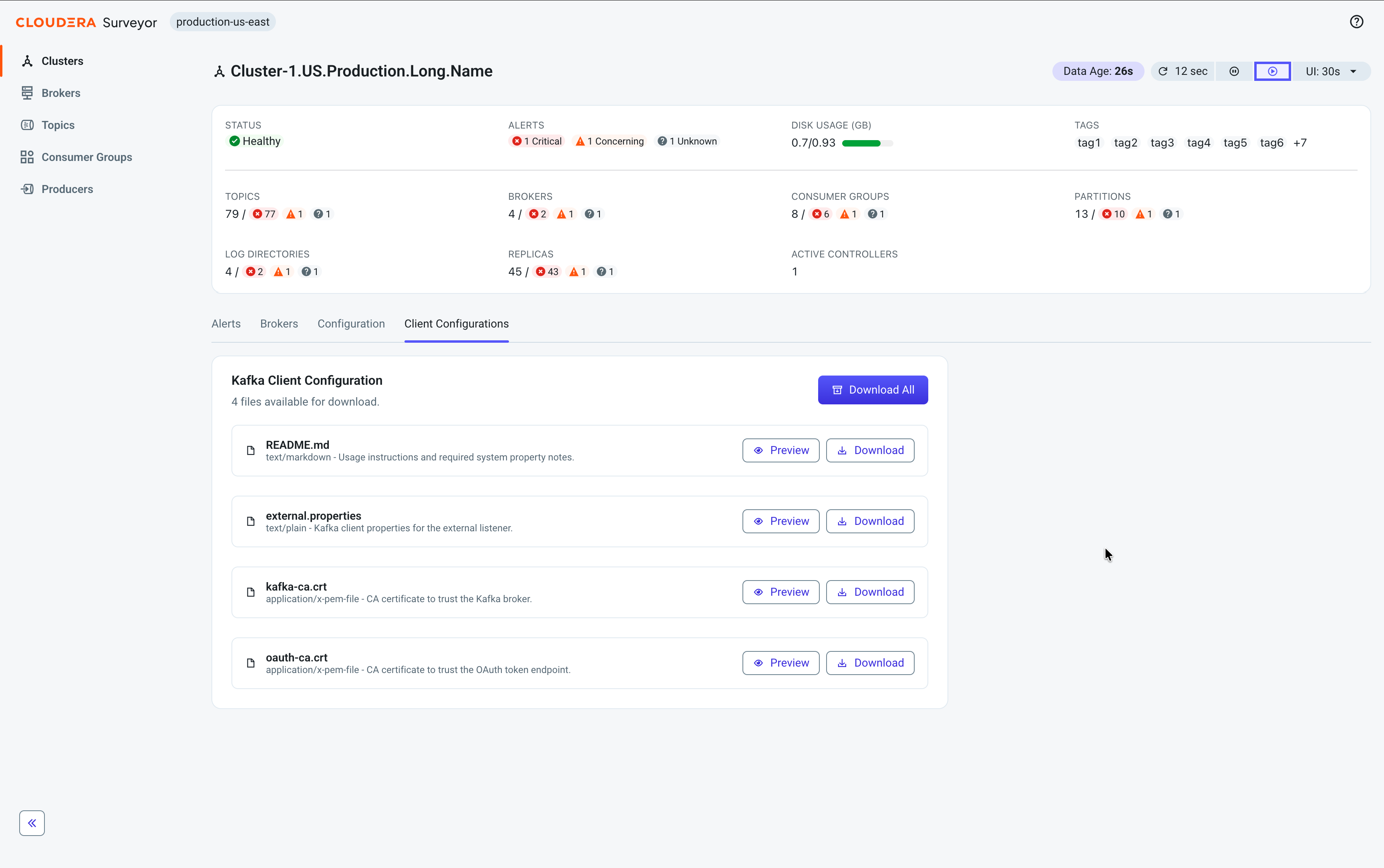
If you downloaded the full bundle, extract the archive to a working directory. Keep all files together in the same directory because some configuration files might reference other files in the bundle by relative path.
