Producers
Kafka producer status, transaction state, and partition output are monitored from the Producers page in Cloudera Surveyor.
Producers page
The Producers page provides detailed information about all producers in the selected cluster. Monitor producer health, transaction status, and partition output. Filter and sort producers by status, ID, or alert severity to quickly identify producers requiring attention.
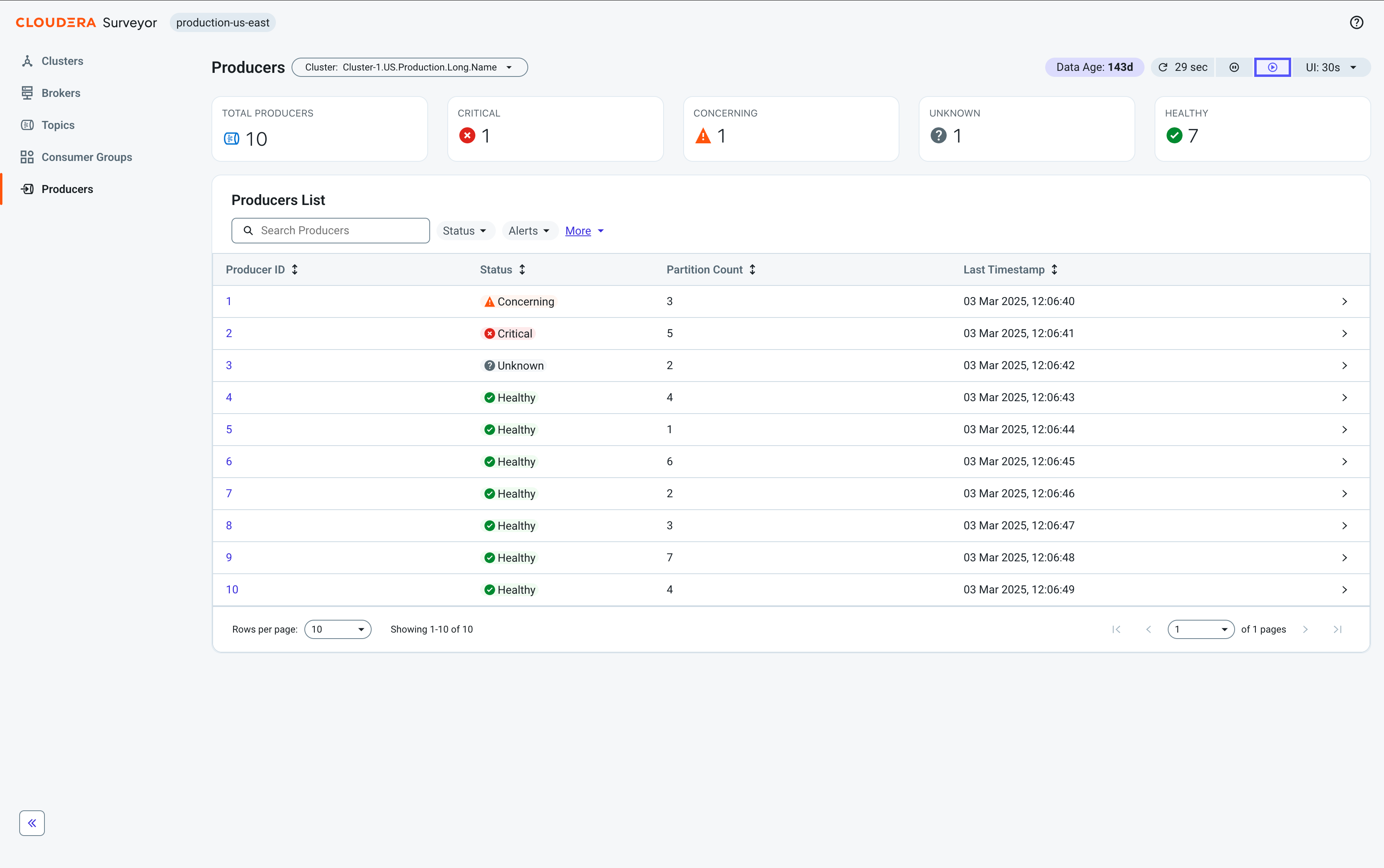
At the top of the page, health summary tiles display the total number of producers categorized by status, providing an at-a-glance view of the overall health distribution across all producers in the selected cluster.
Beneath the tiles, a table displays the following essential producer metrics for quick health assessment:
- Producer ID – A unique identifier for the producer. Click to open the Producer Details page.
- Status – The overall health status of the producer.
- Partition Count – The number of partitions this producer is writing to.
- Last Timestamp – The most recent timestamp of producer activity.
Click any producer row to open the Entity Details drawer for quick access to all producer attributes. Click the producer ID to go to the Producer Details page.
Producer Details page
The Producer Details page provides comprehensive information about an individual producer's transactions and partition state. At the top of the page, health summary tiles display the producer's overall status, alert summary, and key metrics including partition count and last timestamp.
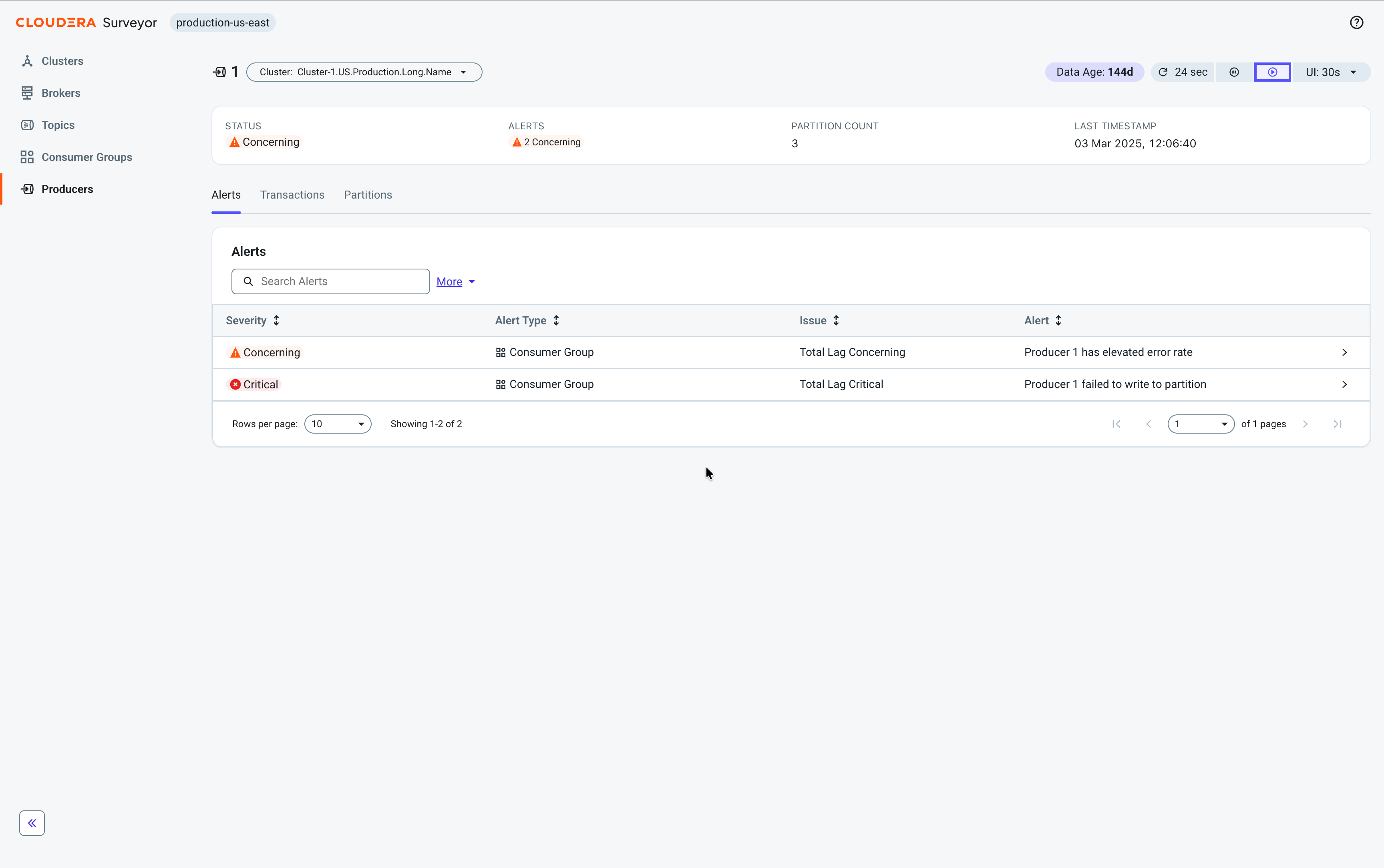
The page organizes producer information through the following tabs:
-
Alerts – View and monitor all alerts affecting the producer.
-
Transactions – View all transactions associated with this producer and their state.
-
Partitions – View partition producer state and epoch information for each partition.
