Prerequisites to access Cloudera Data Catalog
To access the Cloudera Data Catalog, you must have the required credentials.
Follow these instructions to provide the required access to the Cloudera Data Catalog users.
-
DataCatalogCspRuleManagerUsing this role, you can create, deploy new Cluster Sensitivity Profiler rules, create new regex, and run validations on newly created rules.
-
DataCatalogCspRuleViewerUsing this role you can view Cluster Sensitivity Profiler rules.
Additionally, using Cloudera Manager, you must configure Apache Atlas and Apache Ranger services. Use the following instructions to complete the process.
- .
- Enable the Kerberos Authentication for the Apache Atlas
service.

- In the search bar, look up the following
property:
conf/atlas-application.properties_role_safety_valveand enter the values for the Atlas service:atlas.proxyuser.dpprofiler.hosts=*atlas.proxyuser.dpprofiler.users=*atlas.proxyuser.dpprofiler.groups=*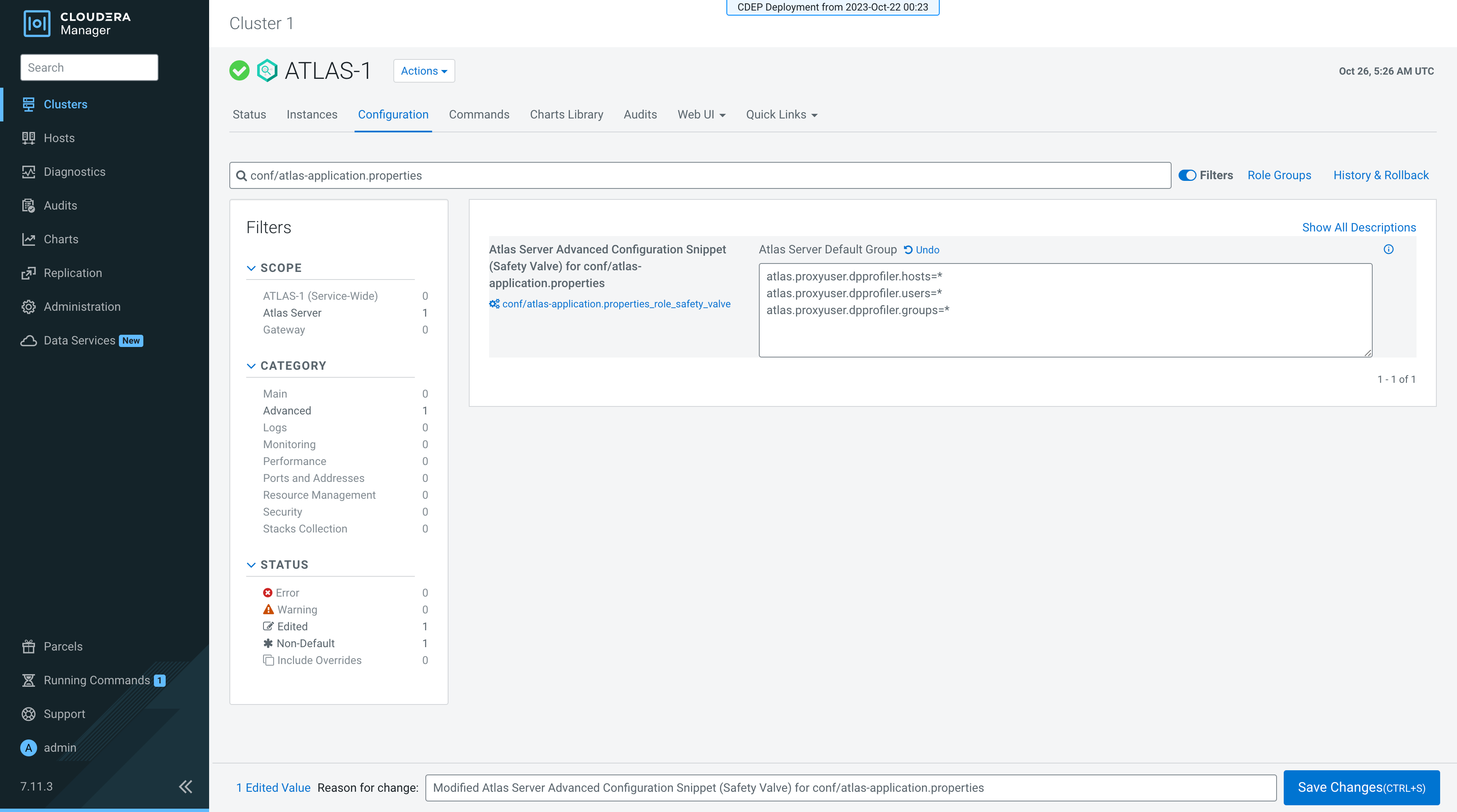
- For the Apache Ranger configuration updates, go to .
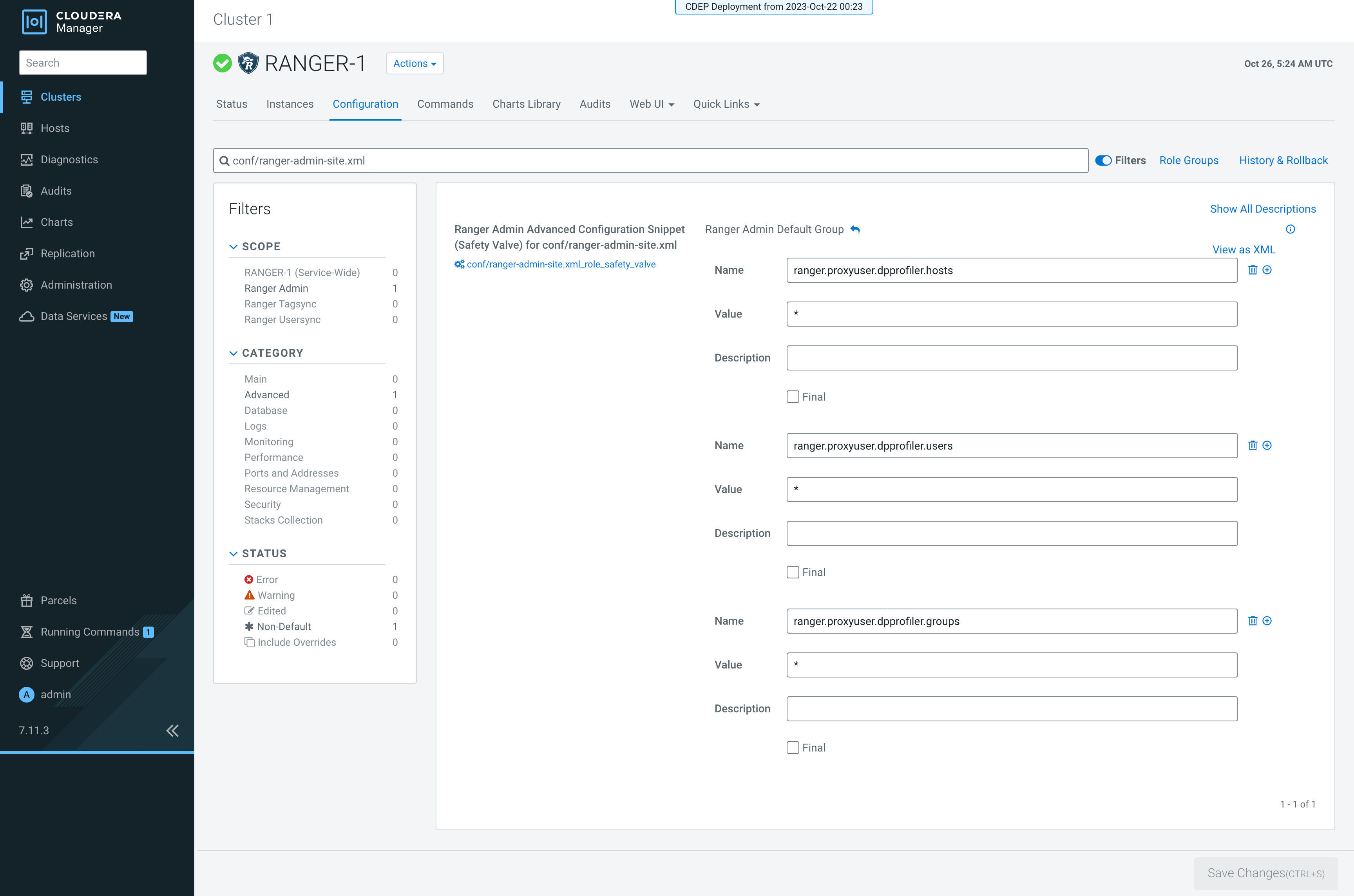
- In the search bar, look up the following
property:
conf/ranger-admin-site.xmland enter the values for the Ranger service:Name:
ranger.proxyuser.dpprofiler.hostsValue:
*Name:
ranger.proxyuser.dpprofiler.usersValue:
*Name:
ranger.proxyuser.dpprofiler.groupsValue:
*
Later, restart Atlas and Ranger services respectively.
