Deleting profilers
Learn how to delete profiler jobs and clusters, including steps to retain or download modified rules, and understand the impact on associated data and Kubernetes objects.
- Go to Profilers and select your Data Lake.
- Click the
 icon, then Delete
Profiler.
icon, then Delete
Profiler.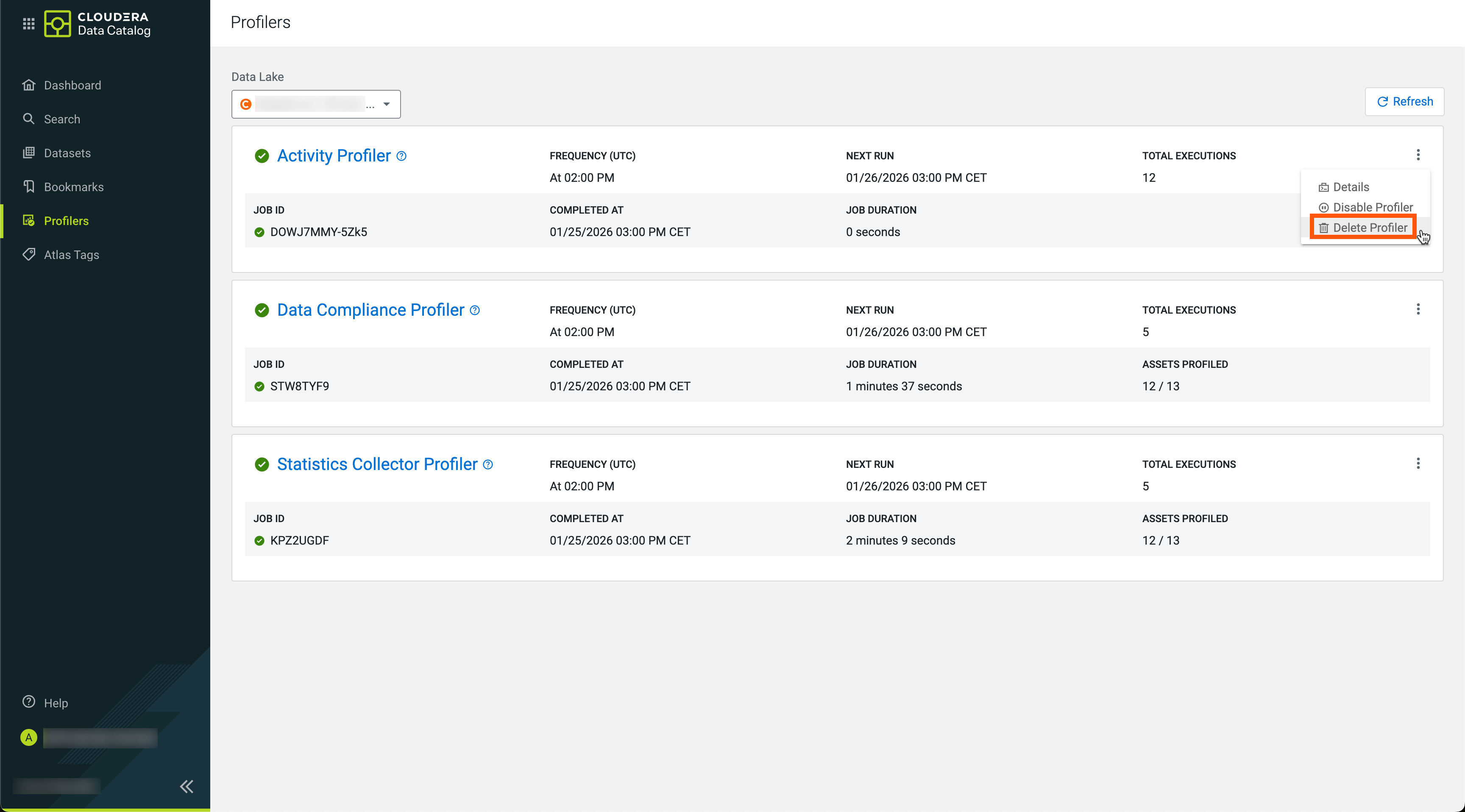
- Confirm your selection.
- On the Search page, select the Data Lake.
- Click the Actions drop-down menu and select Delete Cluster.
- Click Yes to proceed.
- If you agree, select the warning message I understand this action
cannot be undone.
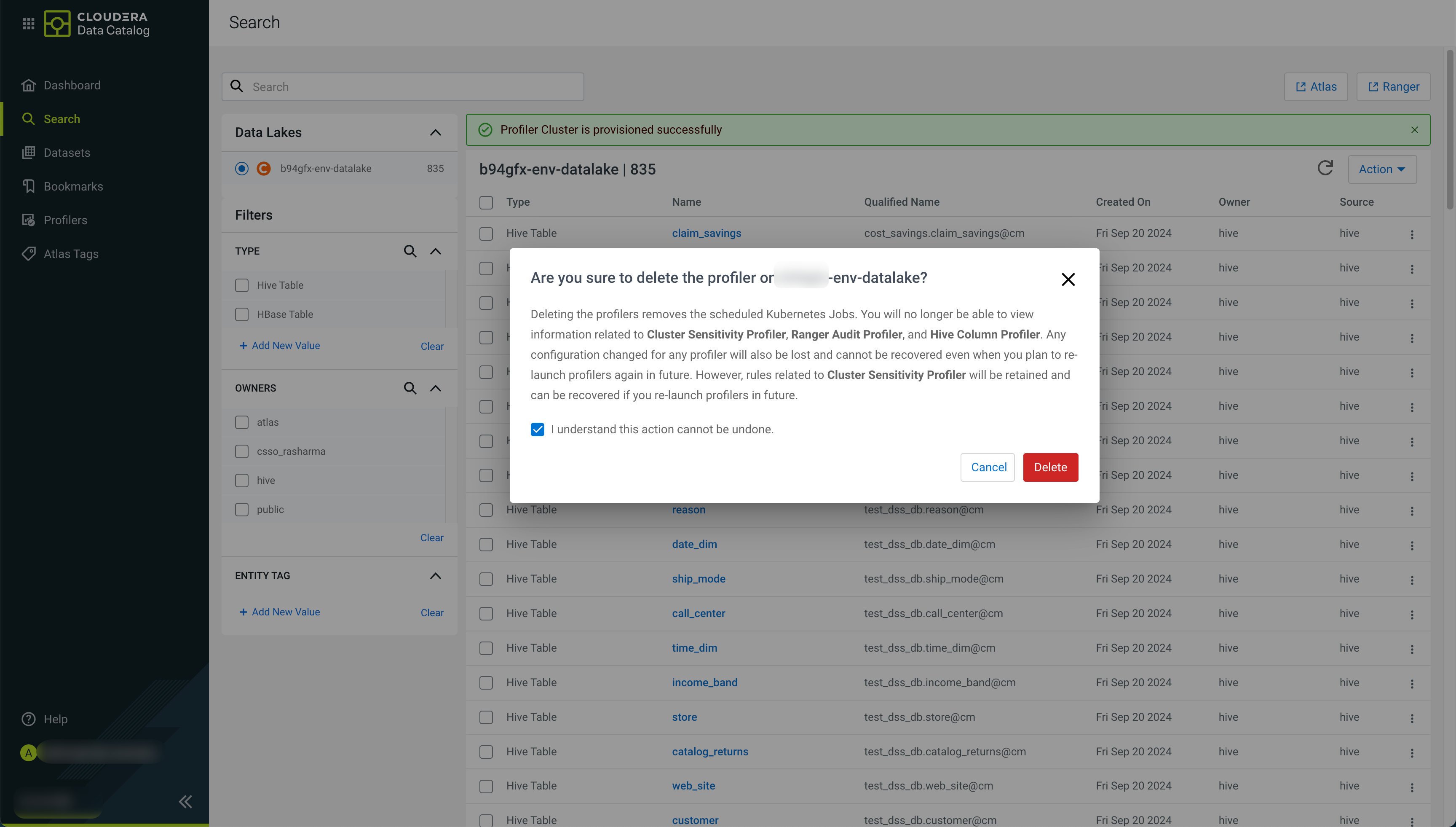
- Click Delete.
The application displays the following message:
The profiler cluster is deleted successfully
