Regenerating user credentials
Regenerate the credentials of an external user to issue a new Client ID and Secret, restoring their access to Data Shares.
Regenerating credentials invalidates the user's existing Client ID and Secret and issues a new pair. Use this action to restore access for a user whose credentials were revoked, or to replace credentials that were lost or potentially compromised.
You must have the DataShareAdmin resource role for the relevant
environment.
-
In the user row, click the actions menu (⋮) and select
Regenerate Credential.
Figure 1. Actions menu with Regenerate Credential option 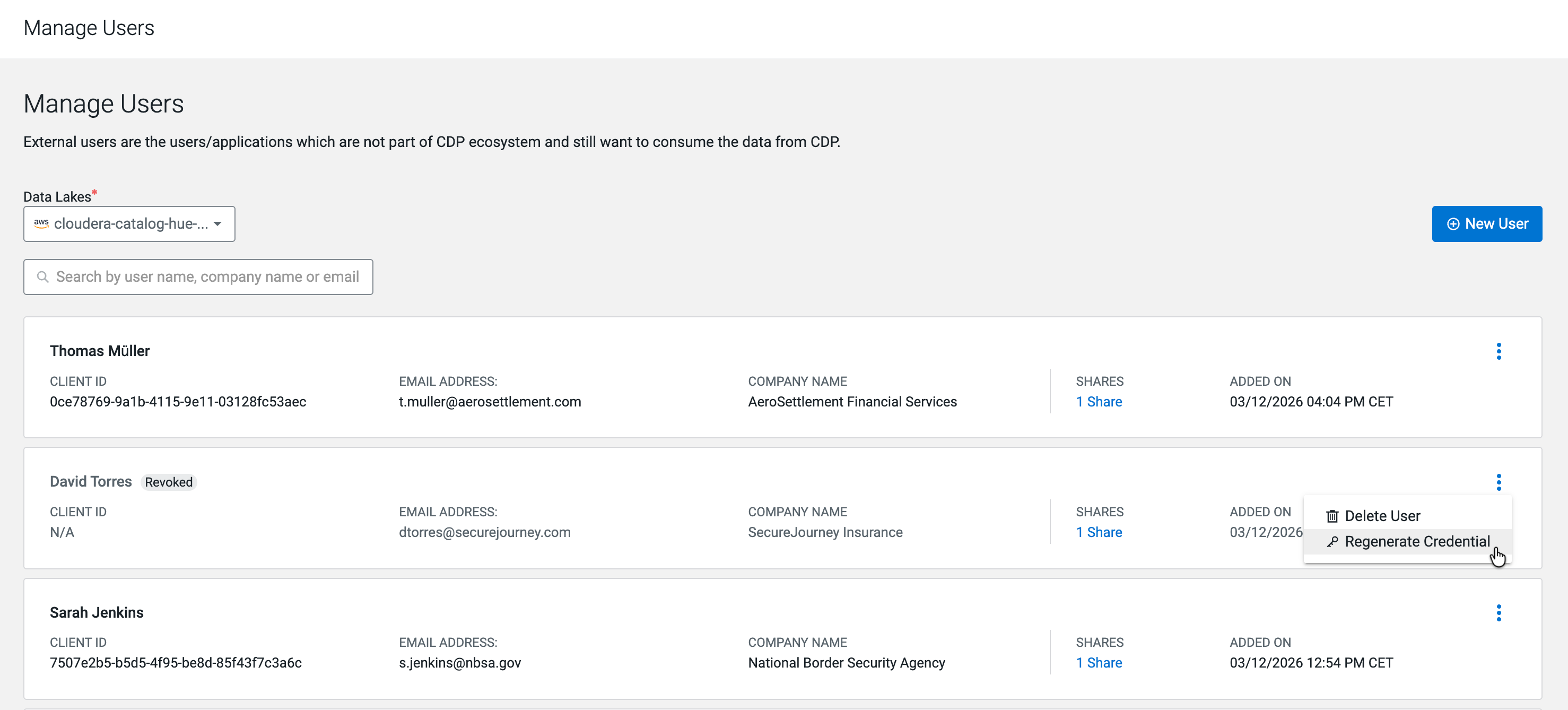
-
In the Regenerate Credential confirmation dialog, click
Regenerate.
Figure 2. Regenerate Credential confirmation dialog 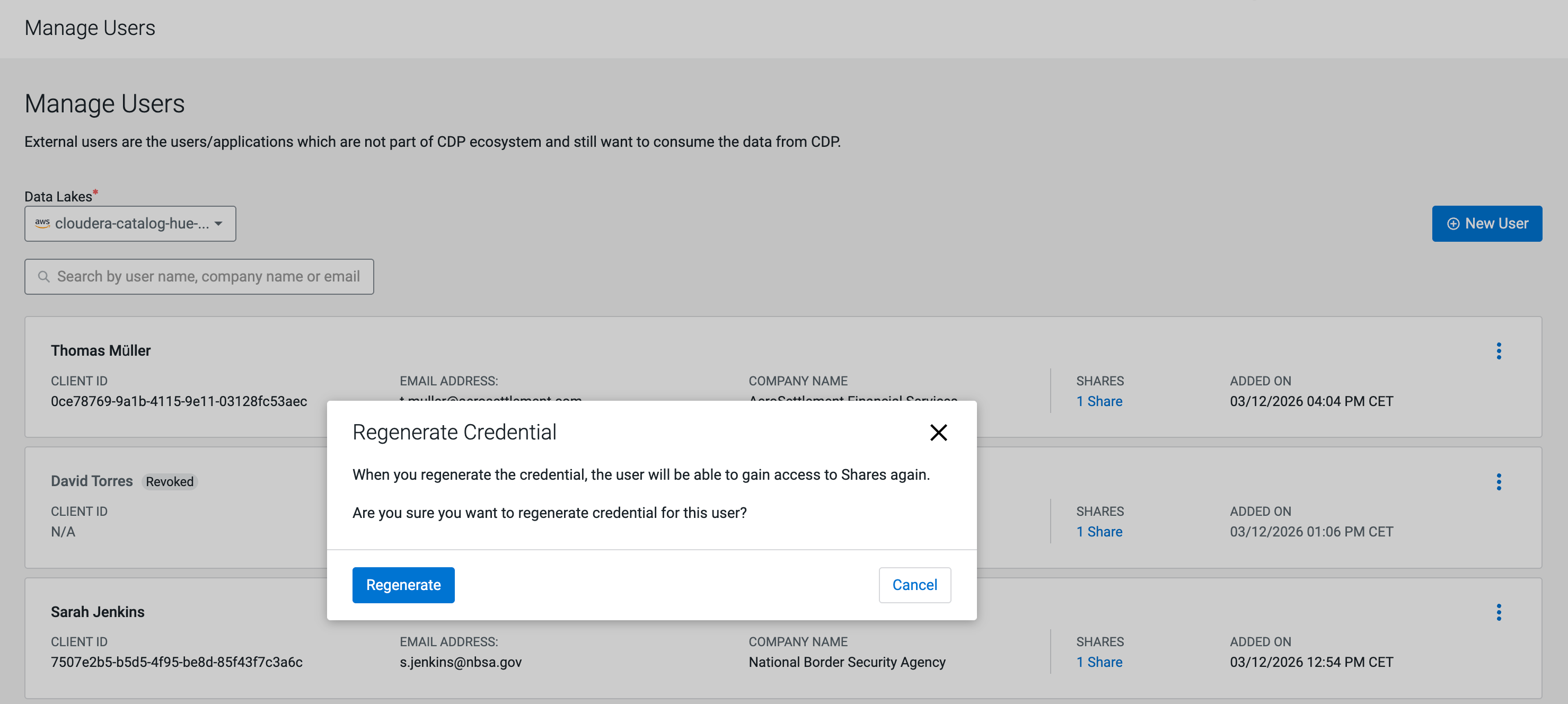
-
In the User Credentials Regenerated dialog, click
Download Credentials File to save the new
credentials before closing the dialog.
Figure 3. User Credentials Regenerated dialog 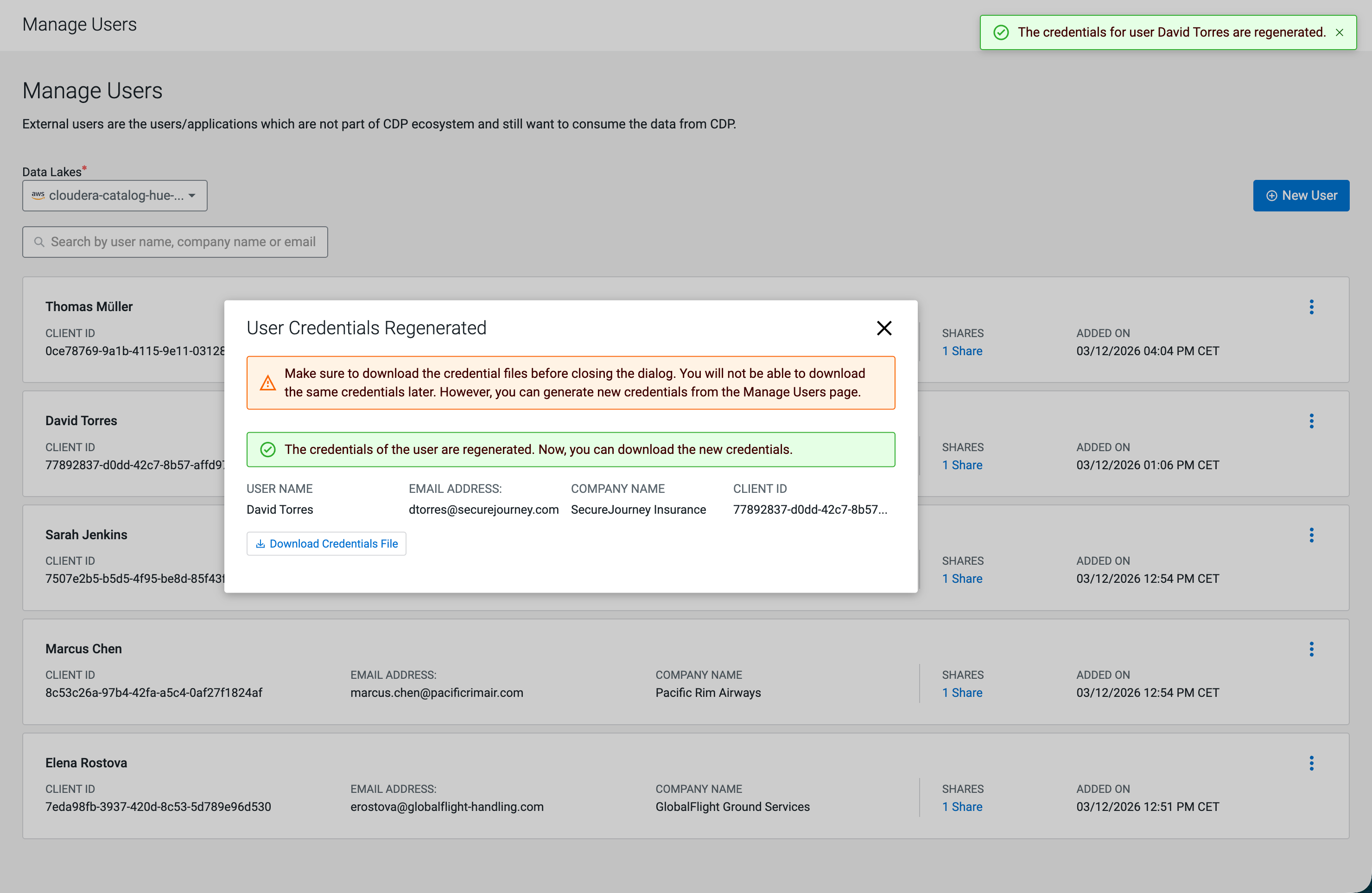
A success banner confirms that the credentials are regenerated. The user's Client ID is updated in the Manage Users list. The user can now access their Data Shares using the new credentials.
Securely share the downloaded credentials file with the external user so they can reconfigure their Iceberg REST Catalog compatible compute engine with the new Client ID and Secret.
