Accessing Cloudera Data Explorer (Hue) tables and databases from the Asset Details page
When you log into Cloudera Data Catalog, you can access web links to the Data Explorer (Hue) instances from the Asset Details page to run SQL queries on your assets.
-
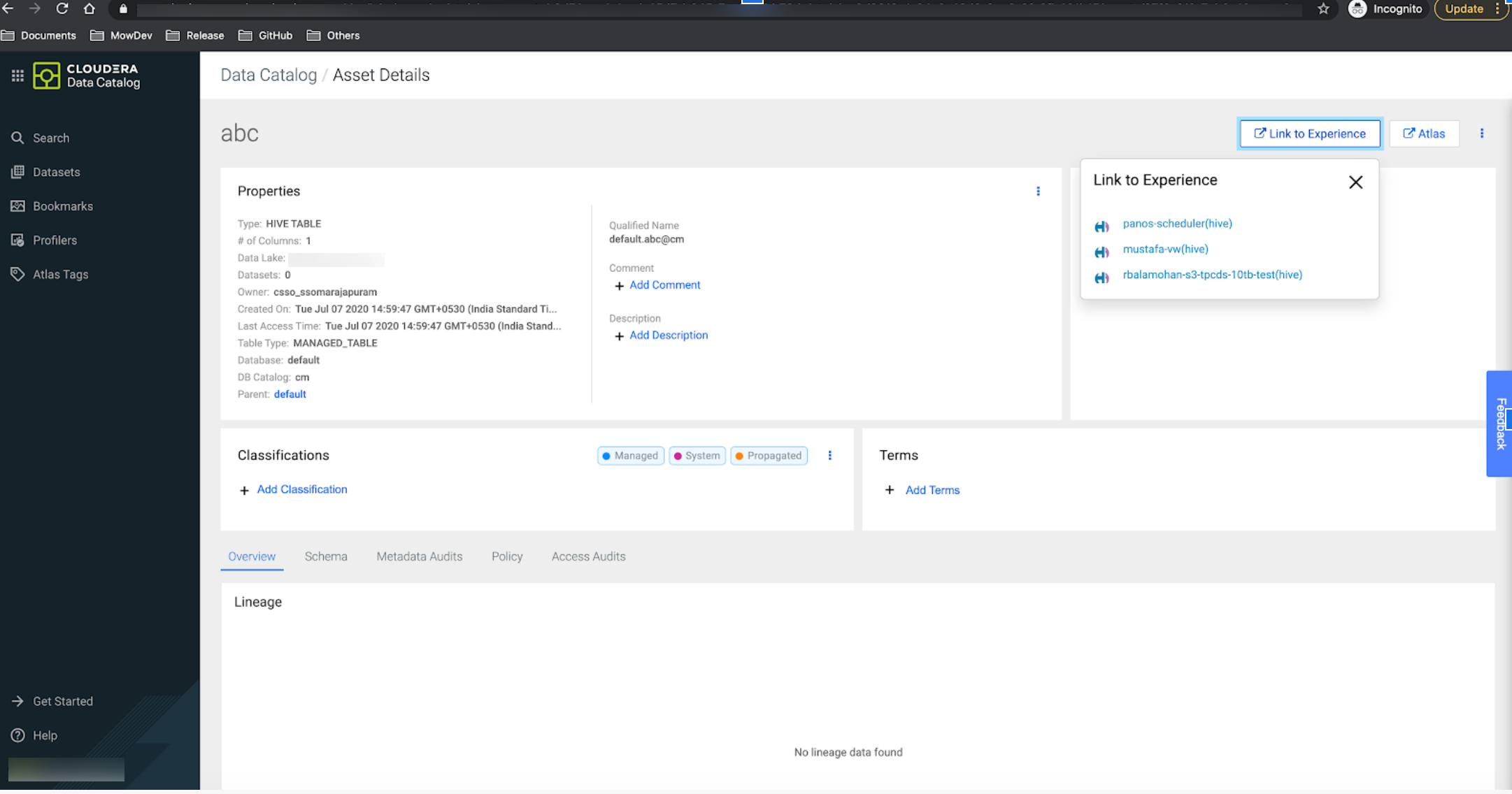
Click on the asset name to open the Asset Details page.
The Asset Details page contains the Link to
Experience button as shown in the following image:
-
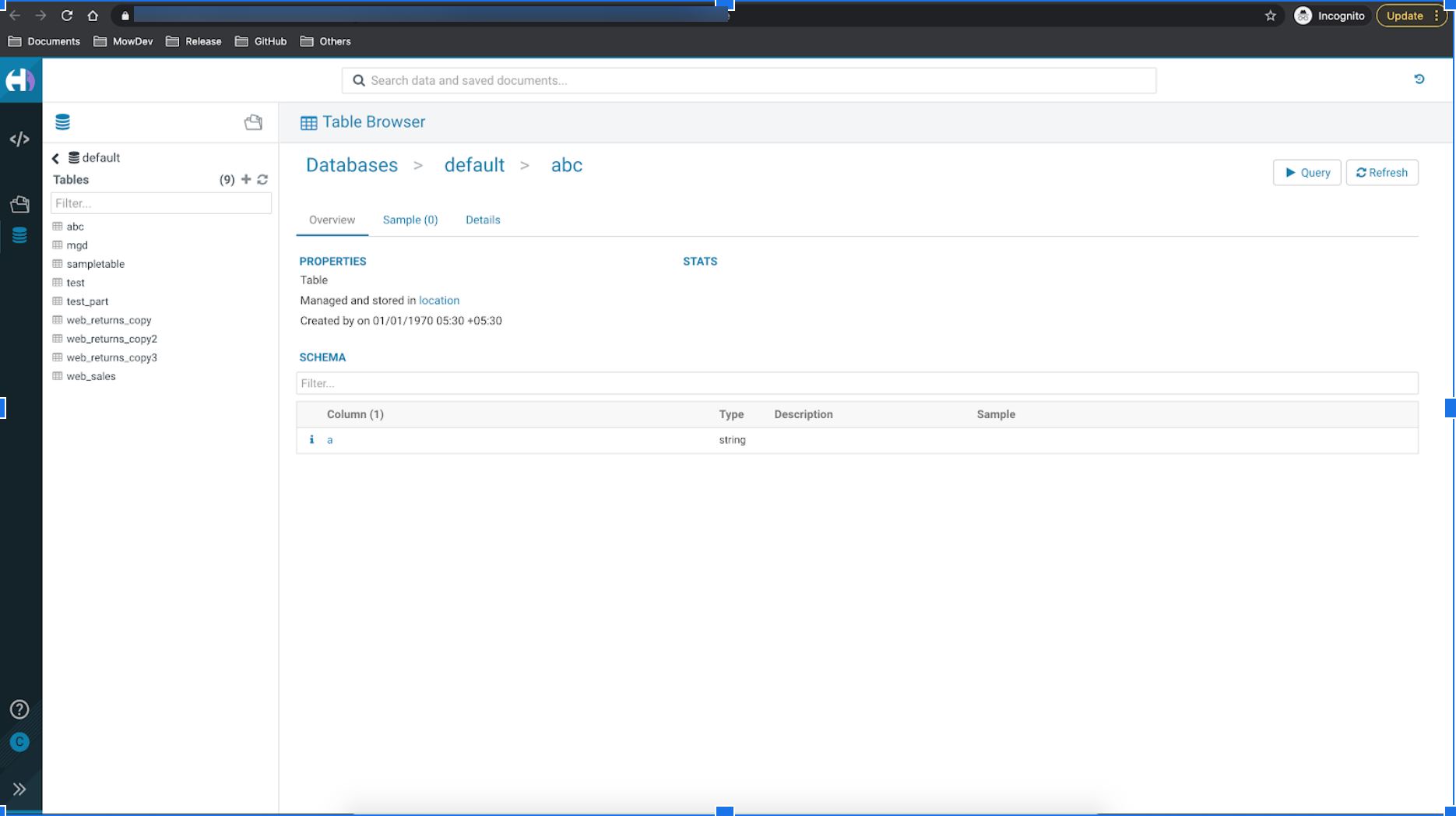
Click the link to open the Data Explorer (Hue) web interface.
The Hive table is displayed on the Data Explorer (Hue) Table Browser.