WebServer Log
Logs and Usage is a monitoring interface that helps you understand how users interact with Cloudera Data Visualization in your organization. It provides access to raw log files that you can download in their original format, packaged as a ZIP archive for easier troubleshooting and sharing. The interface includes multiple tabs that present detailed information about user activities, system load, and runtime performance.
The WebServer Log tab of the interface provides access to the log messages generated by the Cloudera Data Visualization application. You can use the technical details as a resource for debugging Cloudera Data Visualization issues or download the log files and share them with Cloudera Support.
You can access the WebServer Log view from .
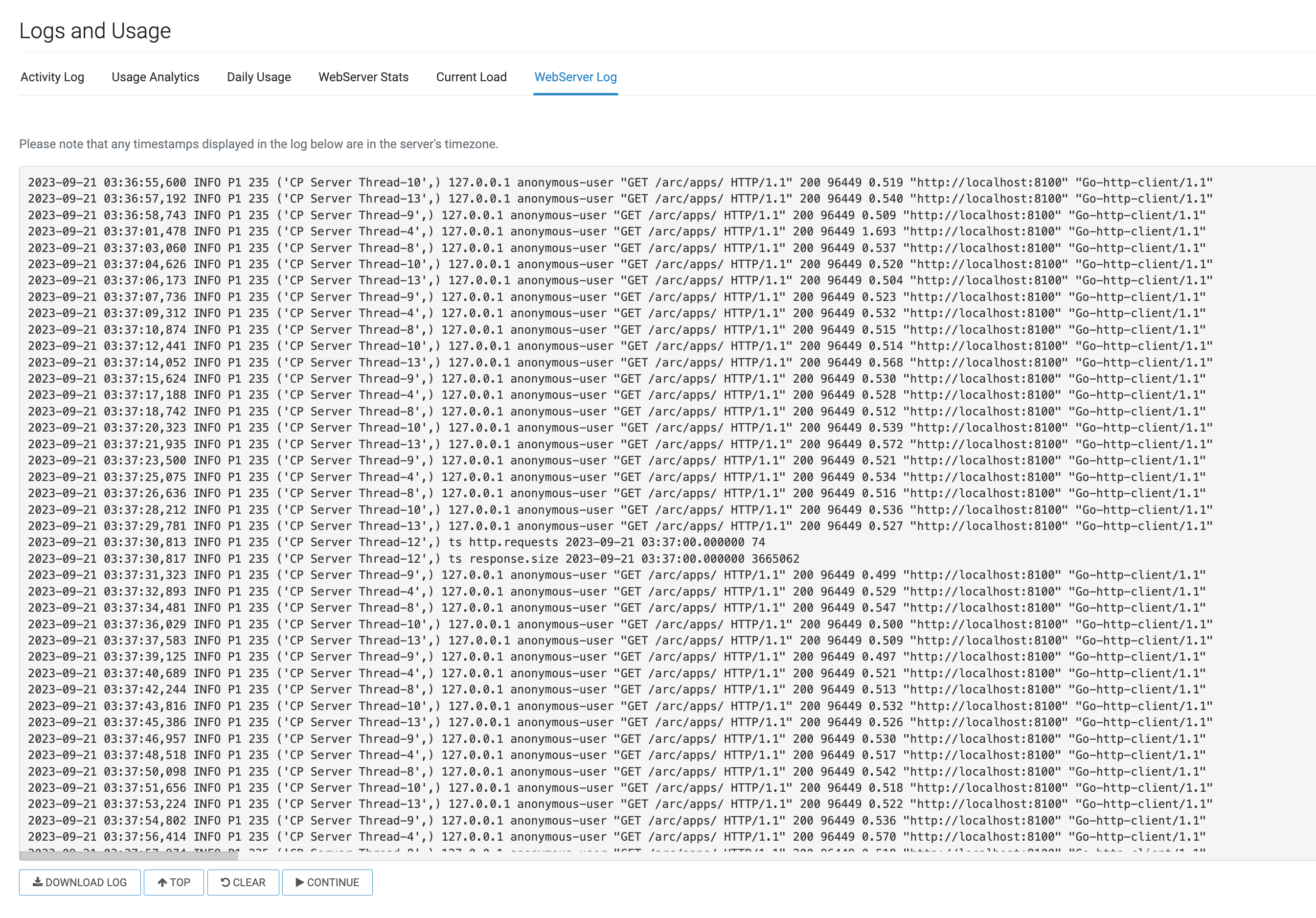
-
WebServer Activity log window
The activity log is presented as a flat file, featuring timestamps for each event, followed by technical details.
-
DOWNLOAD LOG
You can save log files to your local system. The downloaded files follow the naming convention
arcviz_yyyy_mm_dd_hh_mm_ss.log. For example, a file saved on April 17, 2018 at 1:46:42 P.M. has the namearcviz_2018_04_17_13_46_42.log. -
TOP
You can use this option to swiftly return to the top of the activity list after scrolling down.
-
CLEAR
You can use this option to empty the log window ensuring a clean slate for new log data.
-
PAUSE/CONTINUE
You can use this option to temporarily suspend/resume log reporting.
