Previewing data table details
Learn how you can preview table details directly in the Connection Explorer interface.
Sample data
When you click a table, you can preview the table data in the Sample Data view.

Datasets
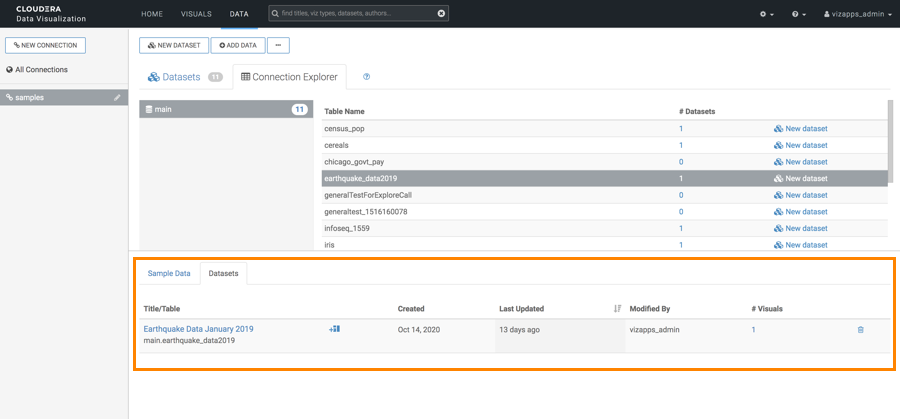
When you click a table, you can check the following data in the
Datasets view:
- Title/Table
- Created date
- Last Updated date
- Modified by username
- # Visuals for a link to the dashboards and visuals based on the dataset.
You can also perform the following actions:
- Navigate directly to the dataset interface, where you can rename the dataset, modify fields and other parameters, create joins, and so on.
- Start a new dashboard based on the dataset.
- Order datasets based on any of the table columns.
- Delete datasets.