Setting filter associations
Filter associations link dataset segments to users or user groups and are the final step in enforcing row-level access. They define which data segments are visible to which users. Use this procedure to create a filter association that restricts dataset access by applying segments to specific users or groups.
Ensure that:
- You have permission to manage roles and users, or appropriate view permissions with filter association management enabled in the Advanced Site Settings.
- The dataset contains predefined segments.
-
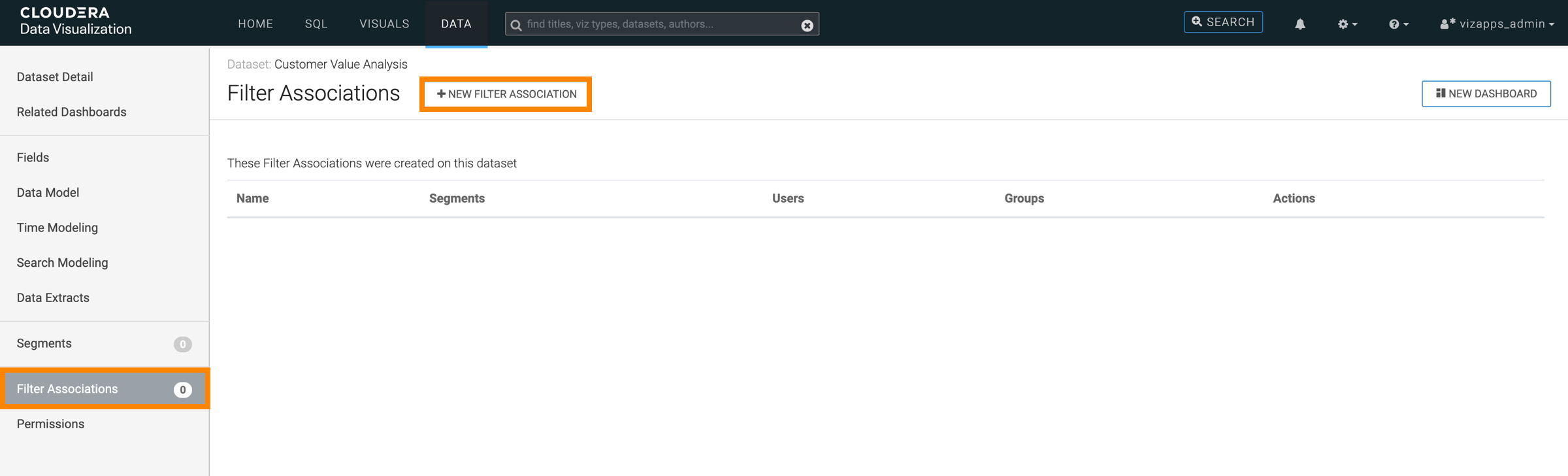
In the left navigation, select Filter Associations and click
+NEW FILTER ASSOCIATION.
-
In the Add Filter Association modal, complete the following
steps.
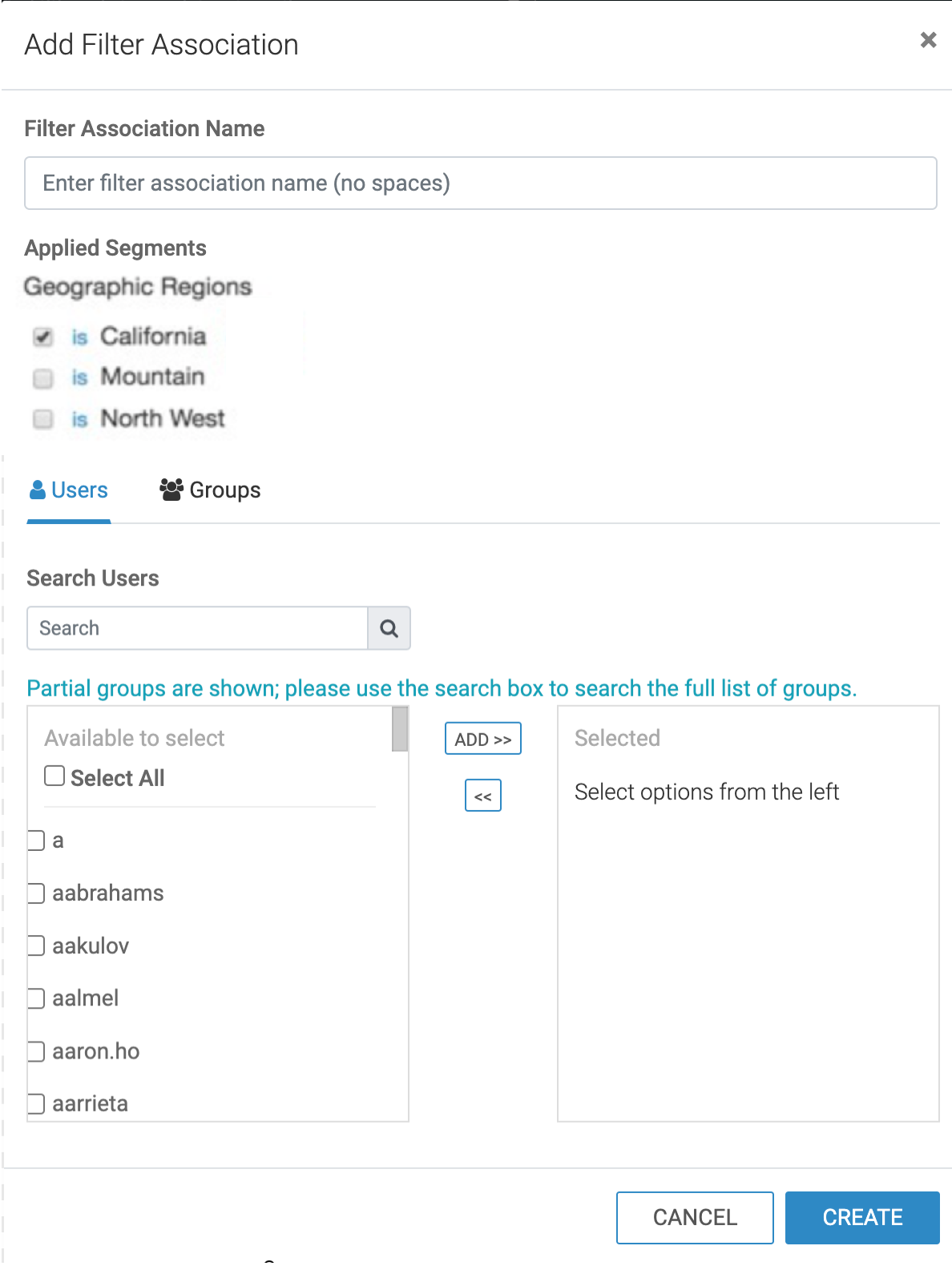
- Enter a descriptive name for the filter association.
- On the Segments tab, select a segment from the list.
- On the Users tab, you can select one or more users and click Add.
- On the Groups tab, you can select one or more user groups and click Add.
- Click CREATE to save the filter association.
The new filter association appears on the Filter Associations interface and the selected segment is applied to the specified users and/or groups.
In this example, a dataset containing U.S. state population data is divided into regional segments. Each segment is associated with a specific analyst team so that users see only the data relevant to their region.
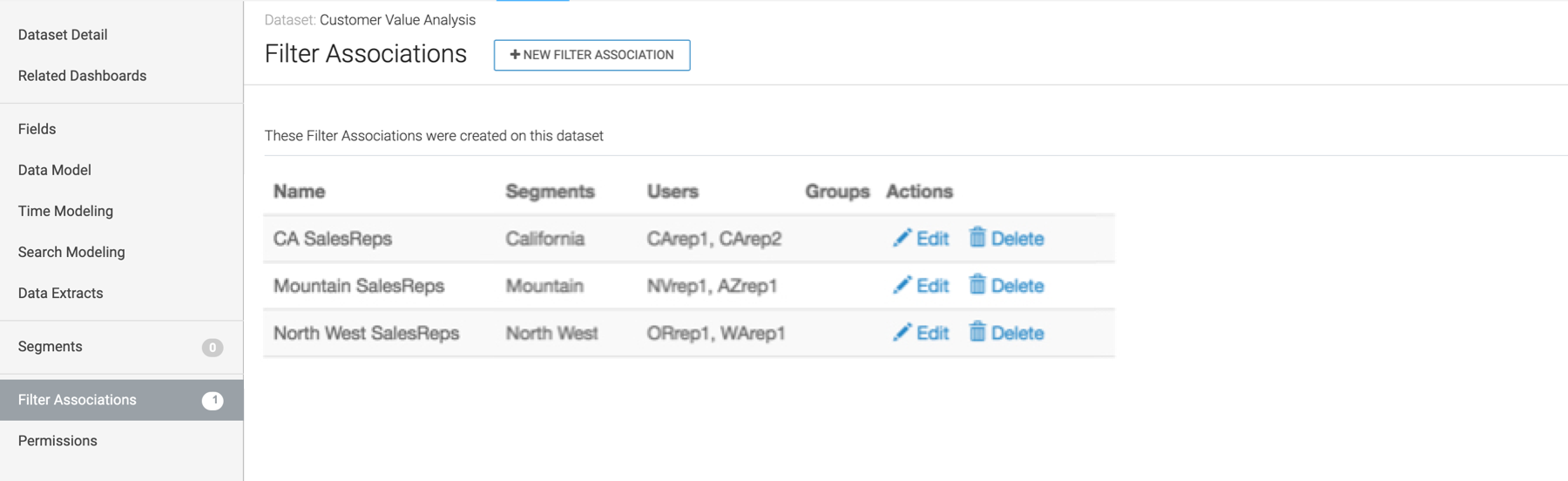
With these filter associations in place:
- Users in the Demographic analyst group see data only for states in the South segment.
- Users in the Census analyst group see data only for states in the Midwest segment.
- Users in the Urban planning analyst group see data only for states in the Northeast segment.
When these users access visuals or dashboards built on the dataset, only the records defined by their associated segment are visible.
