Deploying Cloudera Data Visualization in Cloudera Data Warehouse
Learn how to create and launch a Cloudera Data Visualization instance within the Cloudera Data Warehouse data service. You can deploy Cloudera Data Visualization with Cloudera Data Warehouse in both Cloudera on cloud and Cloudera on premises to explore and visualize data stored in database catalogs.
The availability and behavior of Cloudera Data Visualization when deployed with Cloudera Data Warehouse depend on the Cloudera Data Warehouse version and the runtime versions used in your environment.
To create visualizations based on data stored in Cloudera Data Warehouse, you have to create a Cloudera Data Visualization instance and connect it to one or more Hive or Impala Virtual Warehouses)
Before deploying Cloudera Data Visualization in Cloudera Data Warehouse, make sure that the following prerequisites are met:
- You have reviewed the supported versions to confirm that this deployment option applies to your environment. For compatibility information, see the Cloudera Data Warehouse documentation:
- You are logged into the Cloudera web interface and you have opened the Cloudera Data Warehouse service.
- You have DWAdmin role in Cloudera Data Warehouse.
- Your environment is activated.
- At least one Hive or Impala virtual warehouse is in running state.
- If you are using Cloudera Data Visualization with Cloudera Data Warehouse in Cloudera on premises:
An admin group is created in .
For LDAP-based login, the Sync Groups on Login option is enabled from , so that the required groups are imported when you log in to Cloudera Data Visualization.
-
Click ADD NEW to create a new instance.
If you are creating the first Cloudera Data Visualization instance in Cloudera Data Warehouse, click CREATE.

-
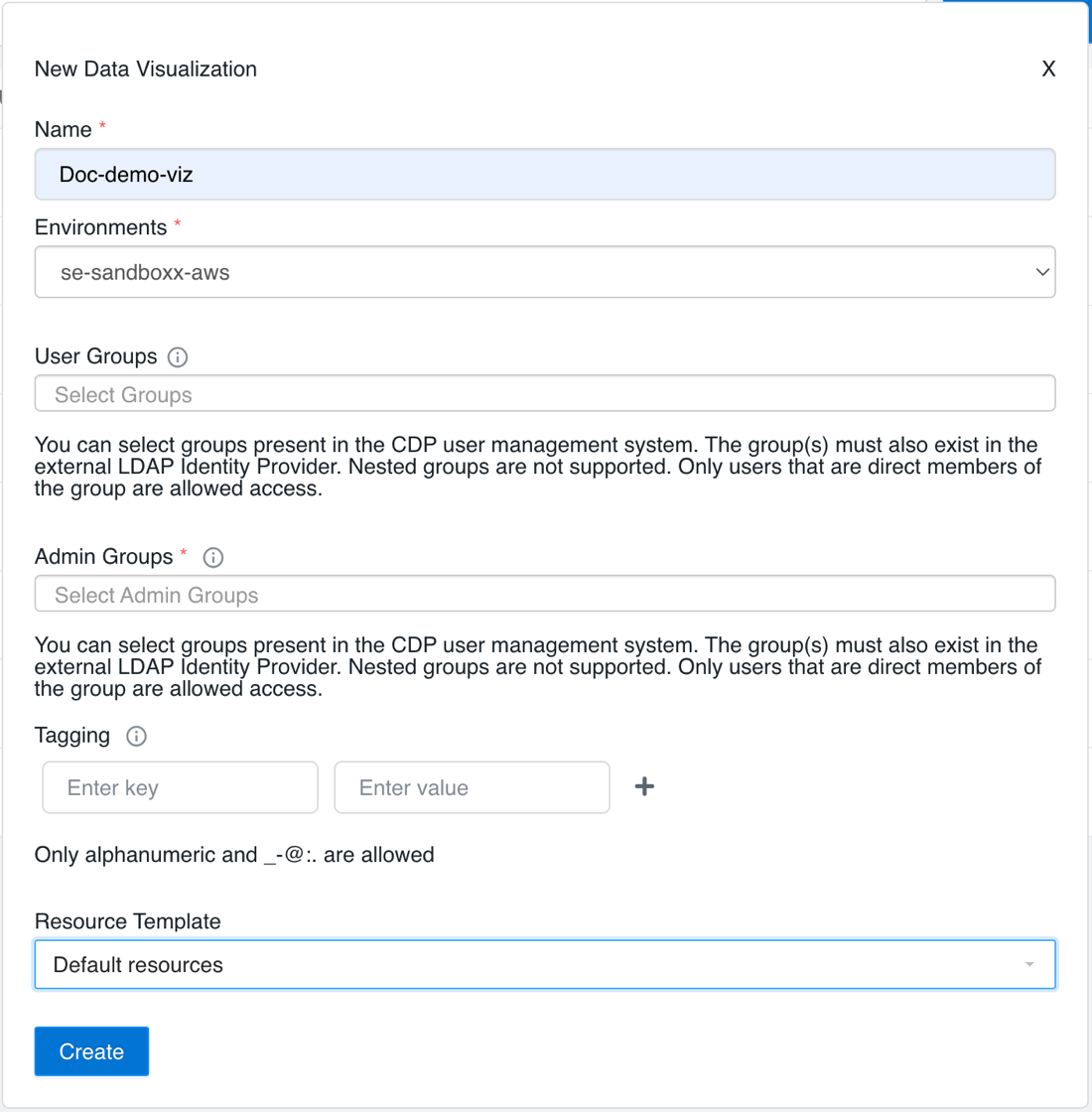
Provide the following information in the New Data Visualization
modal window:
Mandatory fields are marked with an asterisk.
-
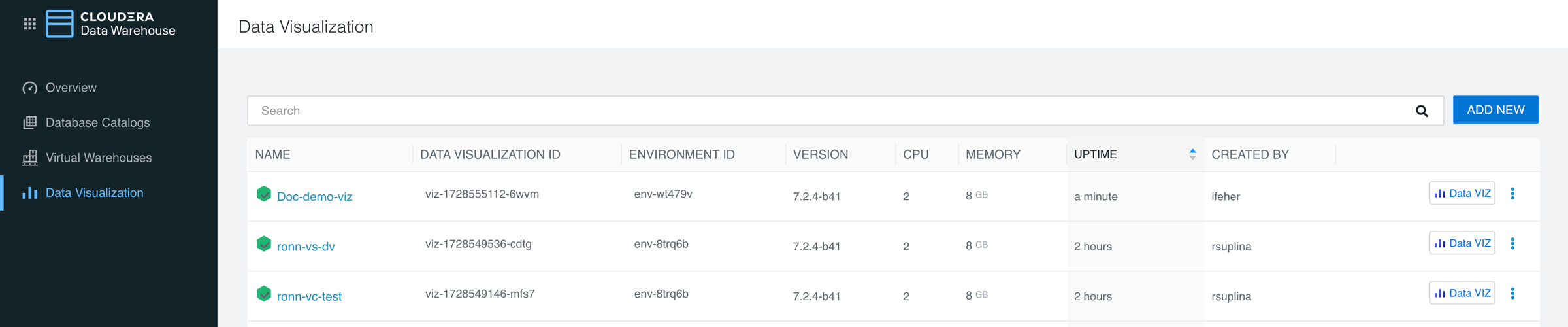
You can find the list of Cloudera Data Visualization instances and environments
appears under the Data Visualization menu that you can open from
the left navigation panel.
-
Select one from the list of running Cloudera Data Visualization instances and
click
 to start Cloudera Data Visualization.
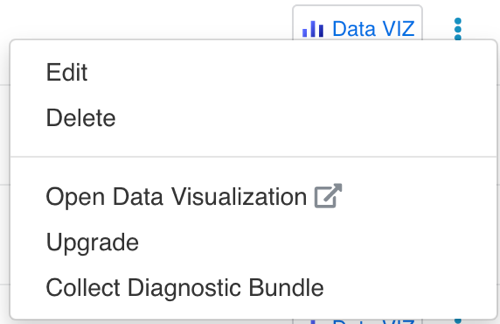
Alternatively, you can click the launch/options menu (three dots) at the end of the row and click Open Data Visualization in the pop-up menu.
SSO authentication is enabled by default both in Cloudera on cloud and Cloudera on premises. If you are logged in to the Control Plane, you will be logged into Cloudera Data Visualization automatically. If not, log into the Control Plane using your LDAP credentials. Cloudera Data Visualization opens in a new browser tab and you land on the Cloudera Data Visualization homepage, where you can explore sample dashboards and access the in-tool Get Started guide for help.
New users logging in to Cloudera Data Visualization are automatically added to the viz_guest_group group. You can assign the System Admin role to this group to grant new users the permission to create new connections. For more information, see Assigning roles to users.
