Configuring spill memory
During memory intensive queries, if you notice issues related to the spill memory, you can configure certain properties to facilitate running of queries that require memory exceeding per query or per node limits.
-
Go to the Virtual Warehouses tab, locate the Trino Virtual
Warehouse and click
 > Edit.
The Trino Virtual Warehouse Details page is displayed.
> Edit.
The Trino Virtual Warehouse Details page is displayed. -
Click Add Custom Configuration and add the following
properties along with the recommended values:
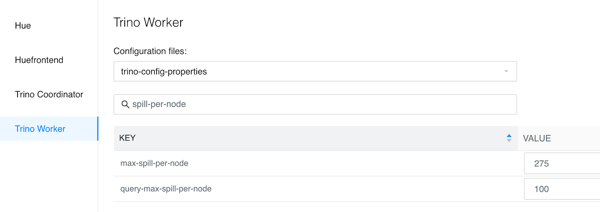
query-max-spill-per-node— Maximum spill space that can be used by a single query on a single worker node.Recommended value: 100 GB
max-spill-per-node— Maximum spill space that can be used by all queries on a single worker node.Recommended value: 275 GB