Creating an S3 bucket

You need to provide an S3 location that Cloudera can use for logs and data storage. If you don't already have an S3 bucket, you can create one from the AWS S3 console or AWS CLI.

  1. Go to the S3 console in the AWS web interface.
  2. Click Create bucket.
  3. Enter a bucket name.
  4. Select the region where the bucket will be created.
  5. Edit additional settings as needed.
    • Enable encryption
    • Add tags if required by your organization
  6. Click Create bucket.
    Figure 1. Creating an S3 bucket
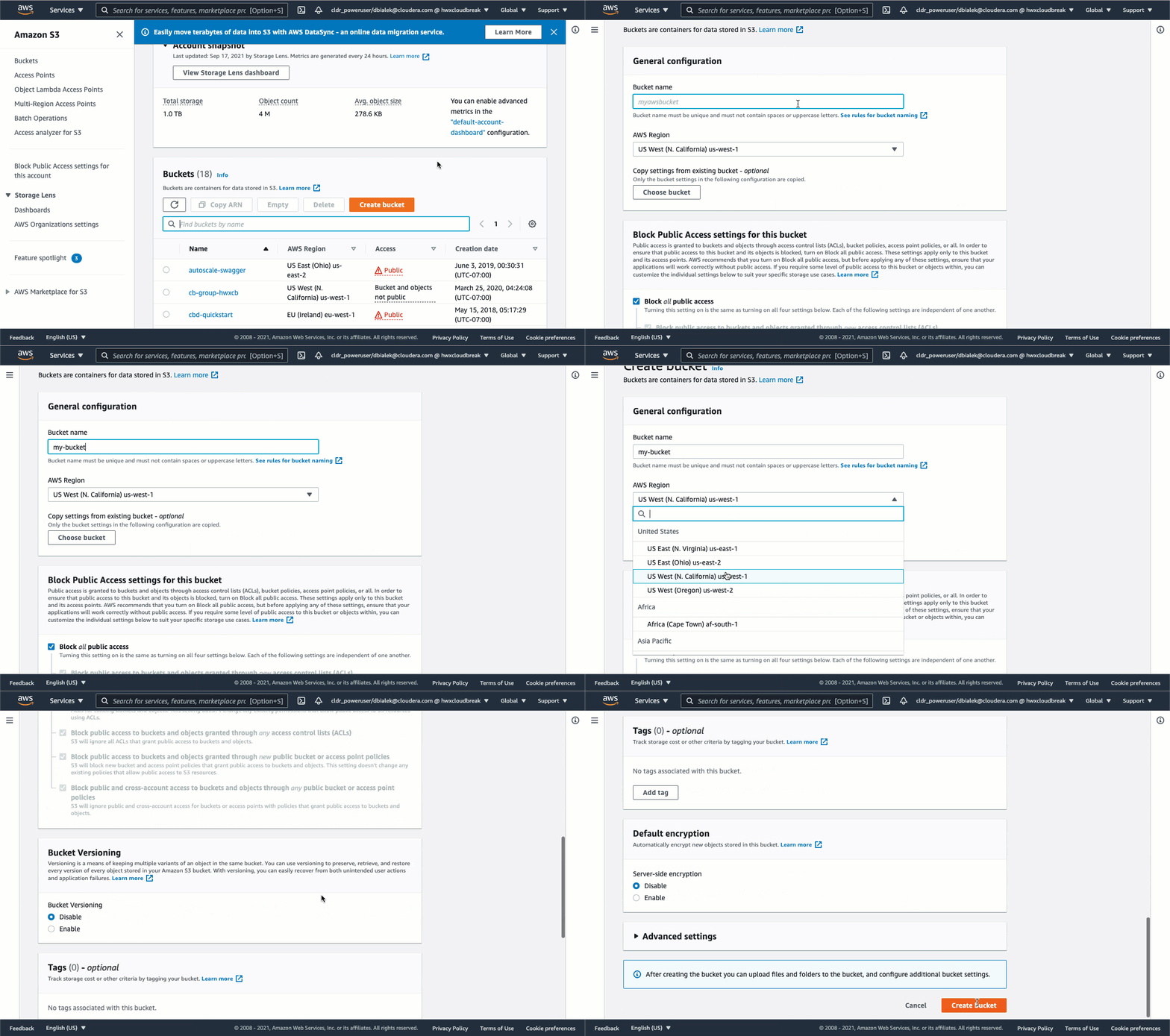
    Animation of S3 bucket creation in AWS console
