SSH key pair
When registering an environment, you will be asked to provide a BC FIPS SSH public key for which you have a matching private key. The minimum SSH key size is 4096 bits.
You have two options:
- Select a public SSH key that is already in EC2 in the region that you would like to use.
- Upload a public SSH key from your computer.
The SSH public key will be used for root-level access to Cloudera Data Hub instances. Only those users who have the corresponding private key would be able to log in as an admin user.
On AWS, you can create or import SSH keys in the in the specified region with the Create Key Pair or Import Key Pair options:
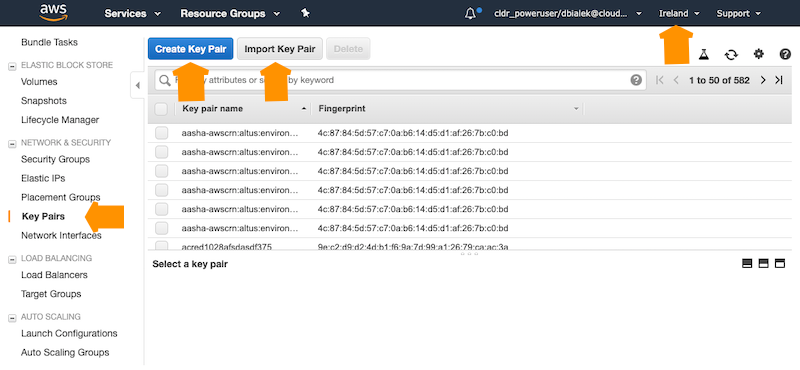
For instructions on creating or importing your SSH key on AWS, see Creating a key pair using Amazon EC2 and Importing your own public key to Amazon EC2 in the AWS documentation.
