Using an existing vault and vault key
Follow these steps, if you have an existing key vault in Key Vaults in your Azure Portal.
-
Go to the key vault’s Overview page and verify that the following parameters
are set to the correct values:
- The Region matches the target region of the Cloudera environment. Storage accounts can be in different resource groups than the key vault, provided the location/region is the same.
- Purge protection is enabled.
Figure 1. Verify vault parameters 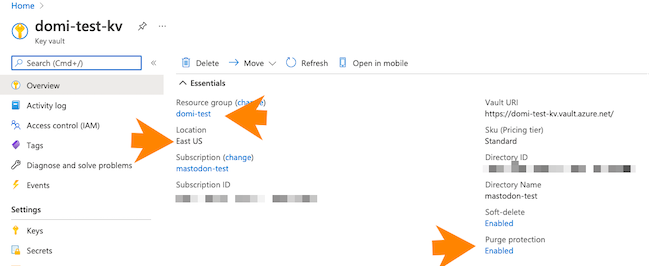
-
Go to the vault key:
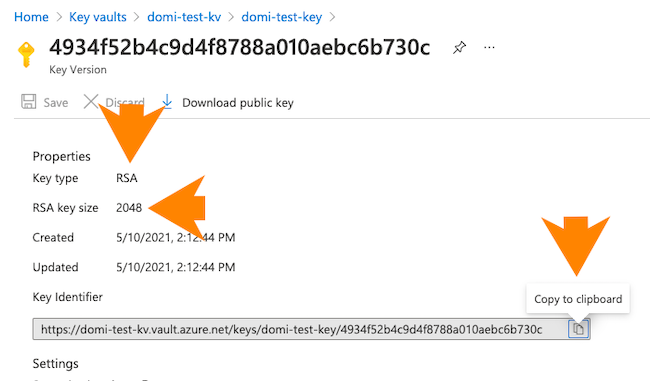
- Ensure that it is an RSA key with a size of 2048 bits.
- Copy the key identifier (an HTTPS URL) for the key that is created. You will need to provide it during Cloudera environment registration.
Figure 2. Verify vault key parameters