Setting up the DNS forwarder

Set up the DNS forwarder.

  1. Open DNS Manager.
  2. Right-click on Conditional Forwarders of your DNS server and select New Conditional Forwarder….
    Figure 1. Select New Conditional Forwarder for your DNS server
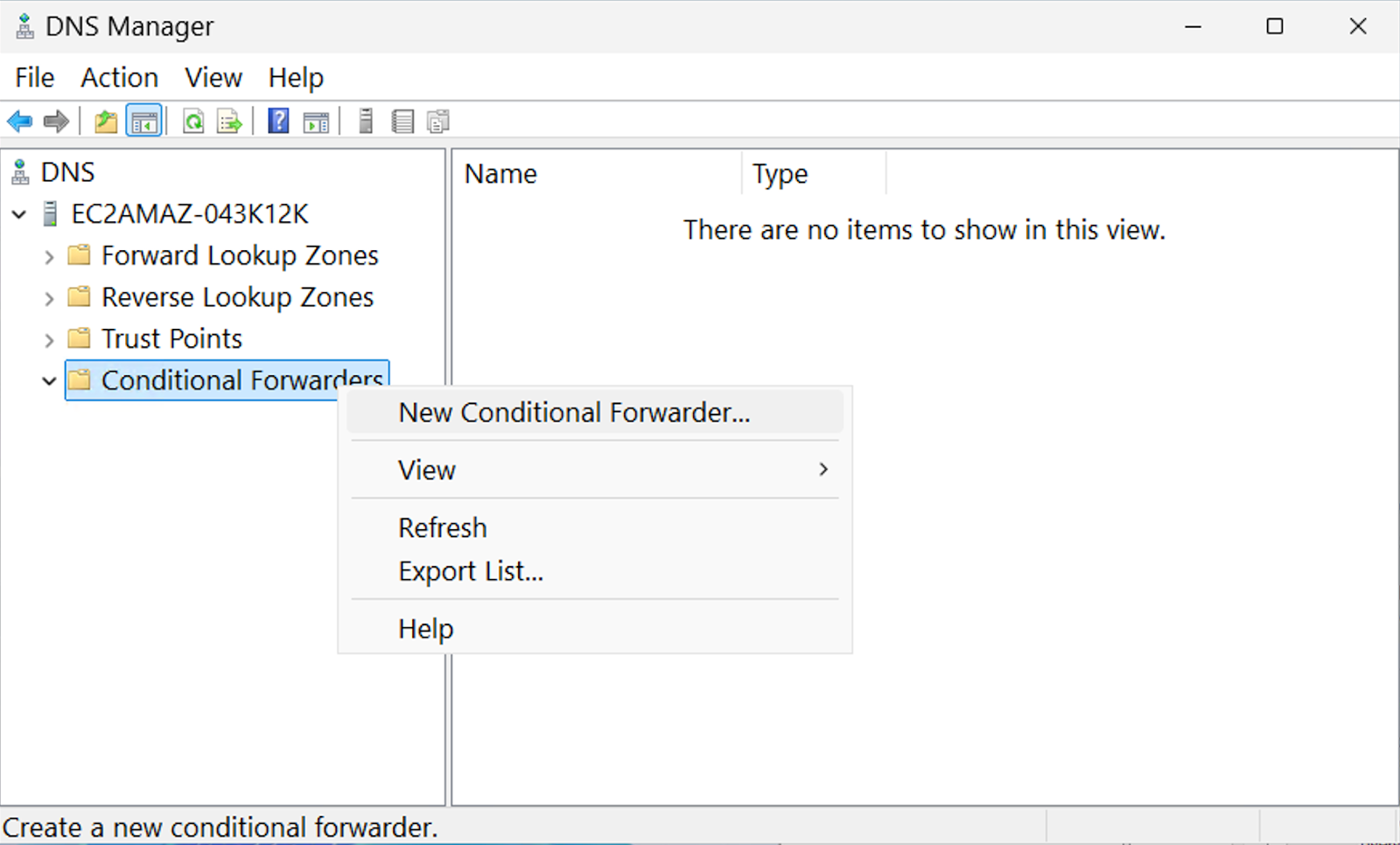
    Windows Server 2025 user interface, DNS Manager window, Conditional Forwarders of the DNS server section. New Conditional Forwarder option selected
  3. Provide the Cloudera-generated DNS Domain and IP Address values.
    If you receive an error message, you can ignore it.
    Figure 2. Enter DNS Domain and IP Address
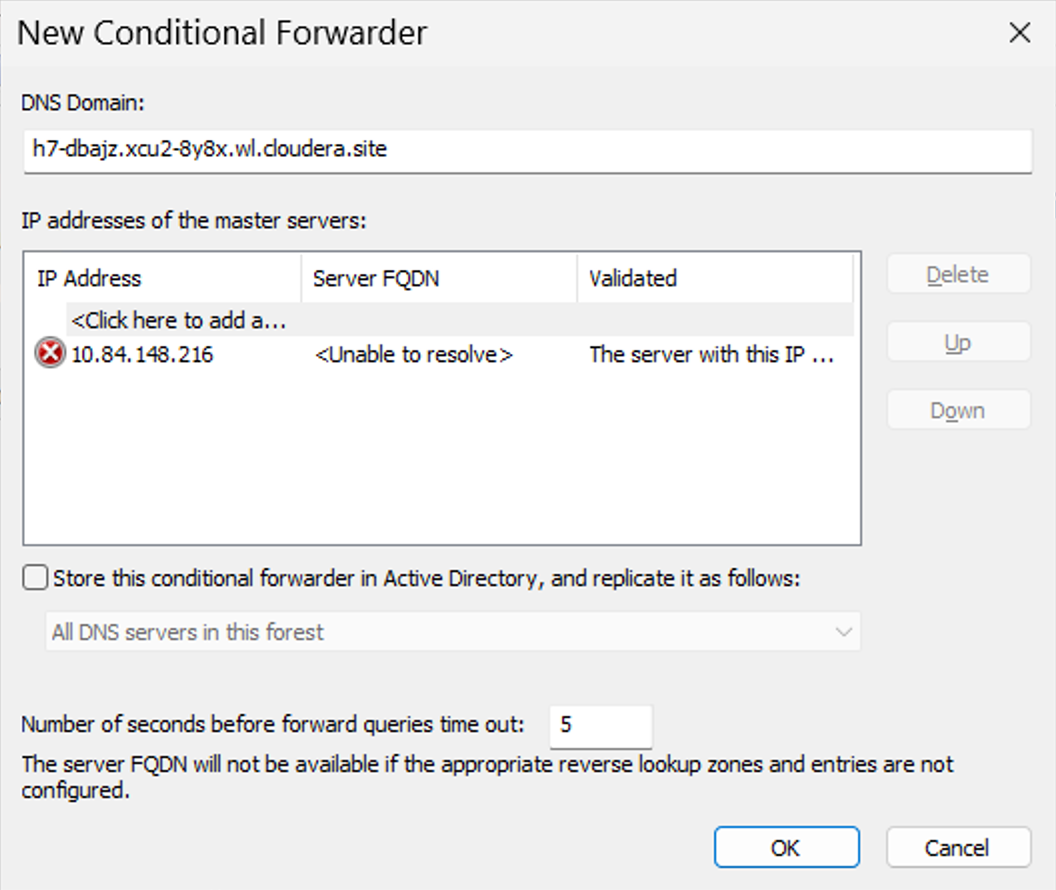
    Windows Server 2025 user interface, DNS Manager window, New Conditional Forwarders dialog box; input fields for DNS Domain and master servers IP addresses
  4. Click OK.
You have successfully set up the DNS forwarder.
Set up the domain trust.
