Creating Resource Profiles
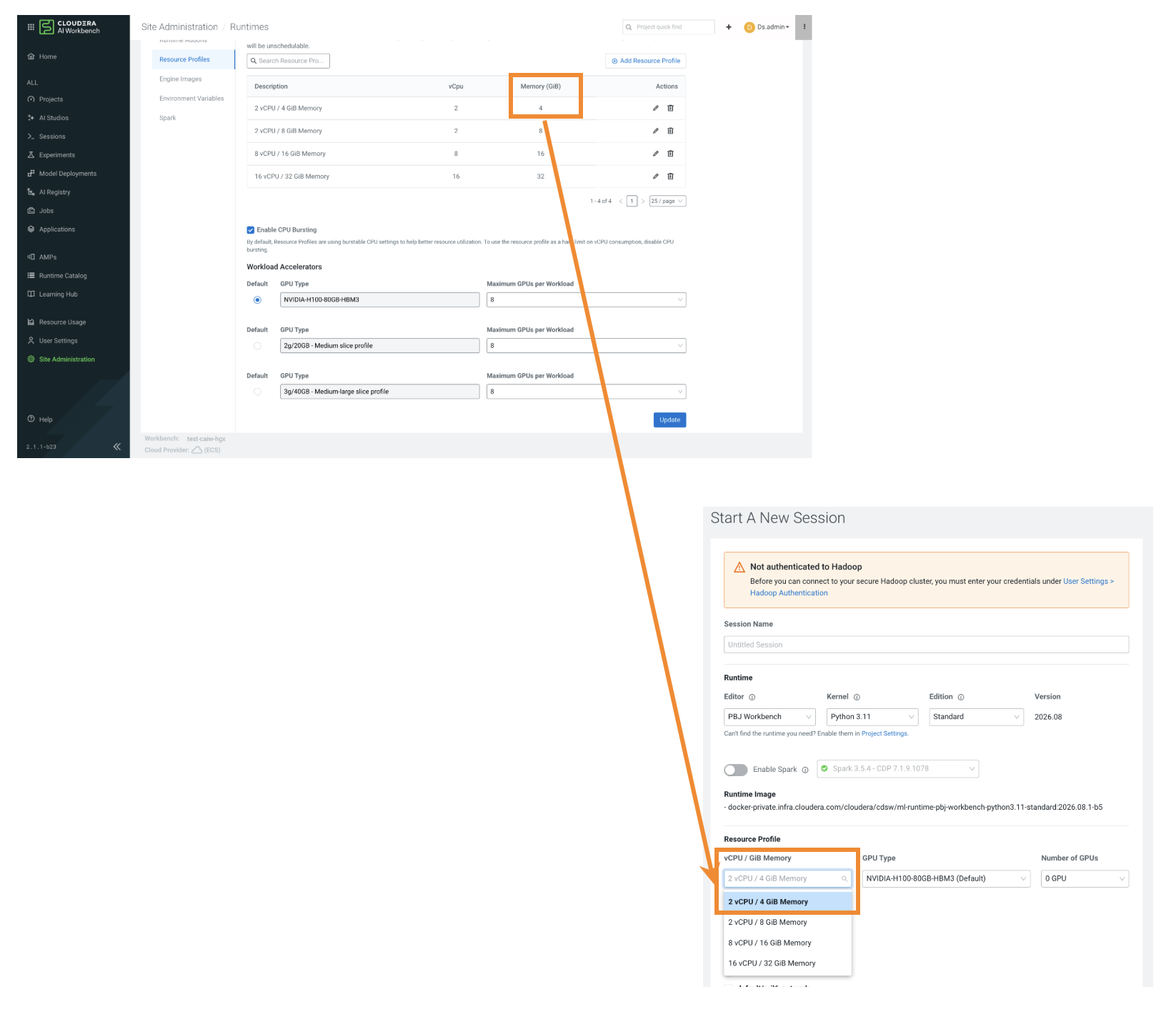
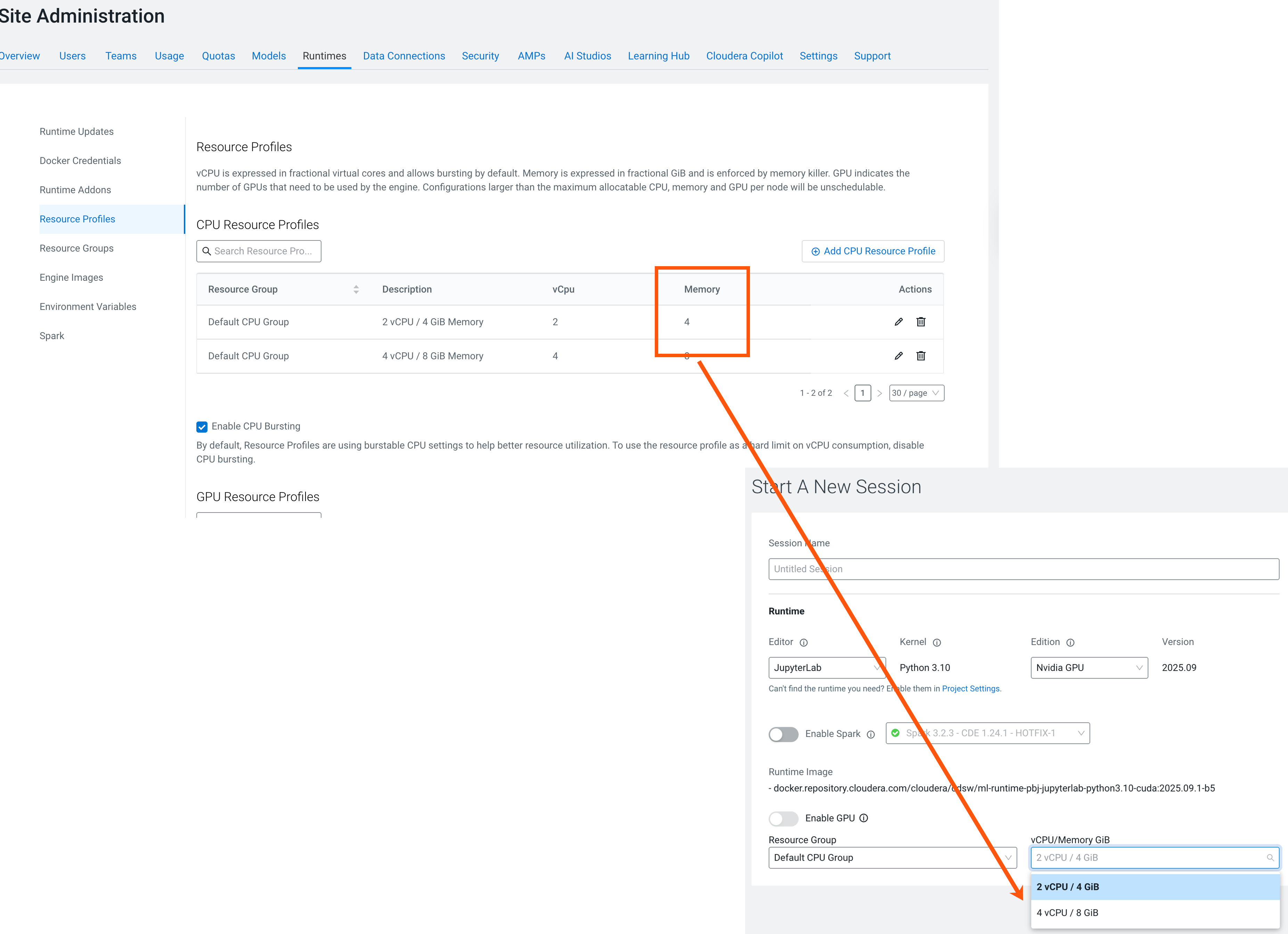
Resource profiles define how many vCPUs and how much memory the product reserves for a particular workload, for example, Session, Job, Model.
As a site administrator, you can create multiple resource profile configurations with different combinations of vCPUs, GPUs, and memory. These profiles are made available to users when they launch workloads. When starting a new session or job, users can select the resource profile that best matches their project requirements.