Quota for Cloudera AI workloads
Quota management is implemented for both user and team level. A Cloudera AI Workbench is allocated a set amount of resources based on configured parameters during provisioning. Within a workbench, resources available for workloads can be further divided into quotas at user level, team level, or both.
User and team naming limitations
- The name must be 63 characters or less.
- The name must begin and end with an alphanumeric character ([a-z0-9A-Z]).
- The name can contain dashes (-), underscores (_), dots (.), and alphanumerics, except for the beginning and ending characters.
User quota
By default, 8 GiB memory and 2 vCPU cores are configured for each user. Such resources are sufficient for running simple sessions but might not be sufficient for the Spark workloads if the executors cannot find enough resources. Cloudera AI administrators can configure a custom quota for the user on the Site Administration Page.
In Cloudera AI 1.5.5 SP4 and higher releases default and custom quotas can also be created for Multi-Instance GPU (MIG) slices.
In Cloudera AI on premises 1.5.5 SP1 and higher releases custom GPU quota can be defined for users.
- Cloudera AI 1.5.5 SP4 and higher releases
- Cloudera AI 1.5.5 SP3 and SP2
- Cloudera AI 1.5.5 SP1 and lower releases
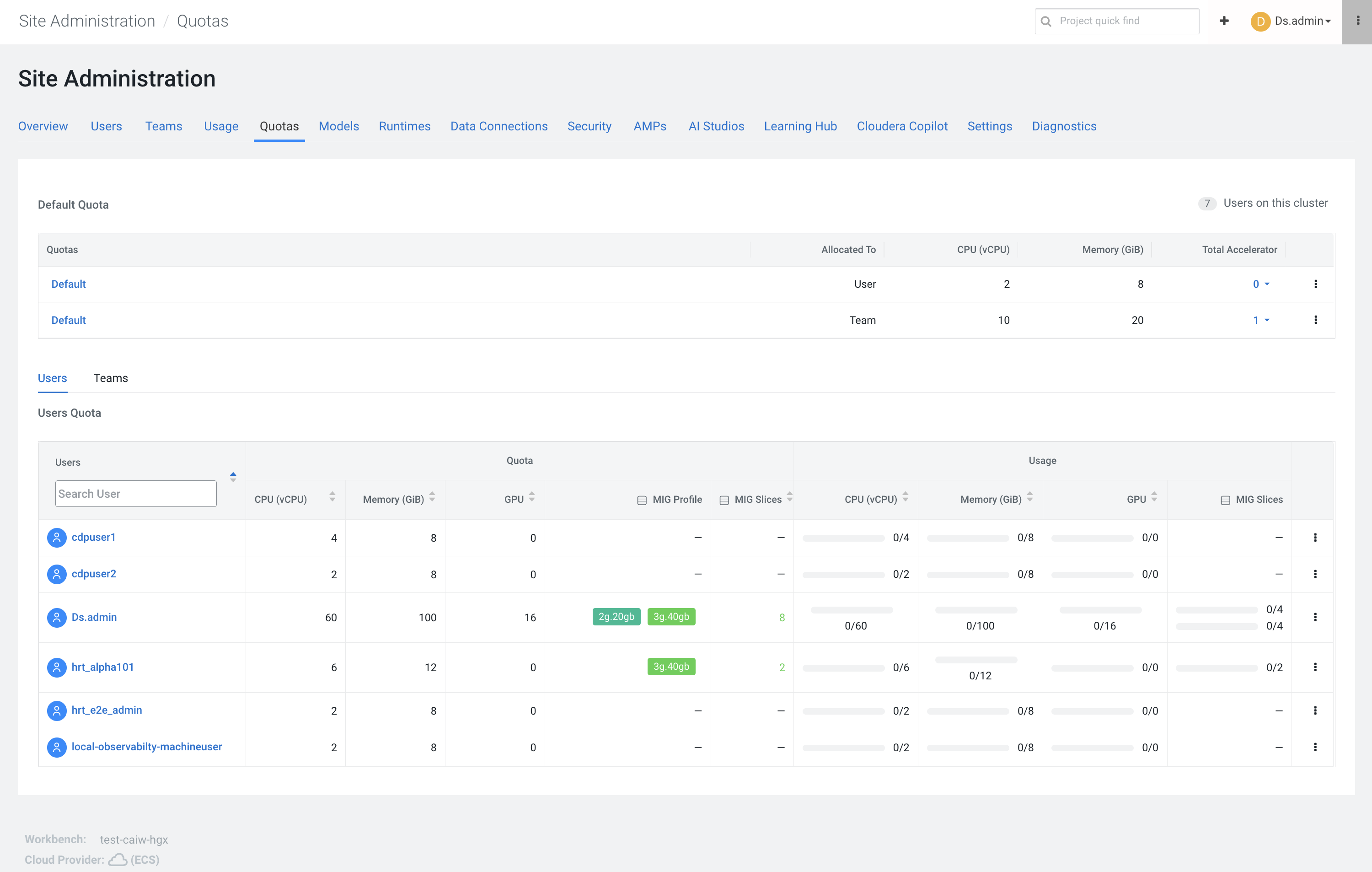
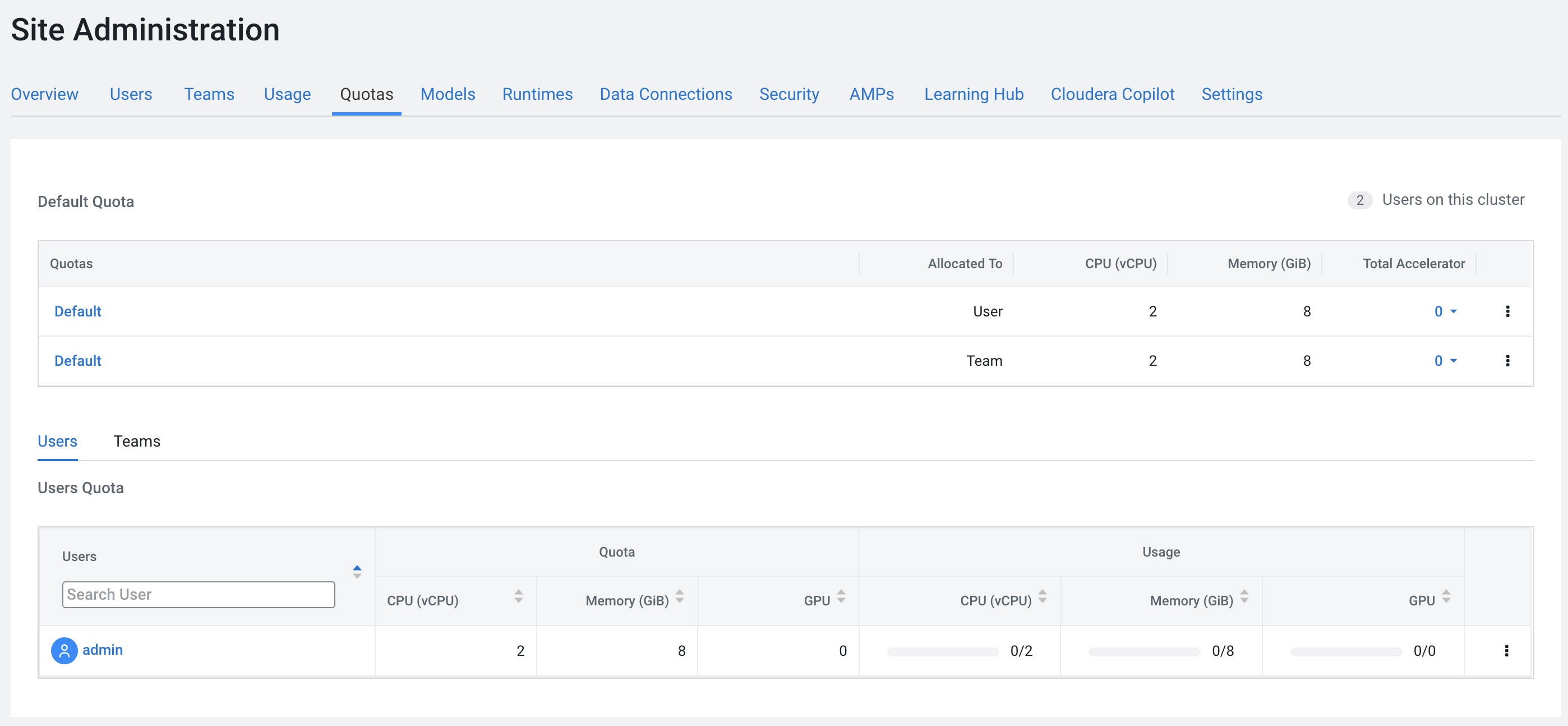
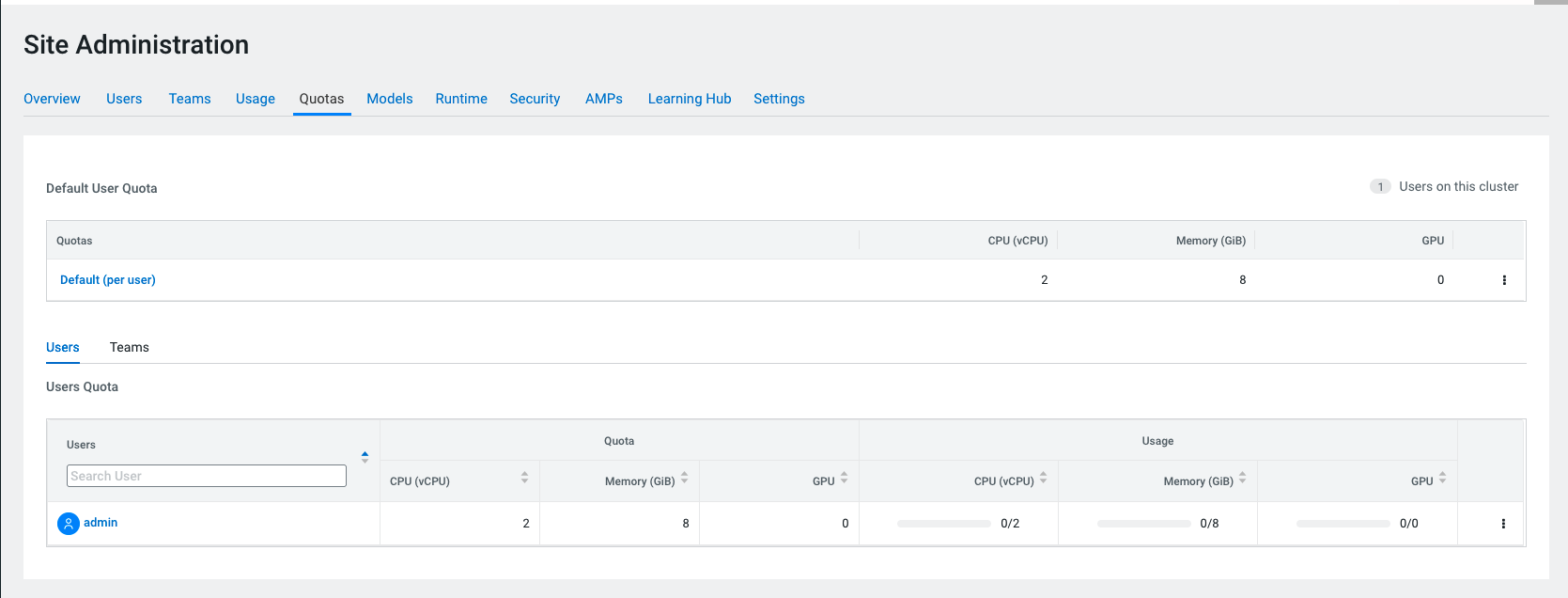
If the quota for a user is used up, the workload remains in the Pending state until the required resources become available.
Any modifications to the user quota take effect immediately.
GPU resources can be edited if the workbench is provisioned with GPU resources.
Team quota
By default, 8 GiB memory and 2 vCPU cores are configured for each team in Cloudera AI on premises 1.5.5 SP2 and higher releases. The Cloudera AI Administrator can configure a custom quota for the user on the Site Administration page.
In Cloudera AI 1.5.5 SP4 and higher releases default and custom quotas can also be created for MIG slices.
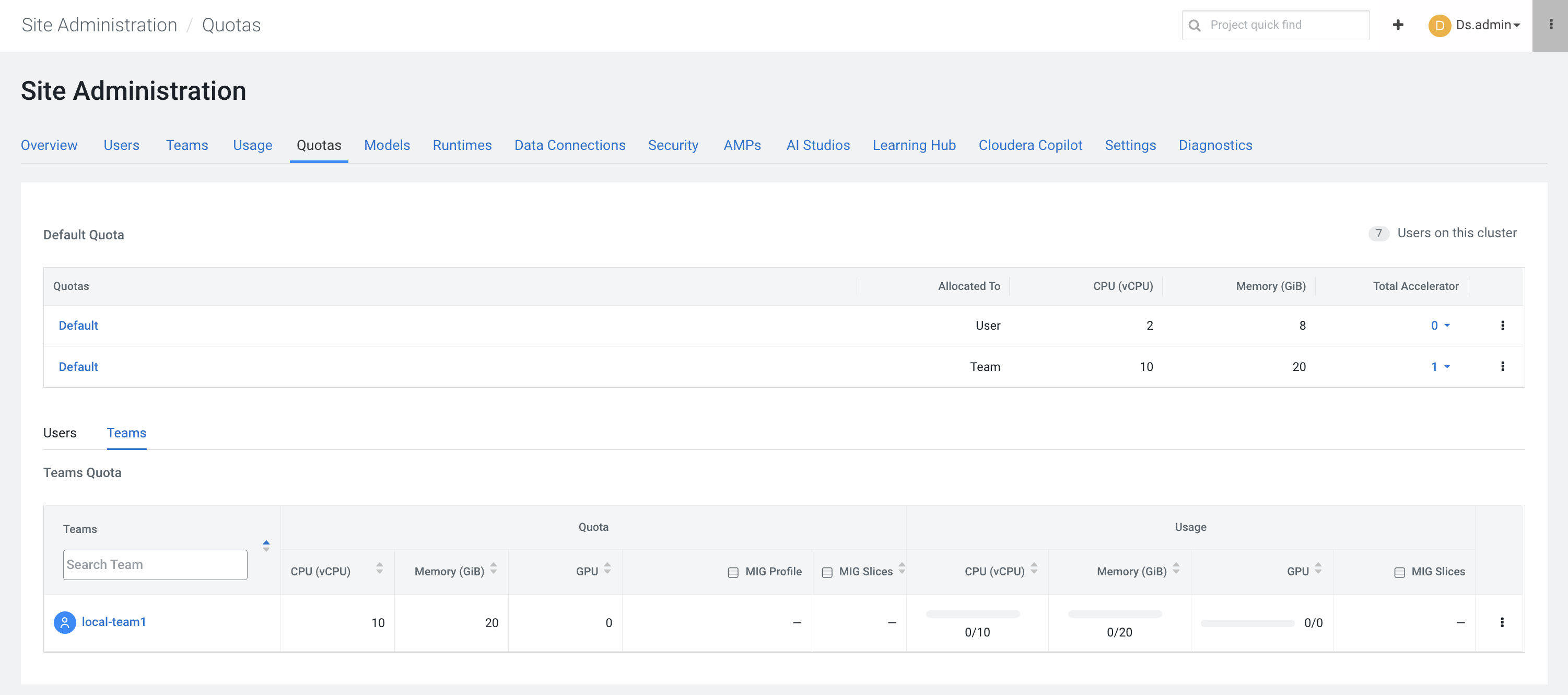
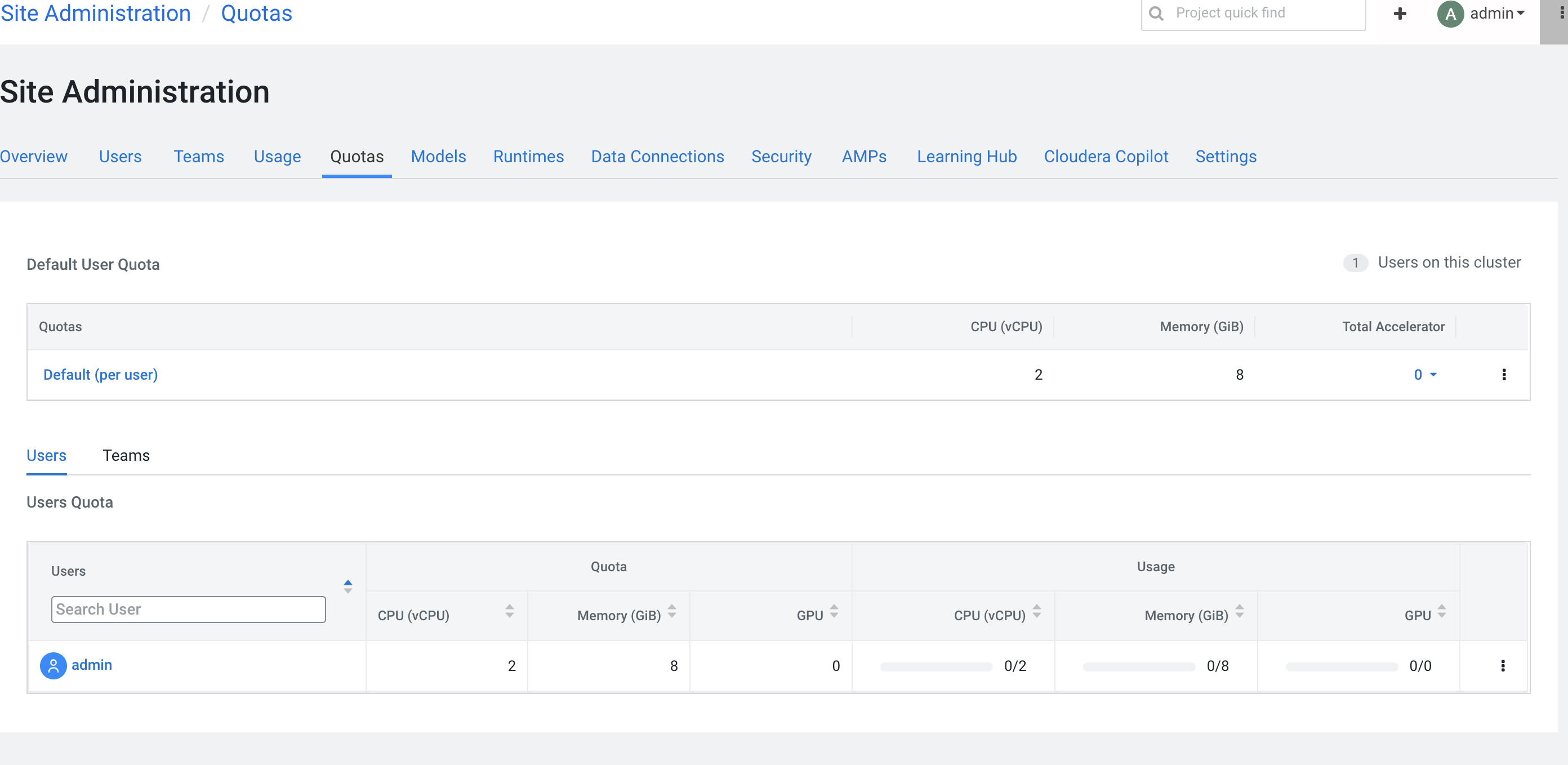
To configure a custom team quota, perform the following steps:
- As a Cloudera AI Administrator, go to tab.
- Go to the Teams tab.
- Click Add Team Quota and define the custom team quota in the modal window.
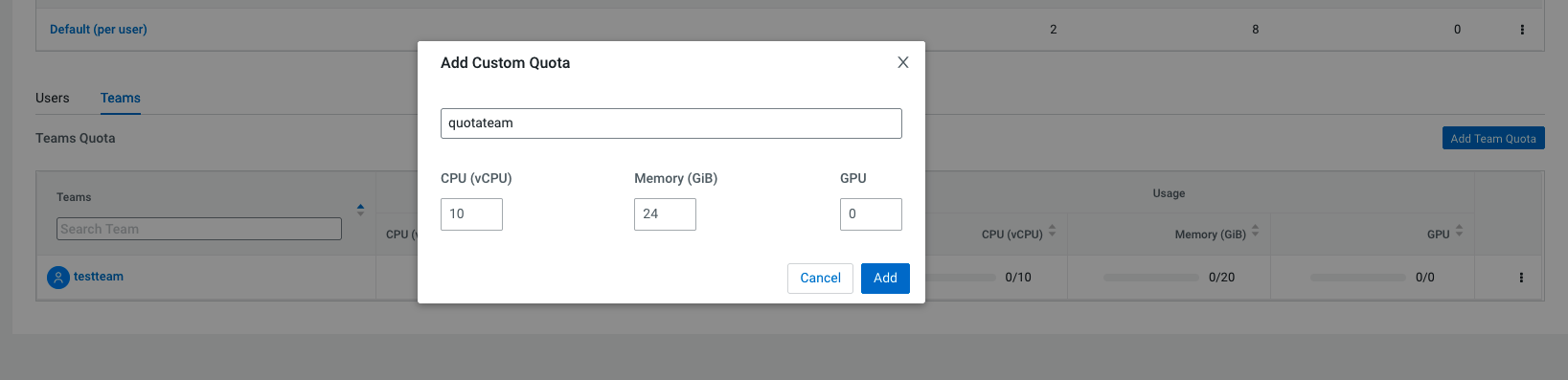
In Cloudera AI on premises 1.5.5 SP2 and higher releases custom GPU quotas can also be configured for teams.
If the quota for the team is used up, the workload remains in Pending state until the required resources become available.
Any modifications to the team quota take effect immediately.
Quota enforcement
The resources are allocated based on the project context from which the workloads are created in the following ways:
- If a workload is created in a project, which is developed in a user's context, the workload will always consume resources from the user's quota.
-
If a workload is created in a project which is developed in a team's context, the workload will take resources from the team's quota. This can either be a custom quota allocated to the team or the team's default quota.
