Configuring fine-grained access control for Model Endpoints
Fine-grained access control allows Administrators to define specific access levels for Model Endpoints for individual users or groups.
Requirements
To use fine-grained access control, your environment must meet the following version and role requirements.
- 7.3.1.500
- 7.3.2
- EnvironmentUser
And
- MLUser, or
- MLAdmin or
- AIInferenceInstanceAdmin or
- AIInferenceInstanceUser
Enabling fine-grained authorization
Fine-grained authorization is disabled by default. You must enable it to define specific access levels for Model Endpoints for individual users or groups.
- In the Cloudera console, click the Cloudera AI tile.
The Cloudera AI Home page displays.
- Click AI Inference Services under
ADMINISTRATION on the left navigation menu.
The AI Inference Services page is displayed.
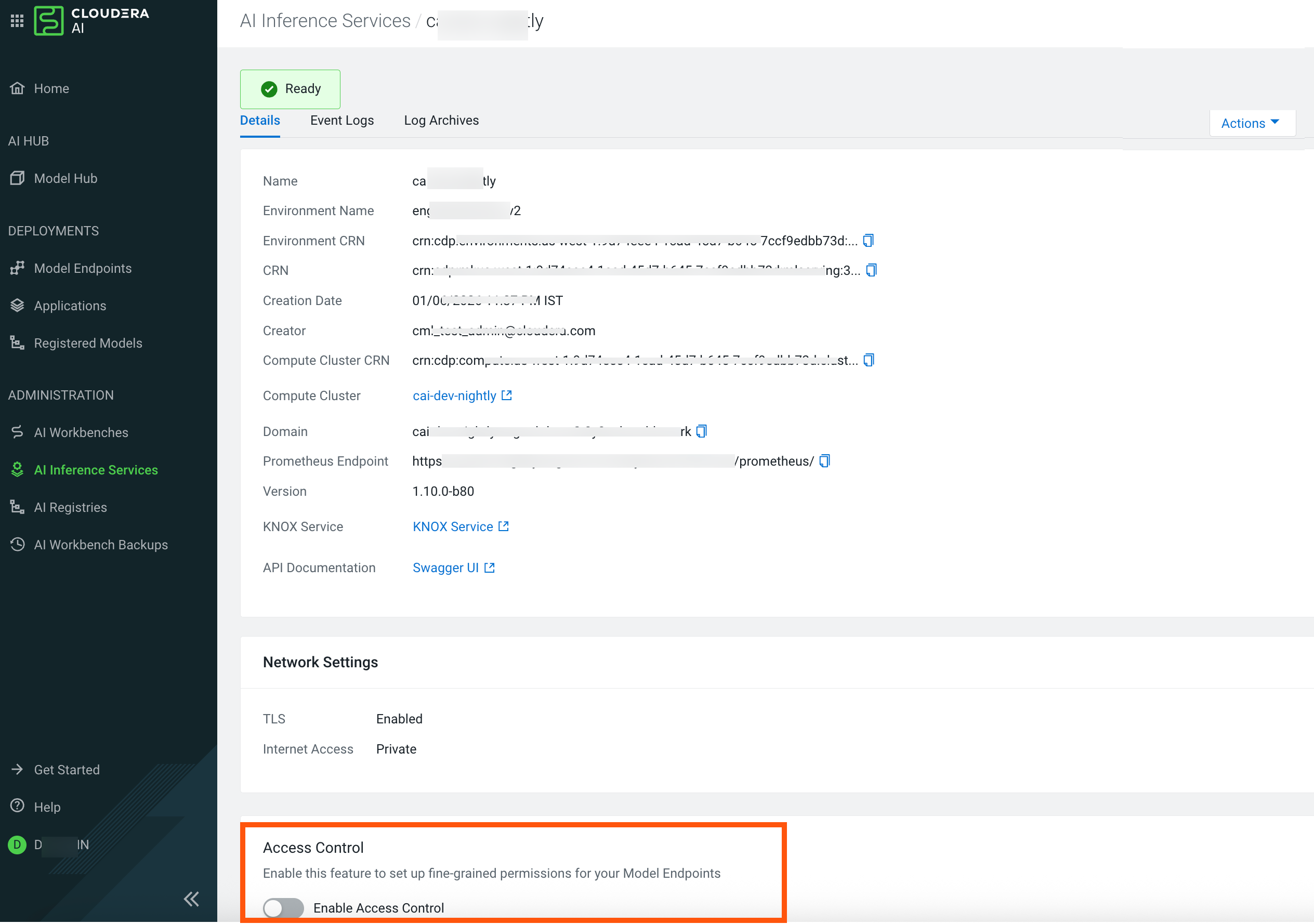
- Select a Cloudera AI Inference service instance to access its Details page.
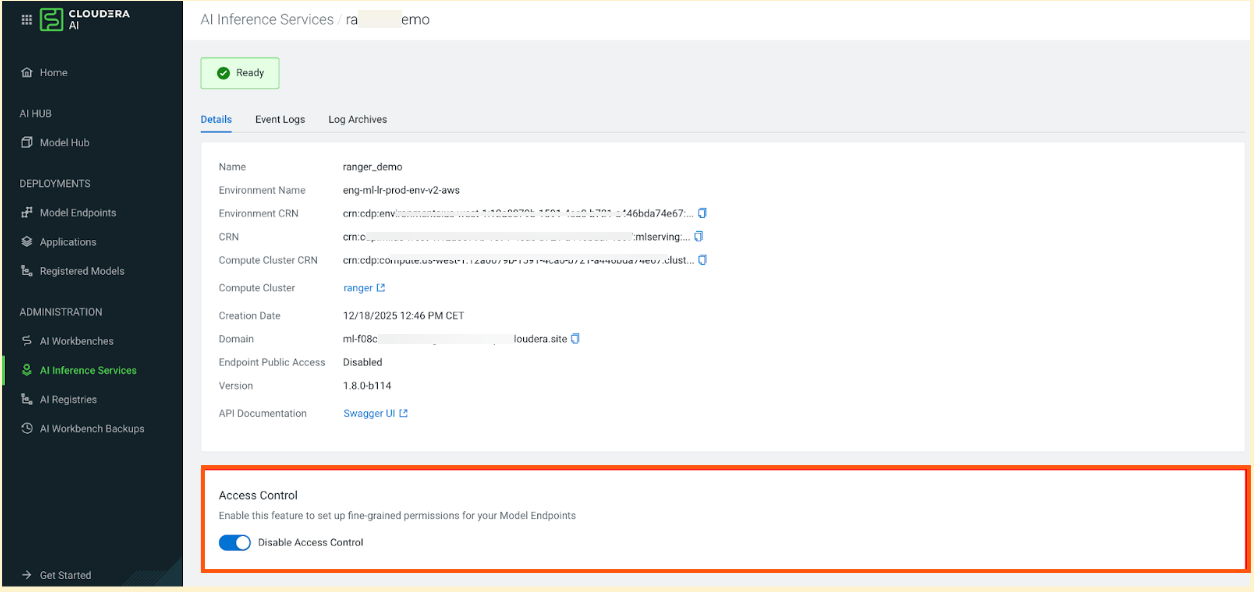
- Locate the Access Control section.
- Use the Enable Access Control toggle to enable it.
Authorization Workflow
- Enabled: Knox performs initial authentication and coarse-grained authorization, then Ranger is added to the authorization chain as the final step to validate access to specific resources.
- Disabled: Knox performs authentication and coarse-grained authorization by checking for the MLUser or MLAdmin resource roles.
Access Levels
You can specify one of three access levels for Model Endpoints for each user or group. You can configure only one access level at a time for each unique user or group using Model Endpoint Permissions API .
- Model Engpoints:
- View: Allows users to see the Model Endpoints list, the listEndpoints API, and view model endpoint metadata.
- Access: Allos users or groups to run inference on the model endpoint.
- Manage: Allows users or groups to view the endpoint, run inference, and modify or delete the endpoint.
