Downloading diagnostic bundles for a workbench
Access and download diagnostic bundles for a Cloudera AI Workbench.
The Cloudera platform provides various services for managing and downloading diagnostic bundles.
Two types of logs are collected for Cloudera AI:
- Infrastructure logs
- User logs
Infrastructure logs are generated by Cloudera AI Workbench services, while user logs are created by workloads, such as sessions, jobs, and so on, in the user’s namespace.
Infrastructure logs can be downloaded using the Cloudera Manager. For more information, see Options for generating the Cloudera on premises diagnostic data. You can also send usage and diagnostic data from Cloudera Manager. For more information, see Sending Usage and Diagnostic Data to Cloudera.
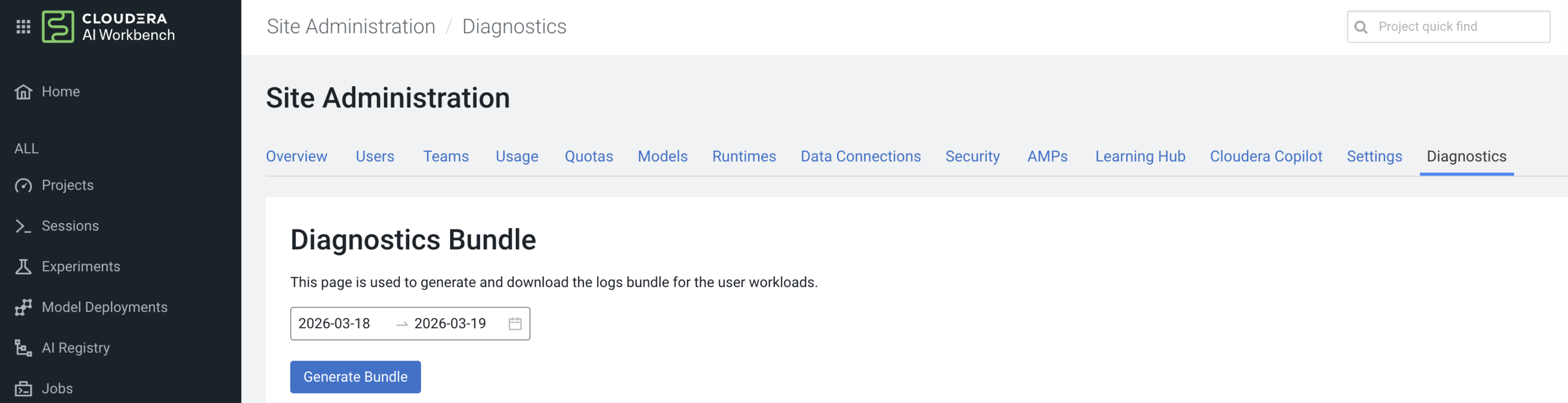
User logs, available from Cloudera AI 1.5.5 SP3, can be generated and downloaded from the Diagnostic page in the Site Administration settings of the Cloudera AI.
Make sure you are assigned the MLAdmin role in Cloudera. Only users with the MLAdmin role will be logged into Cloudera AI Workbenches with Site Administrator privileges.
-
Select .
The Diagnostics Bundle page displays.
Figure 1. Generating diagnostic bundle