Advanced features of agentic workflows
Agentic workflows support Artifact Files, Task Planning, and security Guardrails to enable structured multi-agent run and secure Large Language Model (LLM) interactions.
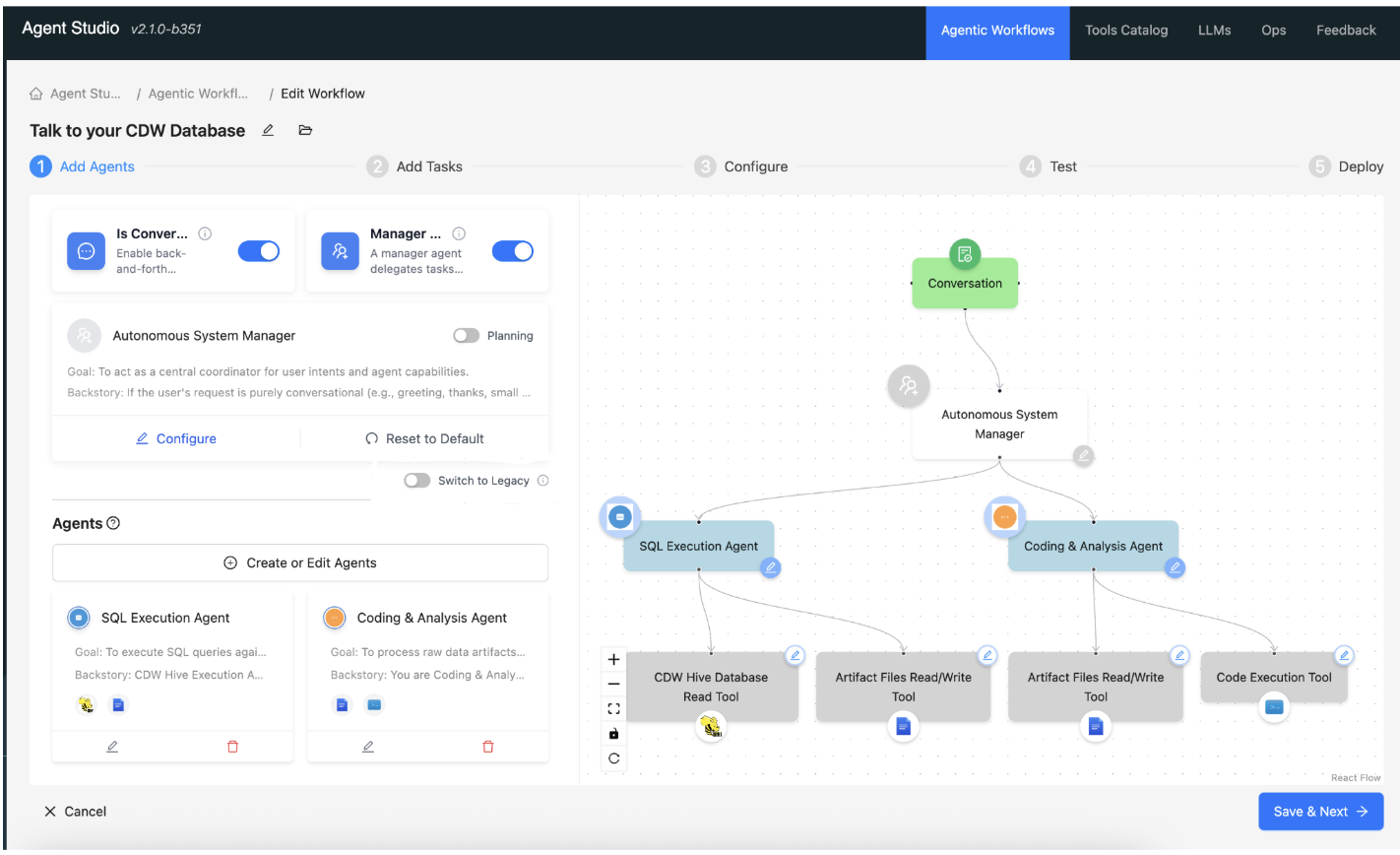
- Artifact Files – The Artifact Files feature enables
generating artifact files by the integrated tools. Artifact files are the outputs of the agent
run and represent the final data or code produced during a workflow. You can upload different
artifact files when you test the workflows. Artifact files include the following examples:
- Structured data: CSV or Parquet files
- Interchange formats: JSON files
- Visualizations and media: Images and reports
- Content to run: Code files, such as Python scripts
-
Task Planning - Task Planning is a workflow feature that enables an agent to manage complex, multi-step projects by generating its own structured to-do list during a run. When enabled, agents break their work into discrete tasks, track progress step by step, and surface that progress in real time in the workflow UI — so you can see exactly what each agent is doing and how far along it is. For more information, see Task planning in Agent Studio.
- Guardrails - Guardrails in Agent Studio protect your confidential information by blocking unauthorized data transmission to Large Language Models (LLMs) during workflow runs. You can configure them to either block non-compliant requests or mask sensitive tokens before data reaches the model. Functioning as an intermediary layer between your workflow and the LLM, these controls intercept communications at various intervals during an agentic run. For more information, see Guardrails in Agent Studio