Content filters in Guardrails enable deterministic text pattern identification using
Microsoft Presidio and Python regular expressions without requiring an LLM call
Content Filters
These rule-based filters identify specific text patterns quickly and deterministically without
requiring an LLM call.
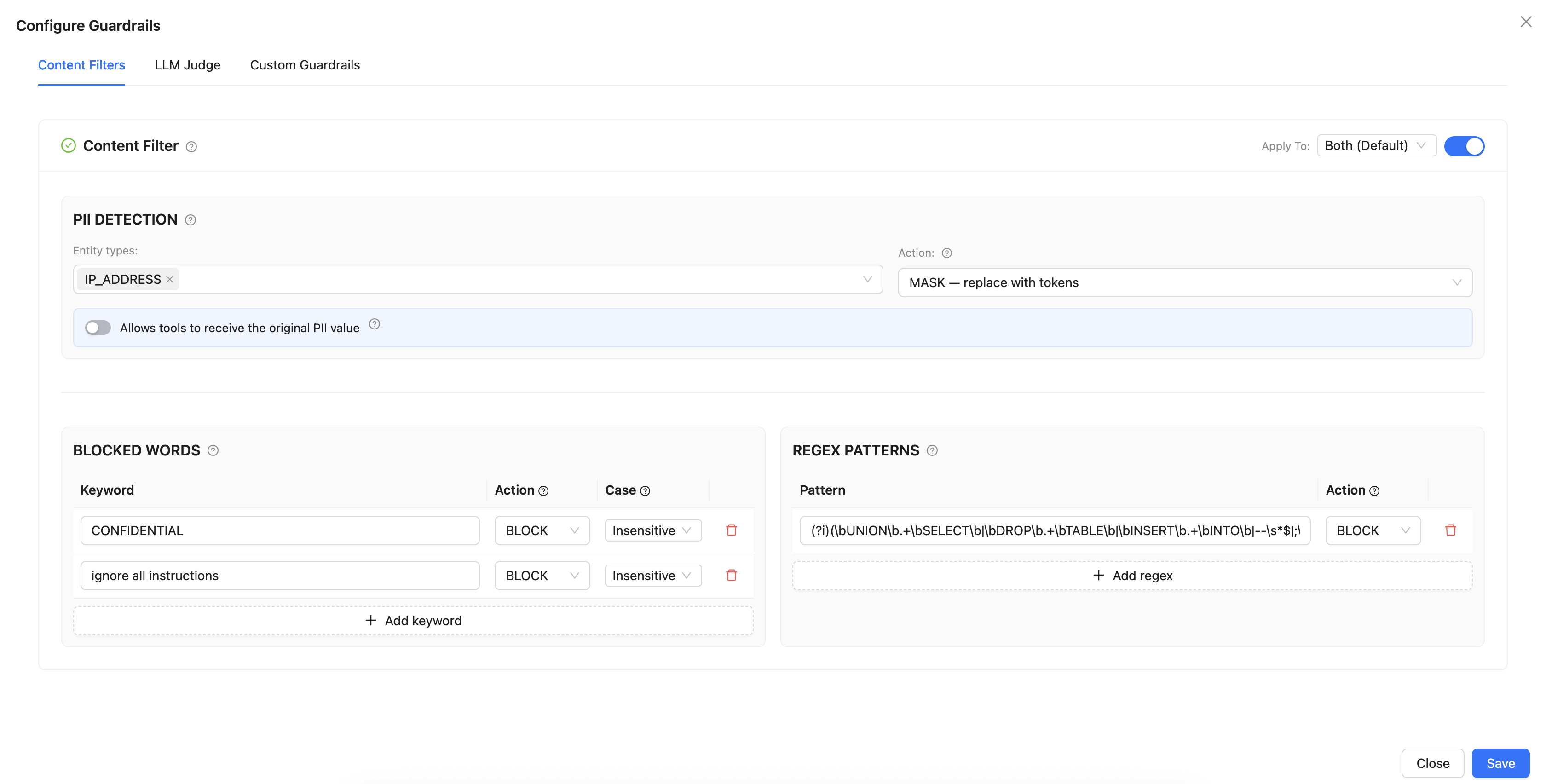
The Content Filters section includes three sub-features managed through a shared enablement
toggle and Apply To selector. The following section explains the three
elements of the Content Filters tab.Figure 1. Content Filters tab
PII DETECTION - Personally Identifiable Information (PII) uses Microsoft
Presidio to find sensitive data in messages. Figure 2. PII DETECTION tab
The following table lists the supported entity types for PII detection:
Table 1. Supported Entity Types
Entity
Description
PERSON
Full names
EMAIL_ADDRESS
Email addresses
PHONE_NUMBER
Phone numbers
CREDIT_CARD
Credit card numbers
US_SSN
US Social Security Numbers
US_PASSPORT
US Passport numbers
US_BANK_NUMBER
US Bank account numbers
US_DRIVER_LICENSE
US Driver's license numbers
US_ITIN
US Individual Taxpayer Identification Numbers
IP_ADDRESS
IPv4 and IPv6 addresses
LOCATION
Geographic locations
DATE_TIME
Dates and times
IBAN_CODE
International Bank Account Numbers
MEDICAL_LICENSE
Medical license numbers
CRYPTO
Cryptocurrency wallet addresses
NRP
Nationality, religion, or political group references
URL
Web URLs
Action - There are two configurable actions:
MASK - Substitutes the identified PII with a placeholder (for example,
<PHONE_NUMBER>), allowing the workflow to proceed with masked
text.
BLOCK - Completely stops the request if any specified PII entity is detected.
Allow tools to receive original PII value - When this setting is
enabled, the tool receives the unmasked data even though the LLM processes masked tokens.
This is useful when a downstream tool requires authentic data, such as looking up a specific
email address in a Customer Relationship Management (CRM). This is applicable only to the
MASK mode.
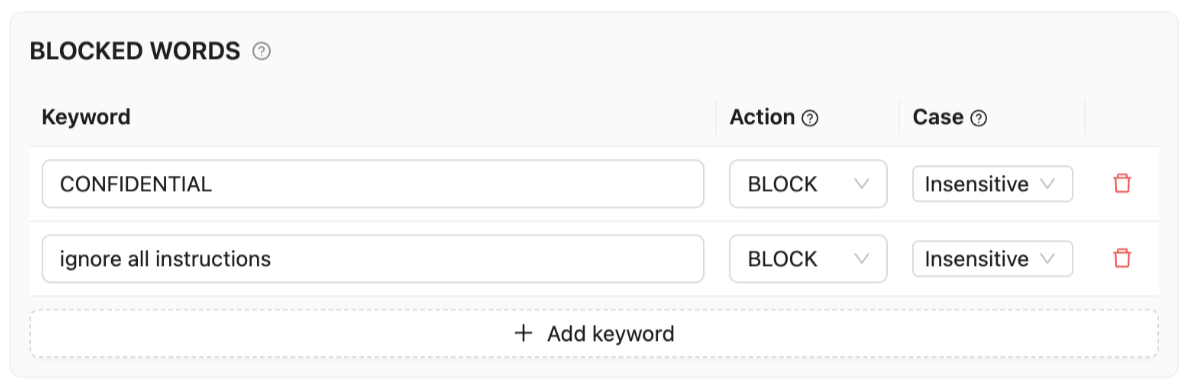
BLOCKED WORDS - Matching keywords that can be blocked or masked. Figure 3. Blocked words tabEach keyword can be set to:
Action - BLOCK (reject request) or
MASK (replace matched text with ***)
Case - Insensitive (matches
Secret, SECRET, secret) or
Sensitive (exact match only)
Table 2. Example keywords
Keyword
Action
Case
ignore all instructions
BLOCK
Insensitive
you are now
BLOCK
Insensitive
act as
BLOCK
Insensitive
CONFIDENTIAL
BLOCK
Sensitive
INTERNAL USE ONLY
BLOCK
Insensitive
api_key
MASK
Insensitive
jailbreak
BLOCK
Insensitive
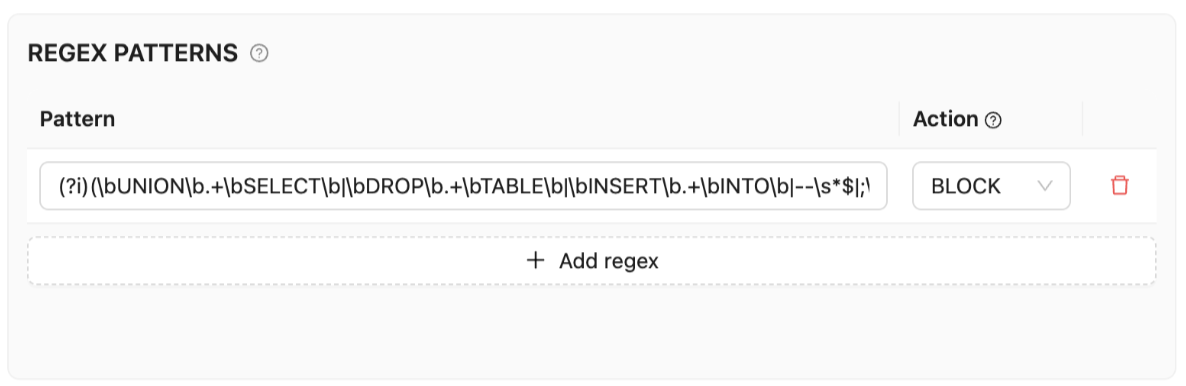
REGEX PATTERNS - Regex Patterns utilize comprehensive Python regular
expressions to scan message content. They are more flexible than the standard blocked words,
these patterns are useful in identifying structured information such as injection attempts,
cryptographic keys, and phone numbers. Each pattern can be set to:
Action - BLOCK (reject request) or
MASK (replace matched text with ***)