Registering a MCP server

Learn about registering a MCP server in Agent Studios.

  1. In the Cloudera console, click the Cloudera AI tile. The Cloudera AI Workbenches page displays.
  2. Click on the name of the workbench.The workbench Home page displays.
  3. In the left navigation pane, click AI Studios option.
  4. Click the Open button on the Agent Studio tile. The Agent Studio window is displayed.
  5. Navigate to Tools Catalog in the Agent Studio window.
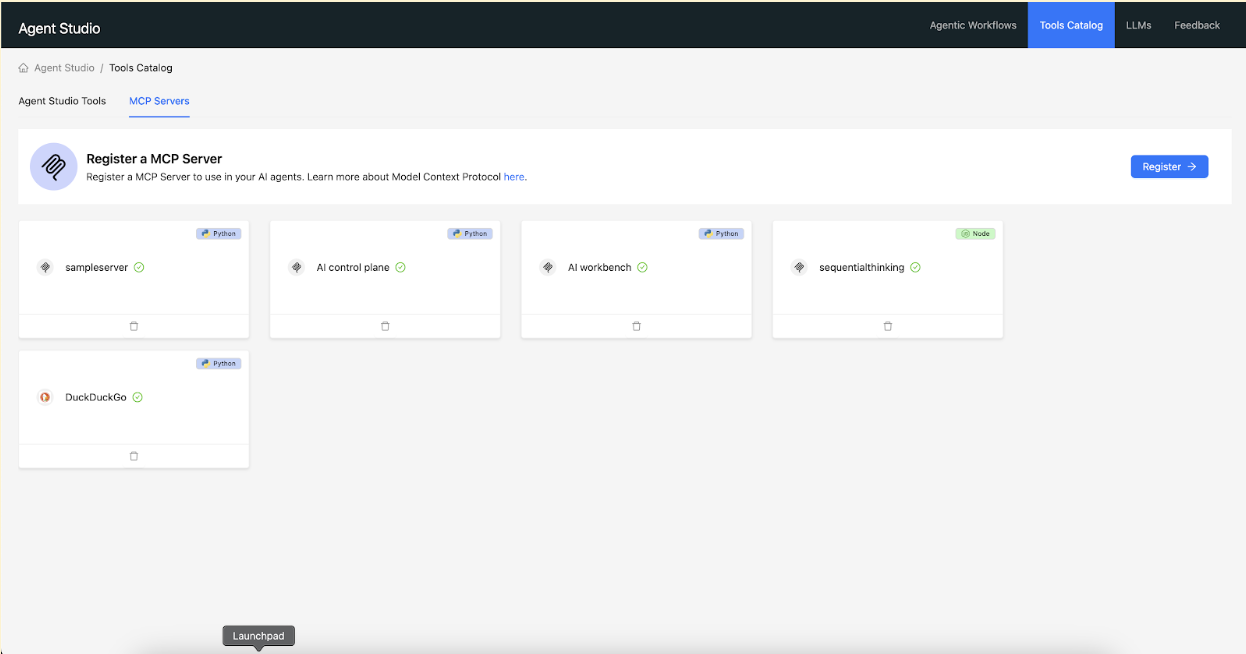
  6. Click the MCP Servers tab.
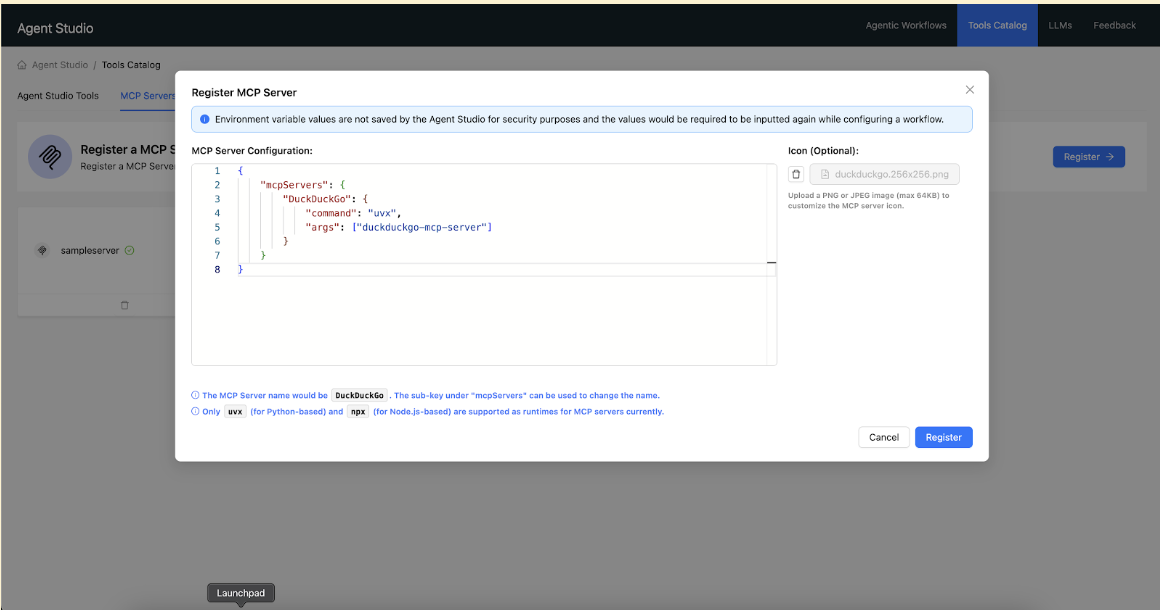
  7. Click the Register button. The MCP server registration dialog box is displayed.
  8. Provide the MCP server configuration in the following format:
    {
        "mcpServers": {
            "<ServerName>": {
                "command": "<runtime>",
                "args": ["<package-name>"],
                "env": {
                    "VARIABLE_NAME": "value"
                }
            }
        }
    }
    
    • Python-based MCP server, using the uvx command-line tool:
      {
          "mcpServers": {
              "DuckDuckGo": {
                  "command": "uvx",
                  "args": ["duckduckgo-mcp-server"]
              }
          }
      }
      
    • Node.js-based MCP server, using the npx command-line tool:
      {
          "mcpServers": {
              "Puppeteer": {
                  "command": "npx",
                  "args": ["-y", "@modelcontextprotocol/server-puppeteer"]
              }
          }
      }
      
    • MCP server with environment variables:
      {
        "mcpServers": {
          "awslabs.amazon-sns-sqs-mcp-server": {
            "command": "uvx",
            "args": ["awslabs.amazon-sns-sqs-mcp-server@latest"],
            "env": {
              "AWS_PROFILE": "your-aws-profile",
              "AWS_REGION": "us-east-1"
            }
          }
        }
      }
      
    • Example with placeholders:
      {
          "mcpServers": {
              "DatabaseMCP": {
                  "command": "uvx",
                  "args": ["database-mcp-server"],
                  "env": {
                      "DATABASE_URL": "postgresql://user:password@host:port/database",
                      "API_KEY": "your-api-key-here"
                  }
              }
          }
      }
      
Following the registration, Agent Studio performs the following actions:
  • Configuration validation: It validates the MCP server setup.
  • Tool discovery: It identifies available tools by reflecting on the server.
  • Tool cataloging: It catalogs these tools for subsequent use within workflows.