Testing the deployed workflow using APIs
Test deployed workflows using the Model API to verify integration and validate response logic within your custom applications.
-
In the Test Model
section, use
the provided access key to send a test
payload.
Figure 1. Model Overview tab with Model Details 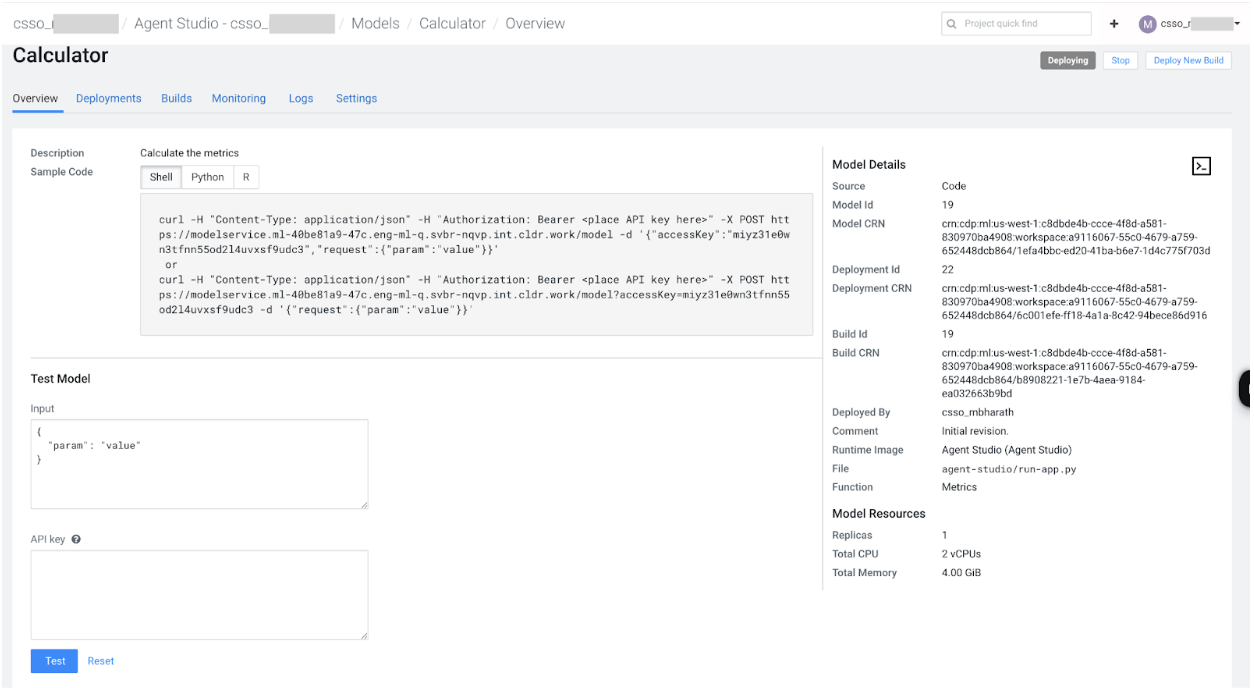 The following code snippet shows how to initiate a workflow task:
MODEL_ENDPOINT = "https://modelservice.<CDSW_DOMAIN>/model?accessKey=<ACCESS_KEY>" CDSW_APIV2_KEY = "..." # An API key used for authorization to the model endpoint # Defined during workflow task creation workflow_inputs = { "input1": "value_1" } inputs_encoded = base64.b64encode(json.dumps(workflow_inputs).encode("utf-8")).decode("utf-8") payload = { "action_type": "kickoff", "kickoff_inputs": inputs_encoded } resp = requests.post( MODEL_ENDPOINT, json={ "request": payload }, headers={"authorization": f"Bearer {CDSW_APIV2_KEY}", "Content-Type": "application/json"}, ) out = resp.json() trace_id = out["response"]["trace_id"] # This trace ID can be used to extract events from the Operations & Metrics server print("trace_id: ", trace_id)
