Using MCP servers in workflows
To enhance the functionality of agents within a workflow, MCP servers can be incorporated during the creation or modification process.
Adding MCP servers to agents
- Select the MCP server, from your registered servers.
- Select the tools, to which the agent must have access to.
- Provide actual values for environment variables if required, to configure the environment.
- Click the Update MCP Server button.
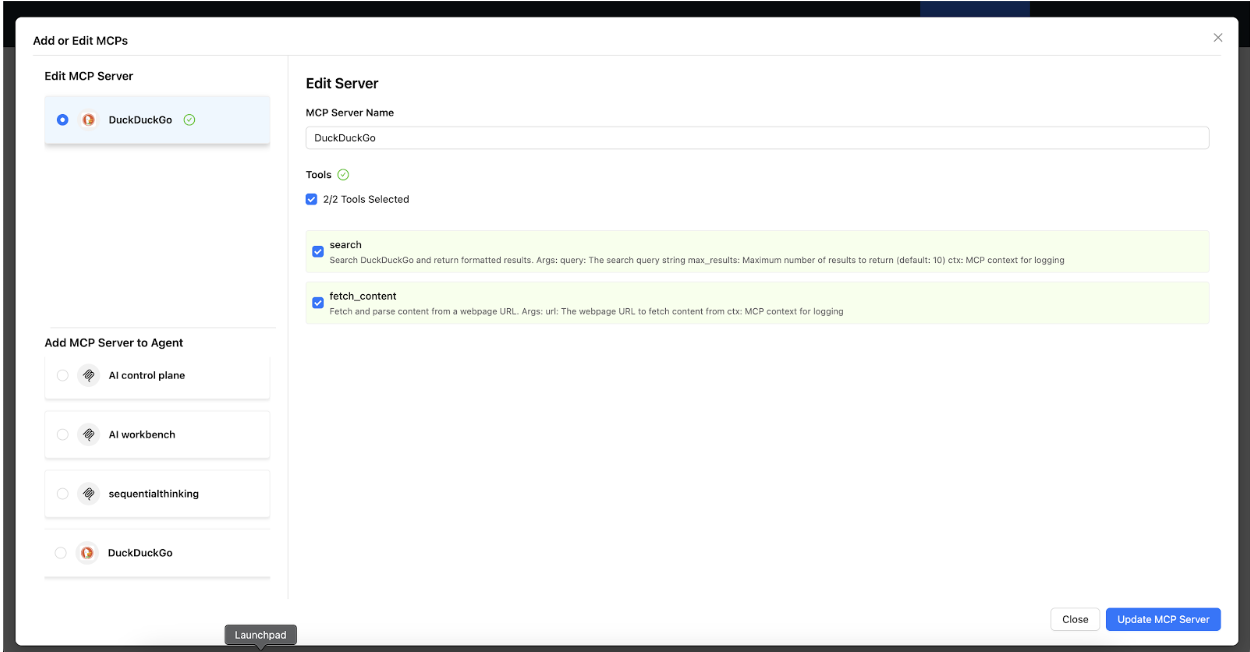
Agent configuration with MCP tools
Results: Agents gain access to the chosen MCP tools after the addition. The agent can now perform the following actions:
- Use MCP tools in their decision-making process.
- Access external data sources through the tools-
- Perform actions in external systems-
