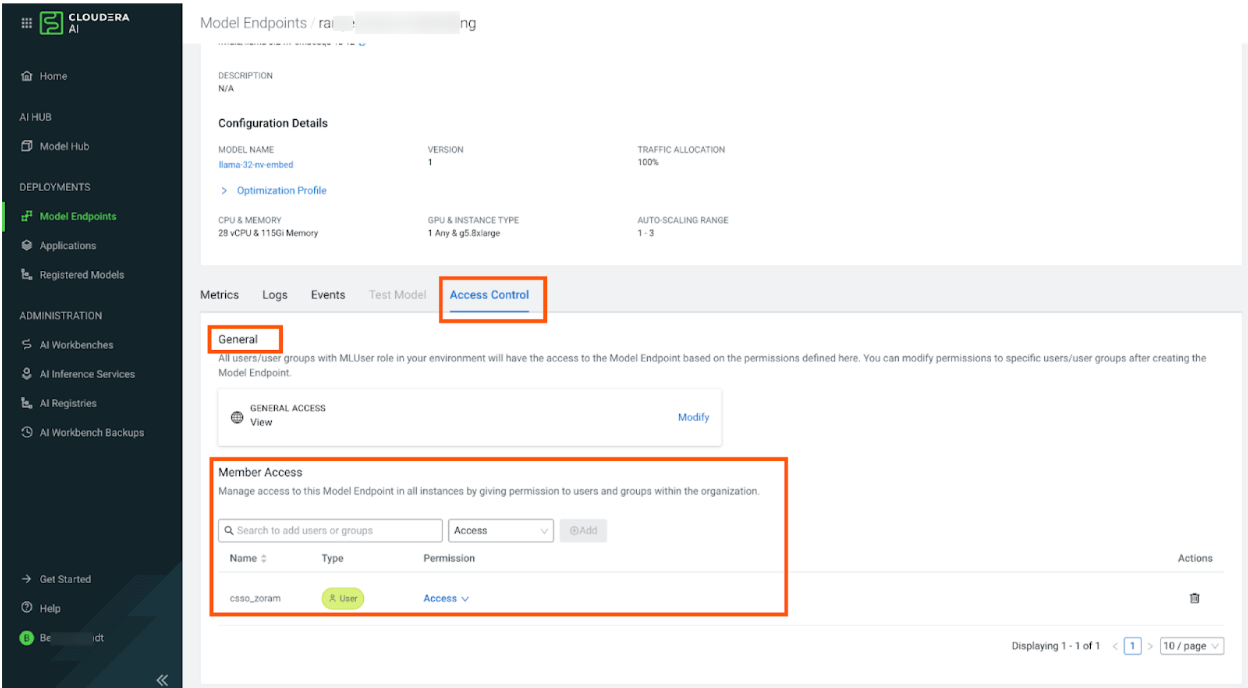
Managing Model Endpoint permissions using UI

If Fine Grained access control is enabled, you can manage permissions directly from the Model Endpoint Details page.

  • Permissions: You must have the Manage access level for the specific endpoint to modify its permissions.
  • General Access: The endpoint creator and users with the MLAdmin or MLUser resource role are granted Manage access by default.
  1. In the Cloudera console, click the Cloudera AI tile.
    The Cloudera AI Home page displays.
  2. Click Model Endpoints under DEPLOYMENTS on the left navigation menu.
    The Model Endpoints page is displayed.
  3. Select the name of the Cloudera AI Inference service instance to access its Details page.
  4. Click the Access Control tab.
  5. Under Model Access, assign specific permissions:
    1. Search for and select the specific User or Group.
    2. Choose the desired Access Level (View, Access, or Manage).
    3. Click Add.