Uploading ML Runtime add-on repository files using the APIv2 endpoint
Cloudera AI provides an APIv2 endpoint that allows Administrators to upload and register ML Runtime add-on repository files by submitting the JSON file as a multipart upload.
The API accepts a JSON ML Runtime add-on repository file, validates its contents, and then triggers add-on loading asynchronously. Administrators can upload add-ons using Swagger UI or via command-line tools such as cURL.
The Cloudera-provided ML Runtime add-on repository file does
not include a registry prefix in the image_identifier field. When add-ons are
loaded, Cloudera AI automatically prepends the pinned Registry of the
workbench if no registry is specified.
-
Method: POST
-
Path: /api/v2/runtimeaddons
-
Authentication: Administrator only (APIv2 key)
Uploading ML Runtime add-on repository file using APIv2 with Swagger UI
- In the Cloudera console, click the
Cloudera AI tile.
The Cloudera AI Workbenches page displays.
- On the left sidebar, click User Settings and navigate to .
- Click the Authorize button in the top right part of the window.
Figure 1. Authorize button 
The Available authorizations window displays.
Figure 2. Authorization 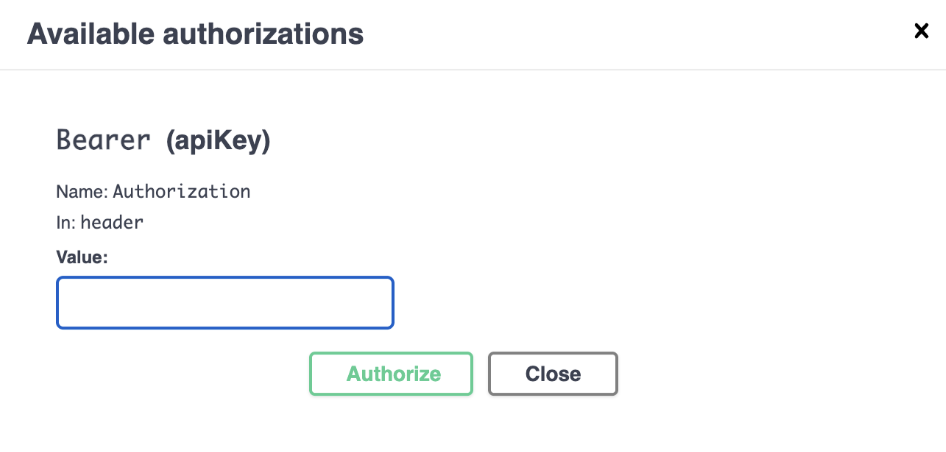
- Provide the Bearer API Key in the Value field and click Authorize.
- Close the Available authorizations window.
The icon for the Authorize button has changed.
Figure 3. Authorize icon 
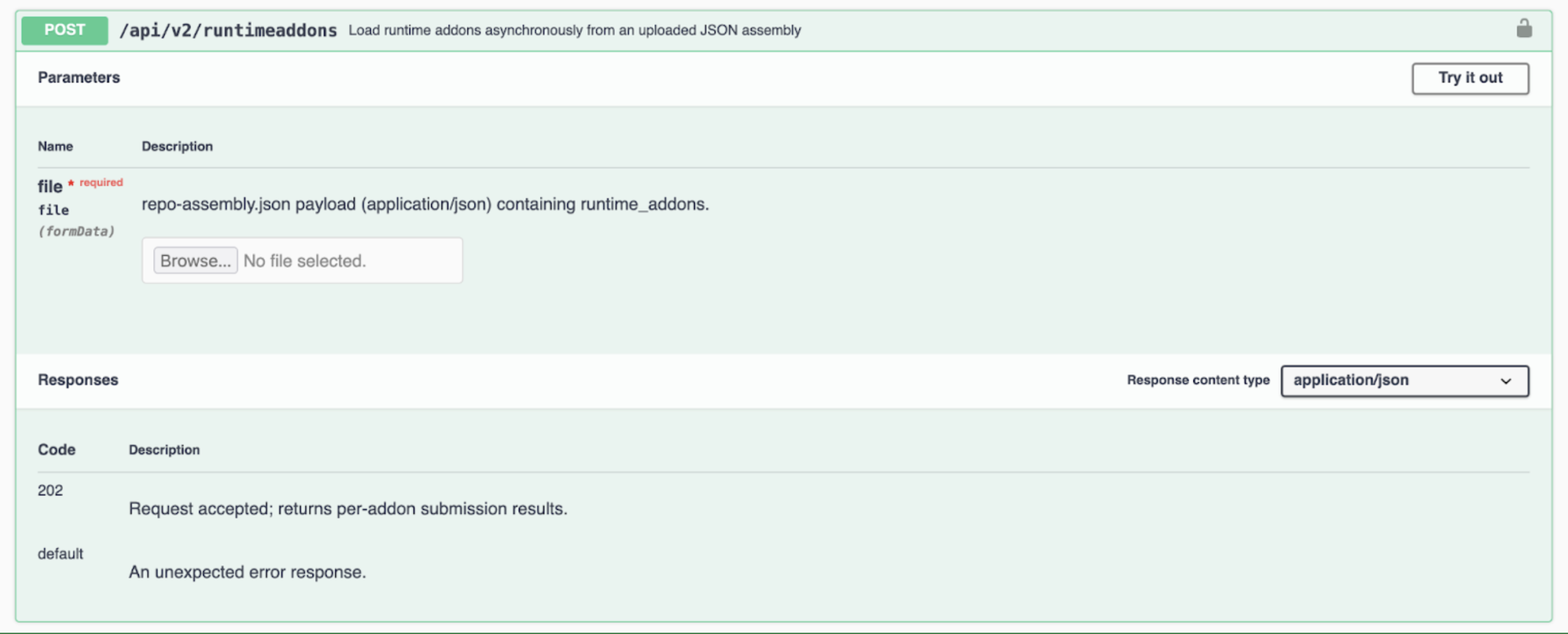
- Find
POST /api/v2/runtimeaddonsamong the services and open it. - Use the file upload control for the file (formData) field to upload
your
repo-assembly.jsonfile.
Uploading ML Runtime add-on repository file using APIv2 with cURL
-
The Content-Type must be multipart/form-data.
-
The Form field name must be file.
-
The uploaded file must be a
jsonRuntime Add-on Repository file,repo-assembly.json, format -
The field name for the
jsoncontent must befile. -
The
jsonfile must include:-
assembly_metadata_version- the value must be 1 -
runtime_addons- must be a non-empty array
-
-
Maximum 10 add-ons per request
-
Add-on requirements:
-
unique_name
-
component - must be one of: Spark, HadoopCLI, Ozone
-
displayName
-
image_identifier
-
specialization - must be present
-
runtime_addon_metadata_version- the value must be 1
-
curl -X POST \
  -H "Authorization: Bearer $API_V2_KEY" \
  -F "file=@/tmp/repo-assembly.json;type=application/json" \
  "$WORKBENCH_BASE_URL/api/v2/runtimeaddons"
Verifying load status
-
In the Cloudera console, click the Cloudera AI tile.
The Cloudera AI Home page displays.
-
Click on the name of the workbench.
The Cloudera AI Workbenches Home page displays.
- Select .
Alternatively, you can use the existing API: GET /api/v2/runtimeaddons.
