Configuring the ML Runtime image

Learn about configuring the ML Runtime image in Agent Studio.

In an air-gapped environment, the Agent Studio ML Runtime image is available for download from the Cloudera AI Registry and can be hosted in their private Docker registry.

  1. The docker credentials of the private registry can be added in the workbench, for more information see, Adding Docker registry credentials.
  2. There is also an option to create and internally host your own runtime repository file. For details on adding a custom ML Runtime repository, refer to Adding ML Runtimes using Runtime Repo files. Ensure to update the image_identifier value within your self-hosted ML Runtime repository file.
  3. In the Cloudera console, click the Cloudera AI tile. The Cloudera AI Workbenches page displays.
  4. Click on the name of the workbench. The workbench Home page displays.
  5. Click Site Administration in the left navigation pane.
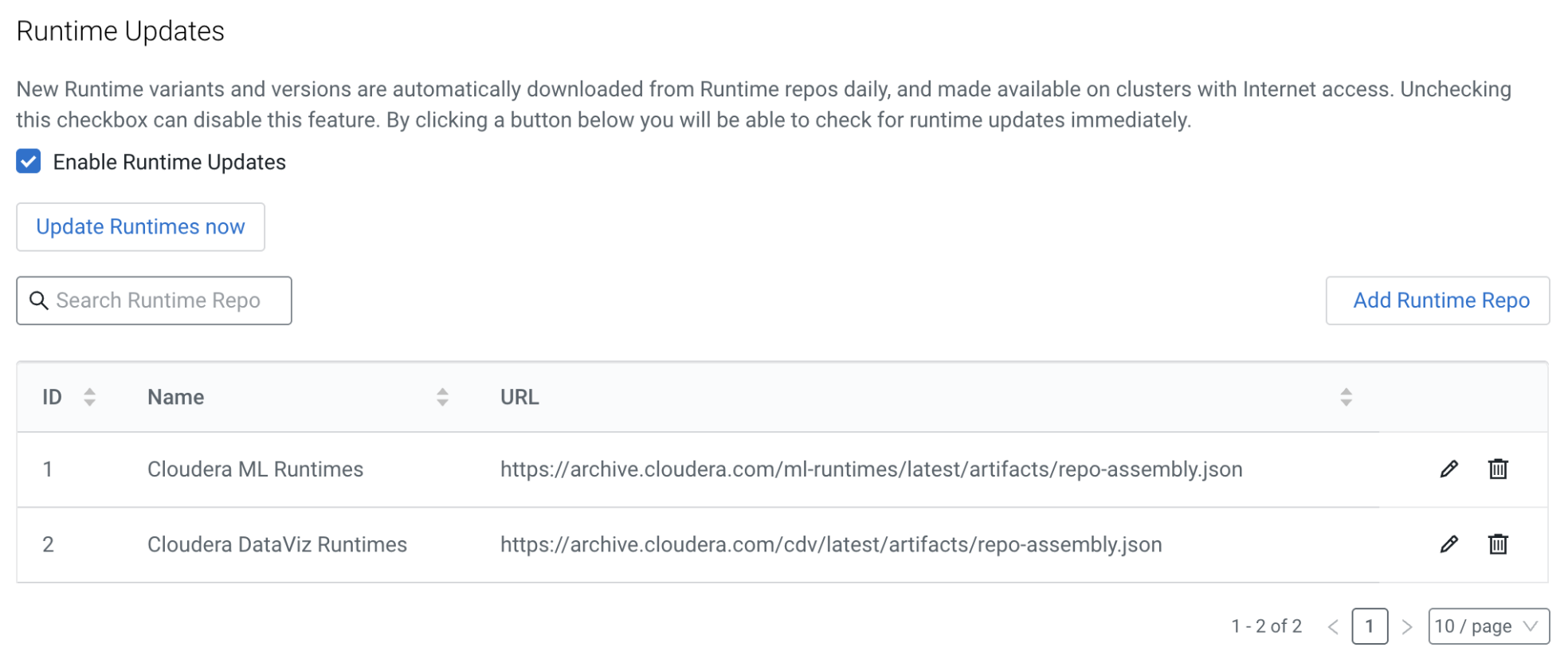
  6. Site administrators must add the ML Runtime repository file entry under Runtimes > Add Runtime Repo to obtain the most recent Agent Studio Runtime image.
  7. The Runtime catalog receives automatic updates with the latest images from the ML Runtime repository files if the Enable Runtime Updates option is selected. This update can be trigerred manually by selecting the Update Runtimes Now button.