Editing Tools
You can edit a tool in Agent Studio.
Perform these steps to edit a tool:
- In the Cloudera console, click the Cloudera AI tile. The Cloudera AI Home page displays.
- Click on the name of the workbench. The Cloudera AI Workbench Home page displays.
- Click AI Studios, in the left navigation pane. The AI Studios page displays.
- Click the Open button on the Agent Studio tile. The Agent Studio page is displayed.
- Click the Tools Catalog option on the Agent Studio window. All the existing tools are displayed.
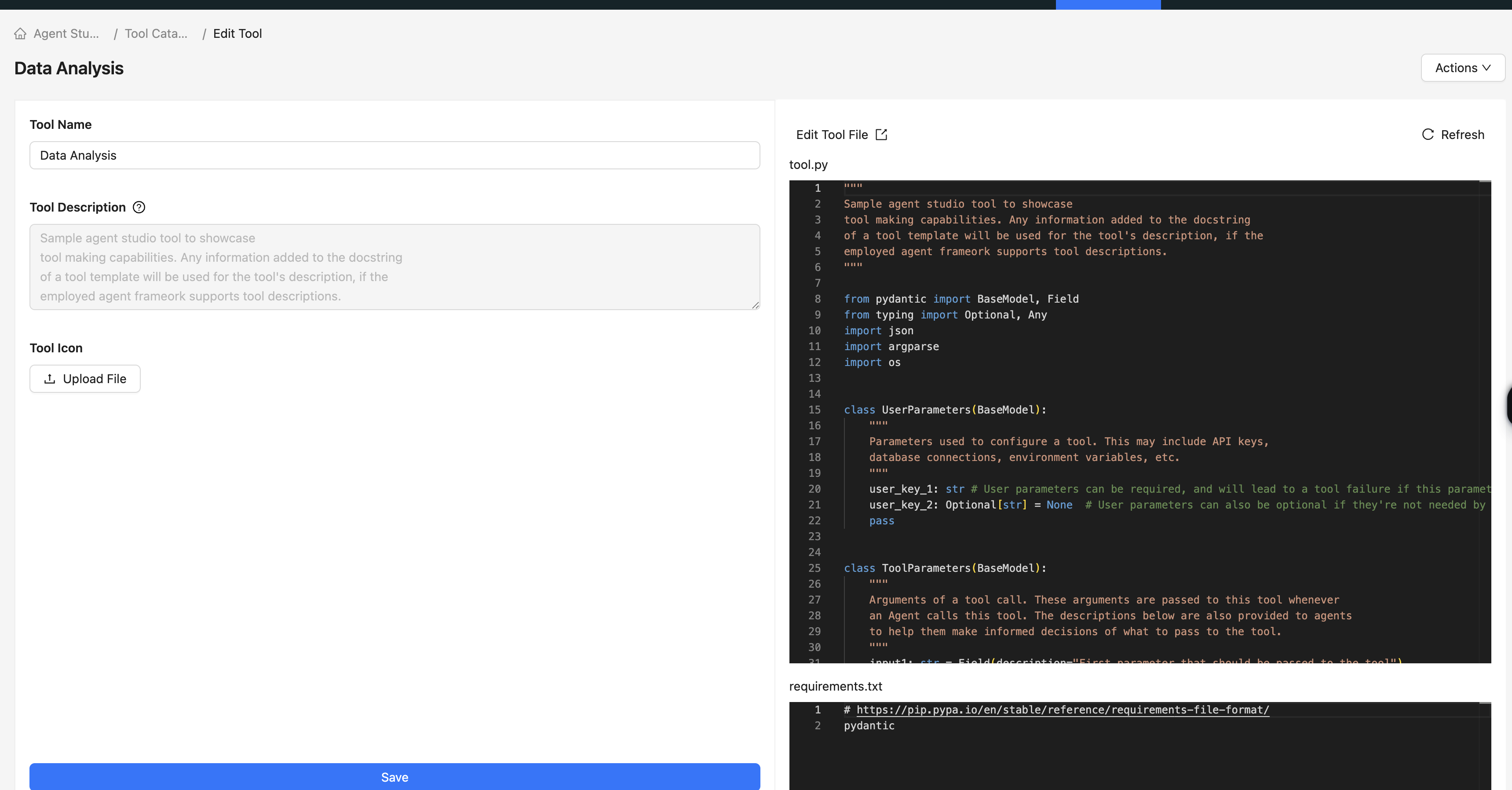
- Click the Edit icon corresponding to the tool you intend to modify. The Edit Tool window displays.
-
Edit to the following parameters:
- Tool Name: Name of the tool.
- Tool Description: The description of the tool is picked up from the
description variable in the class
<tool-name>block. This cannot be modified. - Tool Icon: Click Upload File to add an icon representing this tool.
- Click the Save button.
