Add the Agent Studio runtime repository URL to your workbench so that the Agent
Studio ML runtime image is available for deployment.
-
In the Cloudera
console, click the Cloudera AI tile.
The Cloudera AI Workbenches page is displayed.
-
Click on the name of the workbench.
The workbench Home page is displayed.
-
In the left navigation pane, click Site
Administration.
The Overview page is displayed.
-
Select the Runtimes tab.
The Runtime Updates page is displayed.
-
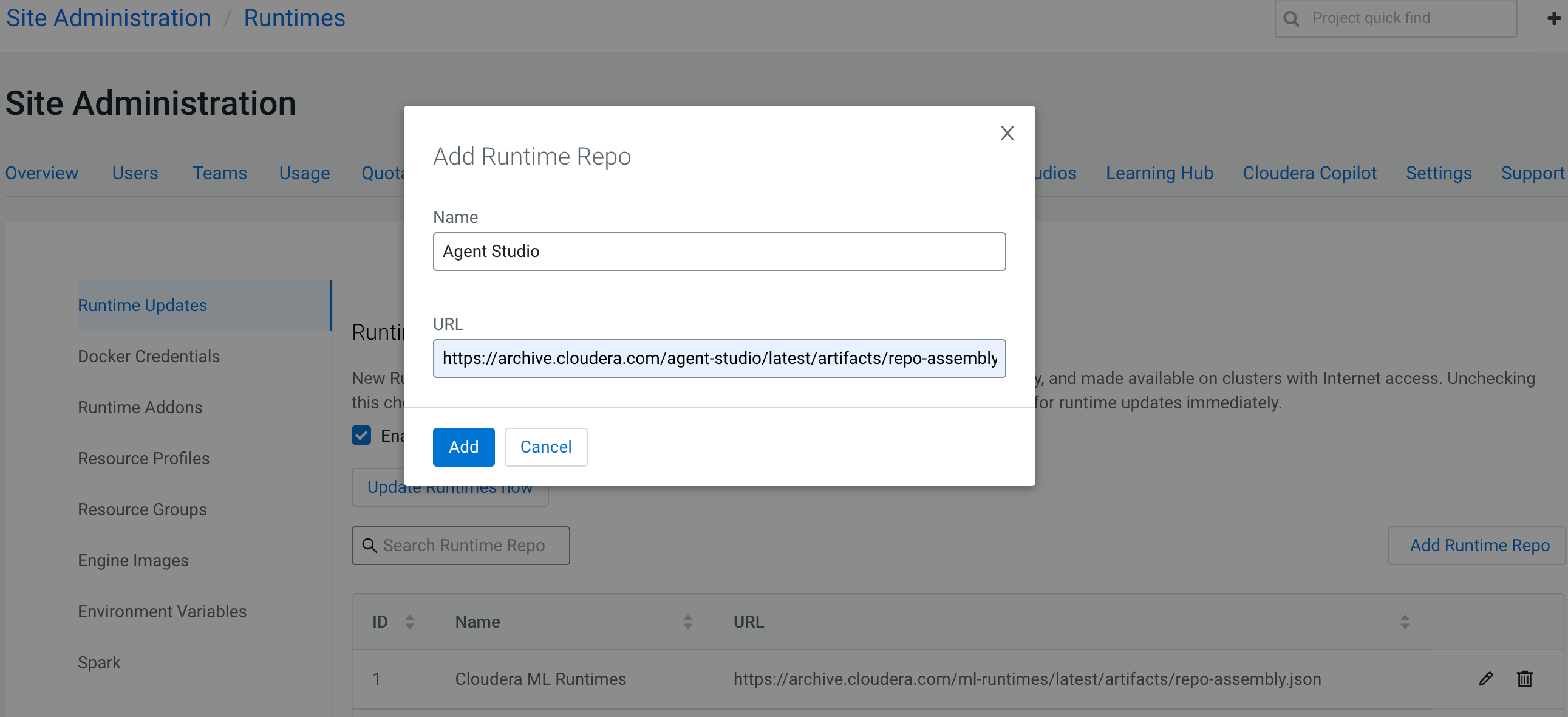
Click on Add Runtime Repo.
The Add Runtime Repo dialog box is displayed.
-
Enter a name for the repository and add
https://archive.cloudera.com/agent-studio/latest/artifacts/repo-assembly.json
in the URL field.
-
Click on Add.
Figure 1. App Runtime Repo window
-
Click on Update Runtimes Now.
The newly added repository name and URL is displayed in the Runtime
Updates page.
