Stopping a workflow
Stop running workflows in Agent Studio within Cloudera to immediately terminate active AI agents and release allocated compute resources.
Stopping a workflow is useful in the following scenarios:
- Unexpected duration: The workflow is taking significantly longer than anticipated.
- Input adjustments: When changes are required for the input data before the process completes.
- Unsatisfactory results: The current output is not meeting your requirements or expectations.
- Process redundancy: The workflow is no longer needed to complete its task.
- Fresh start: To restart the process with entirely different settings.
The Stop Workflow feature ensures that the workflow terminates cleanly. All progress is saved, and compute resources are properly released.
-
Enter the required details and go to tabs.
You can either stop the workflow during testing, in the Tools Playground or stop the workflow after deploying it.
Figure 1. Test tab 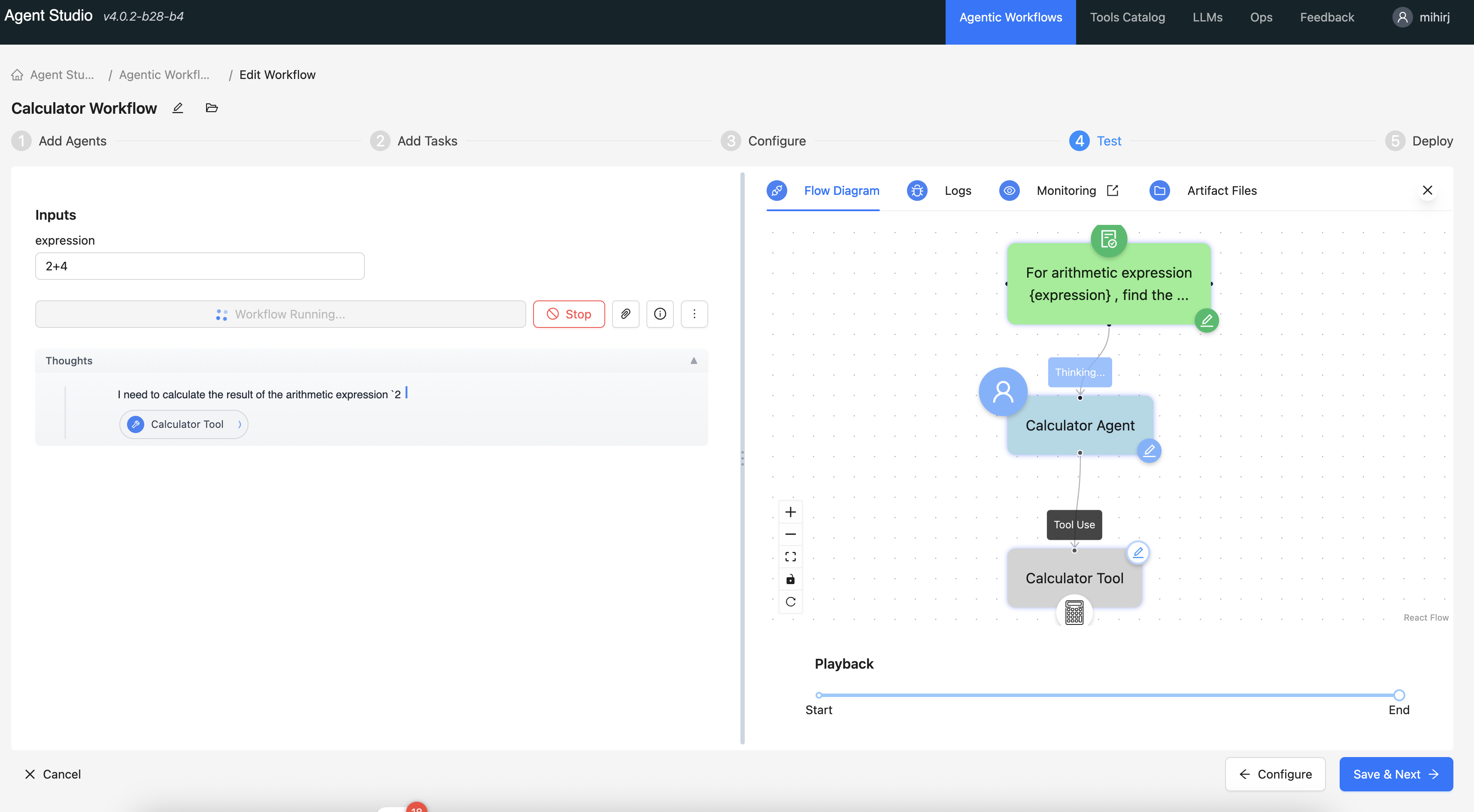
The workflow stops within seconds. Once stopped:
- Resource cleanup is handled automatically.
- You can immediately initiate a new workflow or modify existing settings.
