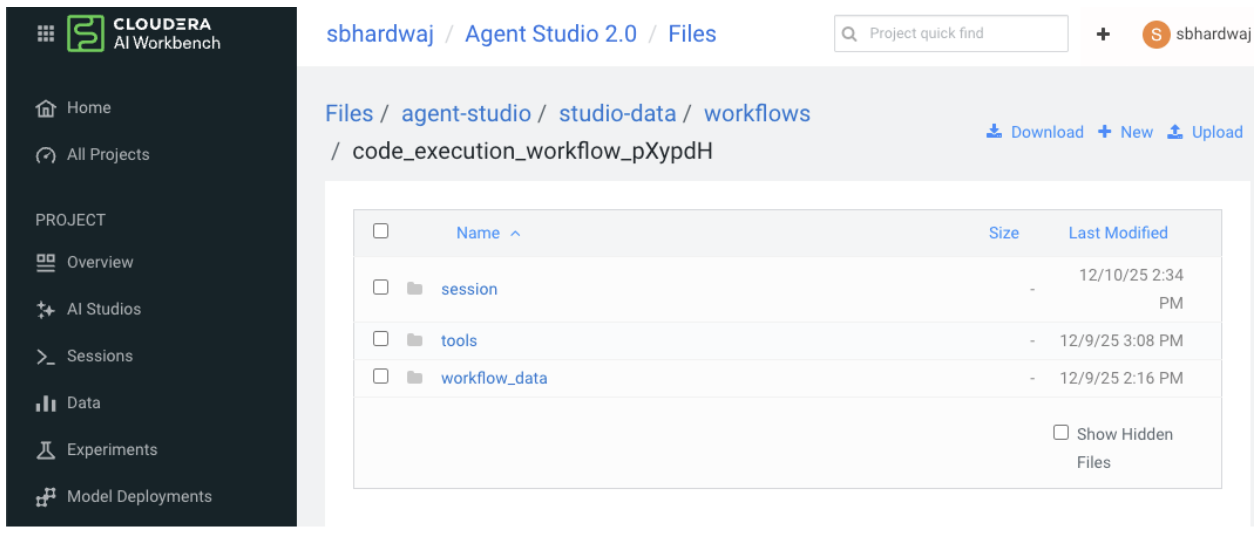
The sandboxed environment restricts access to host filesystem paths, meaning tools that
previously accessed files using absolute paths (for example,
/home/cdsw/my-project/data.csv) or traversed the CML project directory
structure will no longer function.
To resolve this issue, tools are required to utilize the /workflow_data
directory, which is a read-only mount point containing project files.
Old Approach (Now Obsolete):
import pandas as pd
import os

def run_tool(config, args):
    # ❌ This will fail - absolute paths outside sandbox are inaccessible
    file_path = "/home/cdsw/my-project/data/input.csv"
    df = pd.read_csv(file_path)

    # ❌ This will also fail - cannot traverse project directory
    project_root = "/home/cdsw/my-project"
    for root, dirs, files in os.walk(project_root):
        # Process files...
        pass

    # Process data
    result = df.groupby('category').sum()

    # ❌ This will fail - cannot write outside /workspace
    output_file = "/home/cdsw/my-project/data/output.json"
    with open(output_file, 'w') as f:
        json.dump(result.to_dict(), f)
After (New Approach -
Required):
import pandas as pd
import json
import os

def run_tool(config, args):
    # ✅ Get workflow data directory from environment variable
    workflow_data_dir = os.environ.get('WORKFLOW_DATA_DIRECTORY', '/workflow_data')

    # ✅ Access project files from workflow data directory
    input_file = os.path.join(workflow_data_dir, 'data', 'input.csv')

    if not os.path.exists(input_file):
        return {
            "status": "error",
            "message": f"Input file not found at {input_file}. "
                      f"Please ensure the file is in the workflow_data directory."
        }

    df = pd.read_csv(input_file)
   # ✅ List files in workflow_data directory (replaces os.walk on project root)
    if os.path.exists(workflow_data_dir):
        project_files = []
        for root, dirs, filenames in os.walk(workflow_data_dir):
            for filename in filenames:
                rel_path = os.path.relpath(os.path.join(root, filename), workflow_data_dir)
                project_files.append(rel_path)
        print(f"Available project files: {project_files}")

    # Process data
    result = df.groupby('category').sum()

    # ✅ Get session directory for writing output files
    session_dir = os.environ.get('SESSION_DIRECTORY', '/workspace')
    output_file = os.path.join(session_dir, 'output.json')

    with open(output_file, 'w') as f:
        json.dump(result.to_dict(), f)

    return {
        "status": "success",
        "message": f"Processing complete. Output saved to {output_file}"
    }
Example Workflow Template
The Talk to your SQLite Database workflow template is designed to
illustrate secure practices for working with SQLite database files.
Core Principle: This
template emphasizes the correct method for sandboxed tool execution to access project files. By
using the workflow data directory (/workflow_data) and the
WORKFLOW_DATA_DIRECTORY environment variable, rather than relying on
absolute CML project paths.
Key Demonstrations of the Template:
Workflow Data Directory Access: Shows how tools read SQLite database files from the
designated, read-only workflow data directory.
File Lifecycle: Demonstrates the secure process of uploading database files to the workflow
data directory and subsequently accessing them within sandboxed tools.