About the Restore service
The Disaster Recovery process enables an end-to-end restore of the Data Services on-premises cluster from an S3 compatible external storage to a target secondary cluster.
The S3 backup repository contains all Kubernetes resources and Persistent Volume (PV) data required to restore services to their original state.
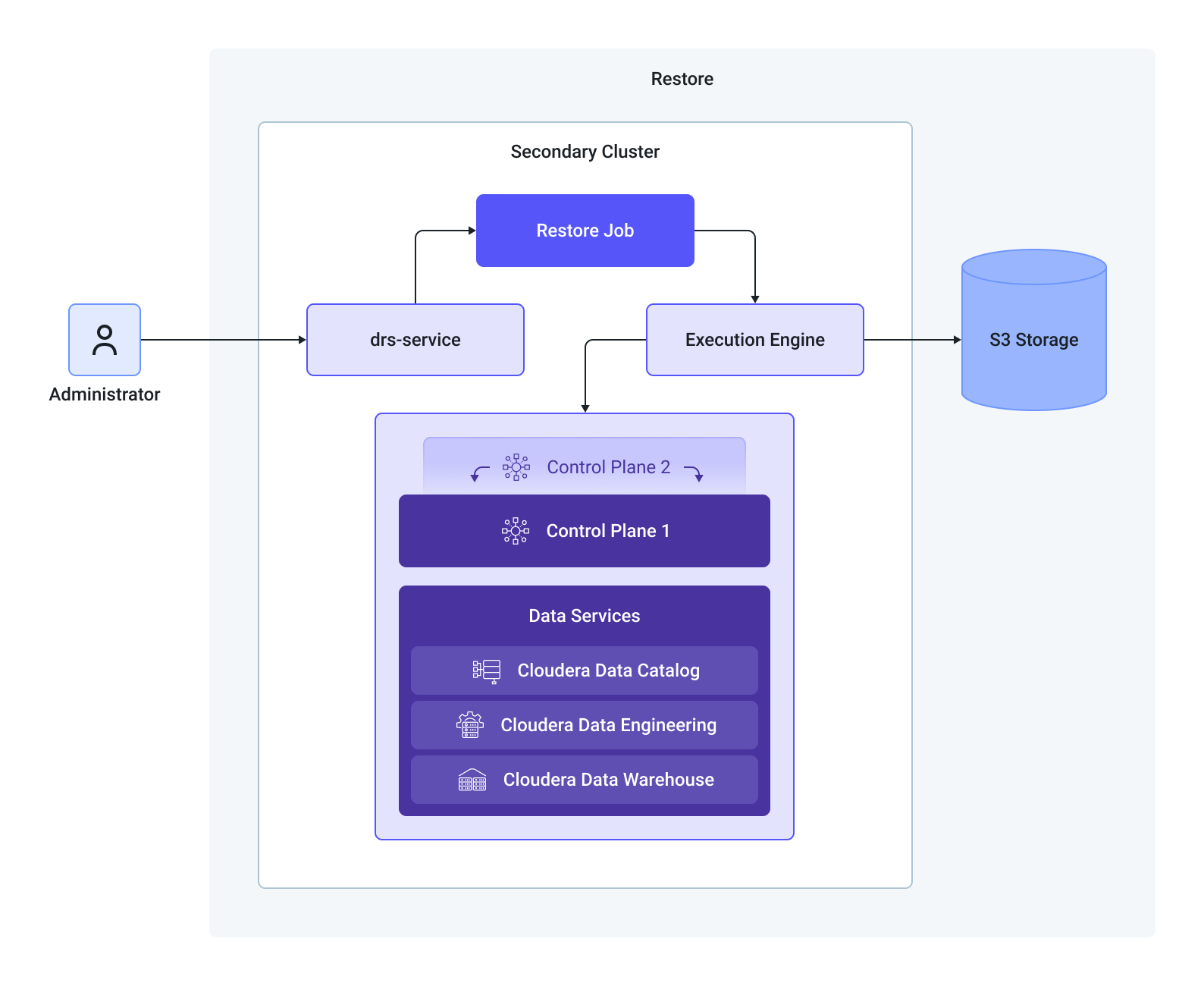
The Restore Execution Lifecycle
The restore process includes retrieving the backed up data, mapping the entities, backing up attributes, clearing up target cluster namespaces, and post restore operations.
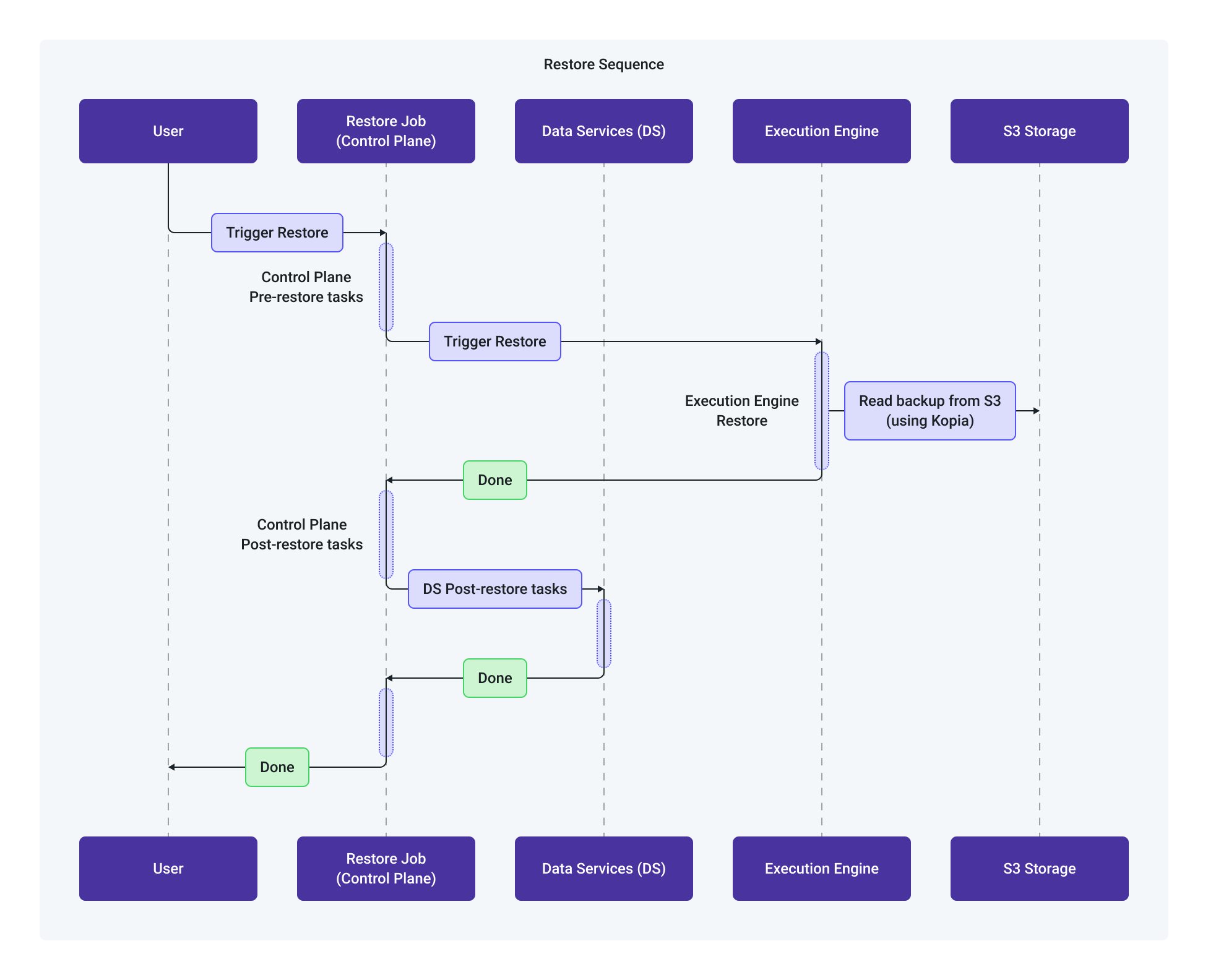
Understanding the restore operations
You must review the following information before initiating the restore process.
- The Restore Operation is initiated directly on the target secondary cluster.
- Based on the target cluster's configured storage, the operator queries the S3 storage bucket and displays available backup candidates.
- The end-user selects a specific backup candidate.
- Using the backup metadata stored alongside the data in S3, the user can select specific entities to restore or opt for a full cluster restore.
- You can select the scope which is a subset of the backed up data.
Backup Pre-Restore local state
To ensure cluster accessibility and continuity after the restore, the Cloudera Control Plane automatically backs up key attributes unique to the target secondary cluster before destructive actions occur.
- Tracked Attributes: Target Control Plane URL, local ingress settings, and cluster-specific endpoints.
Namespace Purging and Data Restore
- The operator cleans/purges target cluster namespaces that match those in the incoming backup object.
- Kubernetes resource manifests and PV data are transferred from S3 and applied as-is to the target cluster.
Post-Restore Reconciliation
Because the restored backup metadata inherently contains configuration details from the primary cluster (such as primary URLs), a reconciliation step runs immediately after the restore operation:
The Cloudera Control Plane retrieves the local secondary cluster attributes saved during the pre-restore step.
Deployment manifests, Ingress resources, and service configurations are dynamically updated to reflect the secondary cluster's parameters (for example, updating Ingress URLs from the primary cluster endpoint to the secondary cluster endpoint).
Cluster services return to a fully operational state.
This is necessary because the backup file you are restoring contains the web address of the original (primary) cluster. Once the restore operation is completed, the system makes use of the saved settings to update the web addresses across the applications and connections, making sure everything points to the new cluster and is fully operational.
