You can restore the backed up data on the S3 storage.
Procedure to enable the restore operations to secure the
data.As a prerequisite, you must have backed-up your data on the S3 storage and also you
must have linked the S3 storage to the secondary cluster and later perform the restore
operation. The cluster configurations for both the primary and secondary clusters must
be the same.
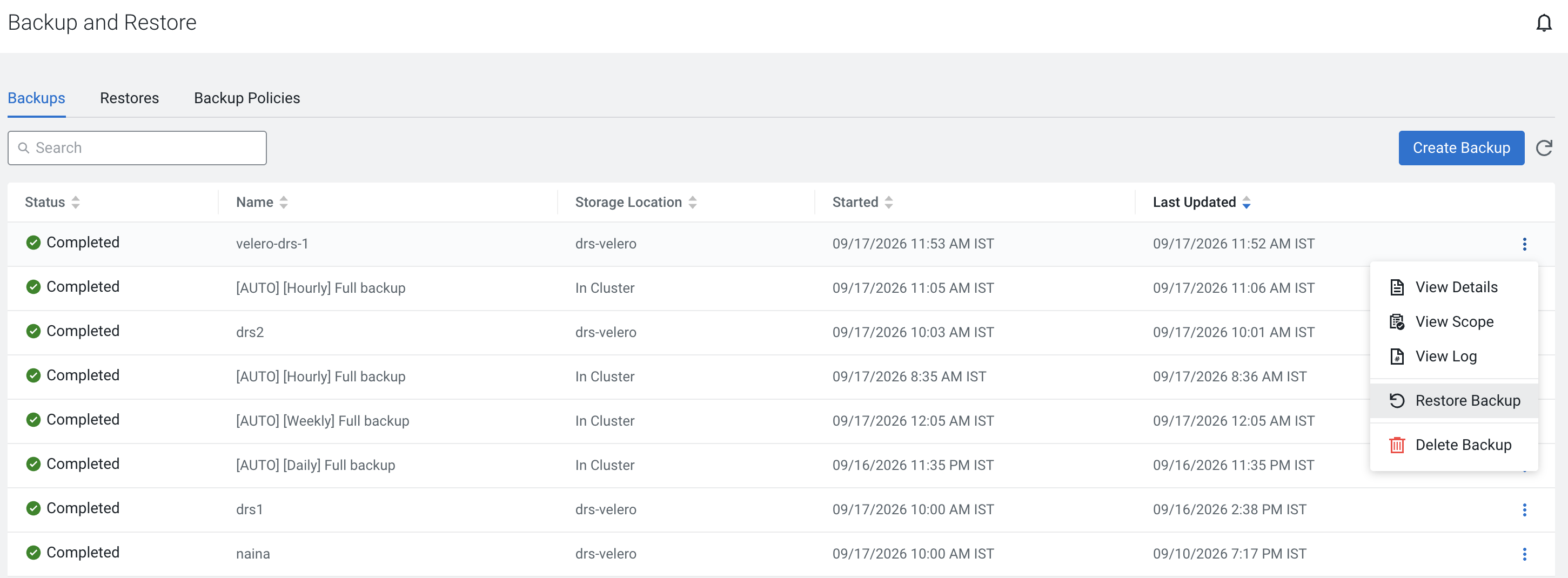
Navigate to Cloudera Management Console →
Backup and Restore → Select the
Backups tab.
The list of backed up data is displayed.
Select the backed up file and click on the icon and select
Restore Backup.
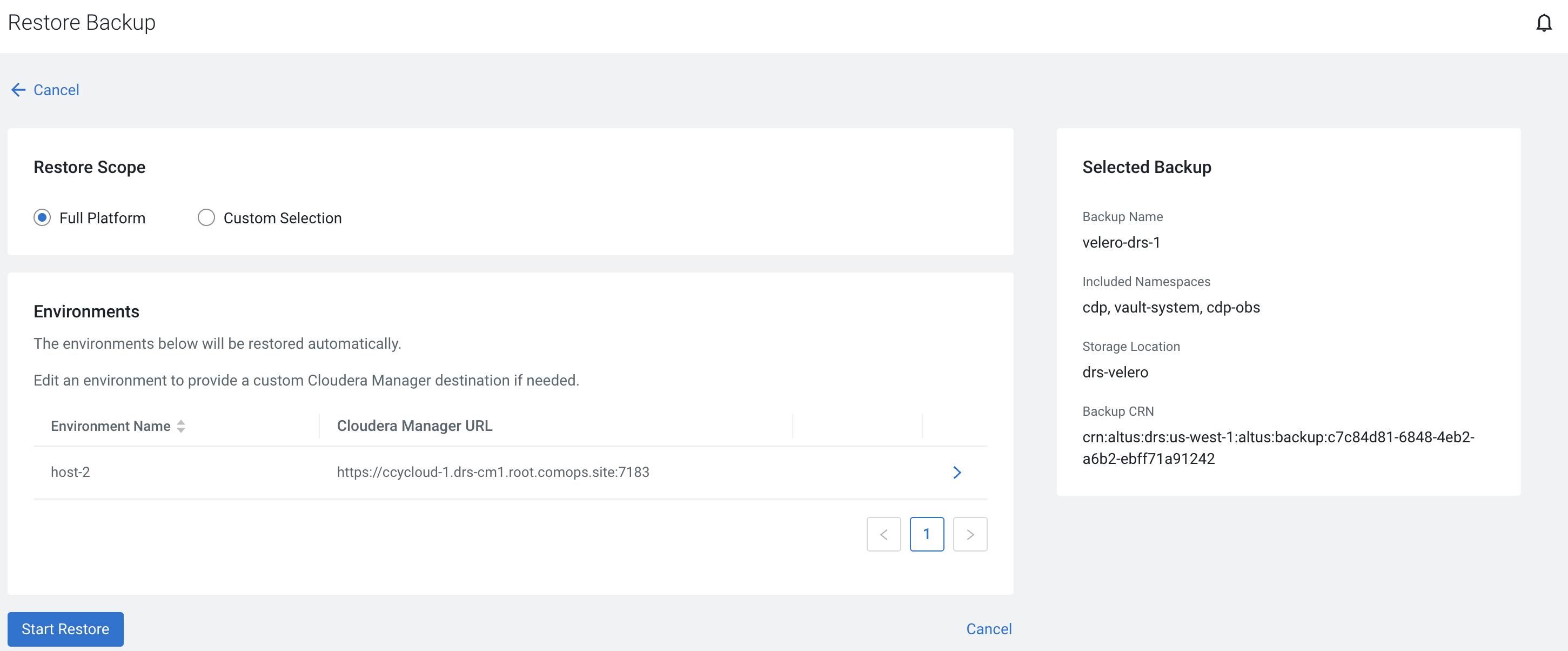
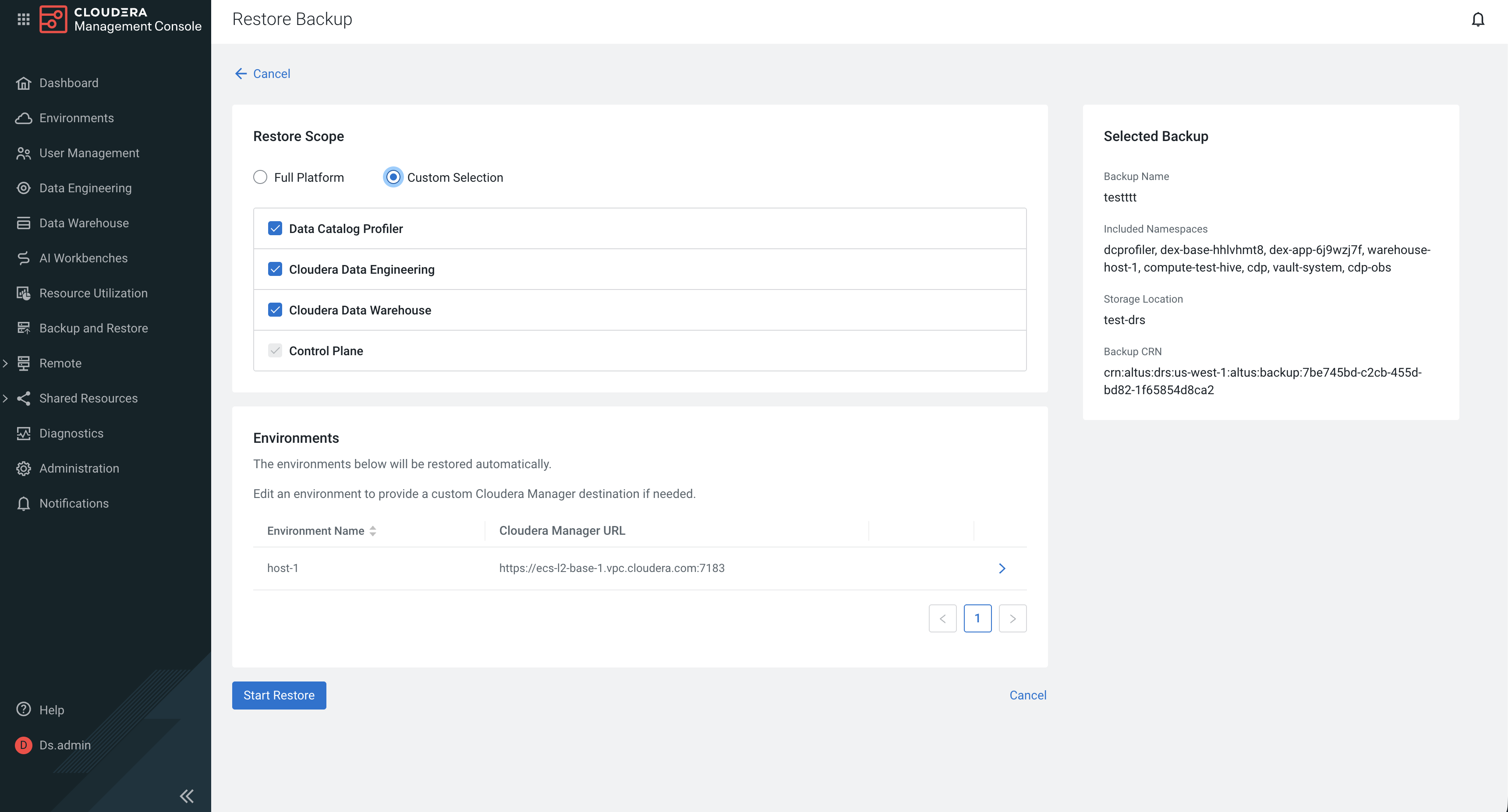
On the Restore Scope pane, select Full
Platform or Custom Selection
option.
Full Platform backup picks up the data from the entire cluster.
Custom selection specifically backs up from one or more entities from
the following:
Control Plane (default)
Control Plane + Supported Data
Services
Click Start Restore to commence restoring the selected
entities.
 icon and select
Restore Backup.
icon and select
Restore Backup.